
TL;DR:
- Many UK nonprofits neglect user research and testing, leading to low app engagement and wasted resources.
- A structured, user-centred design process through all phases enhances adoption, reduces costs, and maximizes social impact.
- Choosing the right development approach depends on budget, skills, and project complexity, with phased strategies often being most effective.
Many UK nonprofits rush to launch apps with the best of intentions, only to find themselves battling poor user uptake, stretched budgets, and a product that nobody quite uses as planned. The problem is rarely a lack of passion. It is almost always a lack of process. Without a clear, user-centred design workflow, even the most well-funded app project can miss the mark entirely. This guide walks you through every phase of a proven nonprofit app design workflow, from initial discovery through to post-launch iteration, so your organisation can build something that genuinely serves your users and delivers lasting social impact.
Table of Contents
- Understanding the nonprofit app design workflow
- Preparing for app design: laying the right foundations
- Step-by-step: executing your app design workflow
- Choosing your approach: custom build, no-code, or platform?
- Testing, launching, and sustaining app impact
- Why most nonprofits skip workflow steps (and how to stand out))
- How we can help you accelerate your nonprofit app journey
- Frequently asked questions
Key Takeaways
| Point | Details |
|---|---|
| User-centred approach | Putting the user first leads to higher engagement and efficient app delivery. |
| Thorough preparation | A structured discovery and stakeholder alignment phase reduces costly mistakes later. |
| Iterative development | Testing and repeated improvement are crucial for long-term nonprofit app success. |
| Tailored solutions | Choosing the right build approach depends on your nonprofit's skills and resources. |
| Sustain impact | Ongoing user feedback and learning drive lasting value post-launch. |
Understanding the nonprofit app design workflow
A robust app design workflow is not simply a checklist. It is a structured, repeatable process that keeps your users at the centre of every decision. UK nonprofit app design workflows typically follow User-Centred Design (UCD) methodologies, involving iterative discovery, design, development, testing, and deployment phases. UCD means every design choice is grounded in real user research rather than internal assumptions.
For nonprofits, this matters enormously. Your users may include volunteers, beneficiaries, donors, and staff, each with very different needs, varying levels of digital confidence, and distinct motivations for using your app. Getting this wrong wastes resources you cannot afford to lose.
The five core phases of a nonprofit app design workflow are:
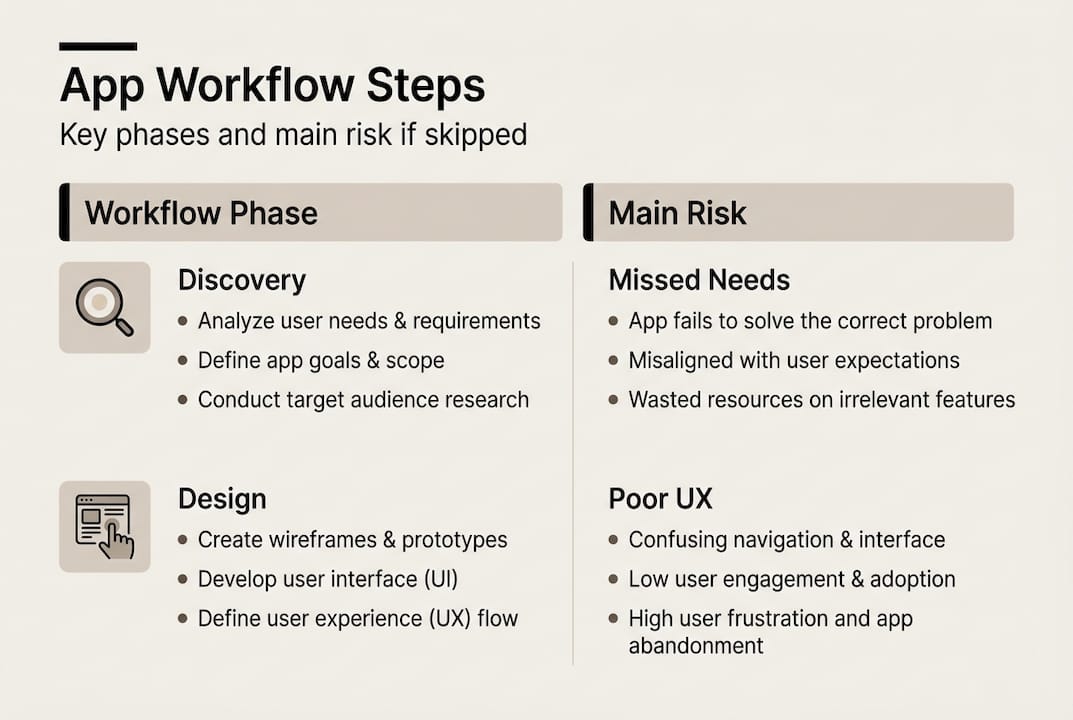
- Discovery — understanding user needs, organisational goals, and technical constraints
- Solution creation — defining features and mapping user journeys
- Design — building wireframes, prototypes, and visual interfaces
- Iteration — testing and refining based on real feedback
- Deployment — launching and monitoring in the real world
The user-centred design benefits for nonprofits are well documented, and include stronger engagement, better return on investment, and significantly less costly rework later in the project.
UK nonprofits face unique challenges in this space. Digital maturity varies widely across the sector, and resource constraints often tempt organisations to skip phases. That is a false economy. When you invest properly in each phase, you typically see:
- Higher user adoption rates among beneficiaries and volunteers
- Reduced development costs through earlier problem identification
- Stronger donor confidence in your digital capabilities
- More efficient internal operations and reporting
- Greater alignment between app features and actual organisational needs
For charities focused on engaging donors and volunteers, a well-executed workflow is the difference between an app that transforms engagement and one that gathers digital dust.
"User-centred design is not a luxury for well-resourced organisations. It is the most efficient way for any charity to spend its digital budget."
| Workflow phase | Primary goal | Common risk if skipped |
|---|---|---|
| Discovery | Understand real user needs | Assumption-based design |
| Solution creation | Define scope and features | Scope creep and confusion |
| Design | Create testable prototypes | Poor usability |
| Iteration | Refine based on feedback | Low adoption post-launch |
| Deployment | Launch and monitor | Missed engagement opportunities |
Preparing for app design: laying the right foundations
With the workflow phases mapped out, it is crucial to start on a solid foundation. A digital transformation roadmap for charities consistently highlights the need for an initial audit and stakeholder reviews before any design work begins. Skipping this step is one of the most common and costly mistakes we see.
Effective preparation means running structured discovery activities: user interviews, workshops with staff and beneficiaries, and a review of any existing data you hold about how people currently interact with your services. This is not about gathering information for its own sake. It is about building a shared understanding across your team before a single wireframe is sketched.
Team structure matters too. Consider these three common models:
| Team model | Best suited for | Key risk |
|---|---|---|
| Internal only | Larger charities with in-house digital teams | Limited external perspective |
| Mixed (internal + external advisors) | Most mid-sized nonprofits | Requires strong communication |
| Fully outsourced | Smaller charities with no digital staff | Needs careful briefing and oversight |
For most UK nonprofits, a mixed model works best. You retain organisational knowledge and mission focus while gaining technical expertise and an outside perspective on user needs.
The project discovery process is where the real value of preparation becomes clear. A thorough discovery phase surfaces assumptions early, aligns stakeholders, and gives your design team a clear brief to work from.
Pro Tip: Never rely solely on what your leadership team thinks users want. Blend stakeholder input with direct user research. The gap between what senior staff assume and what users actually need is often surprising, and always instructive.
Here is a practical preparation checklist for nonprofits:
- Conduct a baseline audit of existing digital tools and user data
- Map your key user groups and their primary goals
- Run at least two stakeholder workshops before design begins
- Define success metrics upfront (engagement rates, task completion, retention)
- Agree on a governance structure for design decisions
- Identify budget and timeline constraints honestly and early
Step-by-step: executing your app design workflow
Once your team is ready, it is time to drive your project forward with an effective execution plan. The following steps represent a proven sequence for nonprofit app projects.
- Run a structured discovery sprint — Spend two to four weeks on user research, stakeholder interviews, and competitive analysis. Document findings in a clear brief.
- Build and test low-fidelity prototypes — Sketch user journeys and create simple wireframes before any visual design begins. Test these with real users early.
- Develop a clickable prototype — Move to a higher-fidelity prototype that simulates the core user experience. This is your primary testing tool.
- Conduct iterative user testing — Run moderated testing sessions with a representative sample of your users. Aim for at least five participants per round to surface the most significant usability issues.
- Iterate based on findings — Make targeted changes based on testing feedback, then retest. Repeat until core tasks are completed with confidence.
- Plan your deployment — Define your launch strategy, onboarding flow, and post-launch support plan before you go live.
The charity sector digitisation data is sobering: the UK charity digital maturity average is 5.1 out of 10, with 68% of small charities still in early adoption stages. This means many nonprofits are executing these steps for the first time, which makes rigour even more important.
Prioritising UCD discovery to avoid assumption-based design is not optional. It is the single most effective way to protect your investment.
Pro Tip: Involve users at every stage, not just at the end. Even a brief five-minute feedback session during prototyping can prevent weeks of rework later.
For teams looking at speeding up workflow delivery without sacrificing quality, the key is parallel workstreams: run user research and technical scoping simultaneously rather than sequentially. For organisations building apps for social good, user feedback in app design is the engine that keeps the project aligned with real-world impact.
Choosing your approach: custom build, no-code, or platform?
After establishing the steps, the next big decision is picking the best delivery model. UK nonprofits have more options than ever, and each carries distinct trade-offs.
| Approach | Typical cost | Speed to launch | Flexibility | Best for |
|---|---|---|---|---|
| Custom build | High | Slower | Very high | Complex, unique requirements |
| No-code tools | Low to medium | Fast | Moderate | Simple apps, limited budgets |
| Platform-based | Medium | Medium | Low to moderate | Standardised use cases |
Custom development gives you full control over features, data, and user experience. It is the right choice when your app needs to integrate with existing systems, handle sensitive beneficiary data, or deliver a genuinely differentiated experience. The cost is higher, but so is the long-term value.
No-code tools such as Glide or Adalo allow non-technical staff to build functional apps quickly. They are excellent for prototyping or for straightforward use cases like volunteer sign-up or event management. However, they can become limiting as your needs grow.
Platform-based solutions sit in the middle. They offer more structure than no-code but less flexibility than custom builds. They work well for charities with standardised workflows.
Platform choices for charities often come down to a phased approach: start with a no-code MVP (minimum viable product) to test your concept, then invest in custom development once you have validated user demand.
Key questions to guide your decision:
- What is your realistic budget for year one and year two?
- Do you have in-house technical staff to maintain the app?
- How unique are your user journeys and data requirements?
- What integrations do you need with existing systems?
- How quickly do you need to launch a working version?
"The best approach is not always the most technically impressive one. It is the one your team can sustain and your users will actually adopt."
For practical design tips for engagement that apply across all three models, the fundamentals remain the same: clear navigation, accessible language, and a frictionless onboarding experience.
Testing, launching, and sustaining app impact
With your chosen approach, the final step is making your app a success in the real world. Iterative building and testing are central to the UK nonprofit workflow, and this does not stop at launch.
Before going live, work through these validation steps:
- Accessibility audit — Ensure your app meets WCAG 2.1 AA standards, which is especially important for apps serving diverse beneficiary groups.
- Performance testing — Test on a range of devices and network conditions. Many beneficiaries use older smartphones or rely on mobile data.
- Beta launch with a pilot group — Release to a small, representative group before full launch. Gather structured feedback and fix critical issues.
- Soft launch and monitor — Use analytics to track user behaviour from day one. Identify drop-off points and prioritise fixes.
Post-launch, the most common mistakes nonprofits make are:
- Treating launch as the finish line rather than the starting point
- Failing to resource ongoing maintenance and updates
- Not establishing a regular feedback loop with users
- Ignoring analytics data until problems become critical
- Losing momentum on feature development after initial excitement fades
Building a culture of iteration after launch is what separates apps that grow in impact from those that stagnate. Schedule quarterly reviews of user feedback and analytics. Treat every update as an opportunity to improve.
"Launching is not the goal. Sustained engagement is. An app that improves every quarter will always outperform one that was perfect at launch but never updated."
For charities committed to designing for lasting engagement, the post-launch phase is where genuine impact compounds over time.
Why most nonprofits skip workflow steps (and how to stand out)
Having explored the technical workflow, here is a real-world perspective based on sector experience. The honest truth is that most nonprofits skip discovery and testing not because they do not value them, but because budget and deadline pressure make shortcuts feel necessary. The result is predictable: apps that launch with fanfare and fade within months.
What we consistently see is that the charities producing the most impactful digital tools are the ones willing to invest time upfront. They run proper discovery. They test with real users. They iterate before they launch. This is not slow. It is actually faster in the long run because you avoid the expensive rework that comes from building the wrong thing.
Standing out in the sector means treating your app as a strategic asset, not a one-off project. Organisations that use leveraging apps for good as a genuine operational strategy consistently report stronger beneficiary relationships and more efficient internal processes. The workflow is not bureaucracy. It is the mechanism by which good intentions become real-world impact.
How we can help you accelerate your nonprofit app journey
If you are ready to tackle your next app project with confidence, here is how our team can help. At Pocket App, we have delivered over 300 mobile projects across the charity, healthcare, and consumer sectors, and we understand the specific pressures UK nonprofits face.

Our structured approach to mobile app development services mirrors the workflow outlined in this guide, from rigorous discovery through to post-launch iteration. We specialise in user-centred app design that reduces risk, maximises engagement, and respects your budget. Whether you are starting from scratch or rescuing a struggling project, our full digital offering covers every stage of the journey. Get in touch to discuss how we can help your organisation build something that genuinely makes a difference.
Frequently asked questions
What are the main steps in a nonprofit app design workflow?
The main steps are discovery, collaborative solution creation, prototyping, iterative development, testing, and deployment. UK nonprofit workflows follow UCD methodologies with iterative phases to keep user needs central throughout.
How important is user-centred design for nonprofits?
It is essential. Prioritising UCD discovery prevents assumption-based design, ensuring your app meets actual user needs and avoids wasted resources on low-engagement solutions.
Should a UK nonprofit use no-code tools or invest in custom development?
Choose based on your budget, internal skills, and long-term programme needs. Custom versus no-code options each have distinct pros and cons, and a phased MVP approach often works well for smaller charities.
How can small charities start an app project with low digital maturity?
Start with a structured audit, involve users early, and use phased or low-code solutions to build capacity. With 68% of small charities in early digital adoption, a gradual, user-informed approach is the most sustainable path forward.
What is the biggest mistake in nonprofit app projects?
Skipping discovery and user testing. Prioritising UCD discovery and iteration from the outset is the most reliable way to prevent poor adoption and wasted investment.