
If your project demands the best possible performance, deep hardware access, or a user experience that feels genuinely at home on iPhone, building a native iOS app is the right call. Two decision rules settle most debates quickly:
- Choose native when your app relies on device hardware (camera, ARKit, Core ML, haptics) or when user experience quality directly affects retention and revenue.
- Consider alternatives when you need to ship on iOS and Android simultaneously within a tight budget, or when your feature set is straightforward enough that a cross-platform runtime adds no meaningful penalty.
If you are weighing performance requirements, App Store distribution, or long-term maintenance obligations, the sections below give you the detail you need.
Table of Contents
- What counts as a native iOS app?
- Why native iOS apps outperform the alternatives
- Native iOS versus cross-platform: how do you choose?
- How does a native iOS project go from idea to App Store?
- Which tools do you actually need to build a native iOS app?
- What does a native iOS project cost, and how long does it take?
- What are the ongoing challenges of maintaining a native iOS app?
- How does App Store submission and distribution actually work?
- How a native iOS build looks in practice: Pocketapp's work
- Key takeaways
- Why native iOS is worth the investment — a considered view
- Pocketapp builds native iOS apps for UK businesses
- Useful sources and further reading
- FAQ
What counts as a native iOS app?
A native iOS app is software written specifically for Apple's iOS platform using Apple's own languages and toolchain, primarily Swift or the older Objective-C, compiled with Xcode, and distributed through the App Store or TestFlight. There are no web wrappers, no JavaScript bridges, no cross-platform runtimes sitting between your code and the operating system.
Platform scope matters here. A native iOS app runs on iPhone by default, but the same codebase can extend to iPadOS with minimal extra work because iOS and iPadOS share the same SDK. With Apple silicon Macs, an unmodified iOS binary can run on macOS, and Apple's Catalyst framework lets you build a more tailored Mac experience from the same project. Apple Developer guidance describes these shared frameworks explicitly, making multi-platform reach a realistic outcome of a single native investment rather than a separate project.
The essential artefacts for any native iOS project are:
- An Xcode project containing your Swift source, assets, and build configuration
- Provisioning profiles and signing certificates managed through Apple Developer
- An App Store Connect account for metadata, pricing, and release management
- TestFlight for distributing pre-release builds to internal and external testers
Why native iOS apps outperform the alternatives
Native delivers the best-in-class user experience and the closest possible access to iPhone hardware. That is not marketing language; it is an architectural fact. Because native code compiles directly to ARM machine instructions with no intermediary layer, the CPU and GPU work with your app rather than around it.
The practical advantages for decision-makers and developers are:
- Performance and responsiveness. Animations run at 60 or 120 fps on ProMotion displays without frame drops. Scrolling, transitions, and gesture recognition feel immediate because there is no JavaScript bridge or runtime translation adding latency.
- Platform-consistent UX. Apple's Human Interface Guidelines define the interaction patterns iPhone users expect: swipe-to-go-back, dynamic type, haptic feedback on button presses. Native apps follow these patterns by default; cross-platform apps must approximate them.
- Hardware access. ARKit, Core ML, the camera pipeline, NFC, Face ID, and the Taptic Engine are all available through first-party APIs. Deep hardware integration is the clearest technical reason to choose native over a cross-platform runtime.
- Battery efficiency. Native apps use platform-optimised scheduling and background task APIs, which means they draw less power for equivalent workloads than web-based wrappers.
- Privacy and user trust. Apple's App Store privacy framework includes App Tracking Transparency, on-device processing, and Face ID integration. These features reduce friction when users are asked to share sensitive data, which matters commercially for apps in healthcare, finance, or consumer retail.
- CloudKit and iCloud sync. Native iCloud integration gives Apple-first apps end-to-end encrypted cross-device sync without building a custom backend.
- On-device ML. Core ML and Create ML let you run on-device AI features without sending data to a server, which is both faster and more privacy-preserving.
Which benefits matter most depends on your product type. Camera-first apps (scanning, AR, photography) need ARKit and the full camera pipeline. Real-time communications apps need low-latency audio and push notification reliability. B2B operational tools benefit from advanced haptics and SwiftUI animations that are genuinely hard to replicate with cross-platform wrappers.
Pro Tip: In UK consumer markets, the App Store's privacy nutrition labels and Face ID prompts are visible trust signals. Apps that handle health data, payments, or personal records often see measurably lower permission-denial rates when users can see that data stays on-device. Build that into your product pitch from day one.

Native iOS versus cross-platform: how do you choose?
Projects that need deep hardware integration or a premium, platform-native feel should favour native iOS. Projects that need feature parity across iOS and Android, or that are primarily data-driven business tools, often get to market faster and cheaper with a no-code option as a cross-platform approach. The decision is rarely absolute; it is about where your risk and value sit.

| Dimension | Native iOS | Cross-platform / hybrid |
|---|---|---|
| Performance and responsiveness | Compiled to ARM; 60–120 fps animations; no runtime overhead | Near-native for most UI; can lag on complex animations or heavy computation |
| Device feature access | Full first-party APIs: ARKit, Core ML, Taptic Engine, NFC | Partial; community plugins cover common features, advanced APIs need native modules |
| UX and platform conventions | Follows Human Interface Guidelines by default | Requires deliberate effort to match platform conventions; shared UI can feel generic |
| Development cost and time-to-market | Higher initial cost; single platform | Lower cost for two platforms simultaneously; faster MVP for simple feature sets |
| Maintenance complexity | One codebase, one SDK; Apple updates are predictable | Shared codebase simplifies some updates; framework updates can break platform-specific behaviour |
| Team skill requirements | Swift / SwiftUI expertise; Mac hardware required | Broader language skills (TypeScript, Dart); more accessible talent pool |
| Security and privacy | App sandboxing, Secure Enclave, Face ID, ATT built in | Depends on framework; security surface is larger with third-party runtimes |
| Distribution | App Store only (or enterprise); Apple review process applies | Same App Store rules apply for iOS; Play Store for Android adds a second review process |
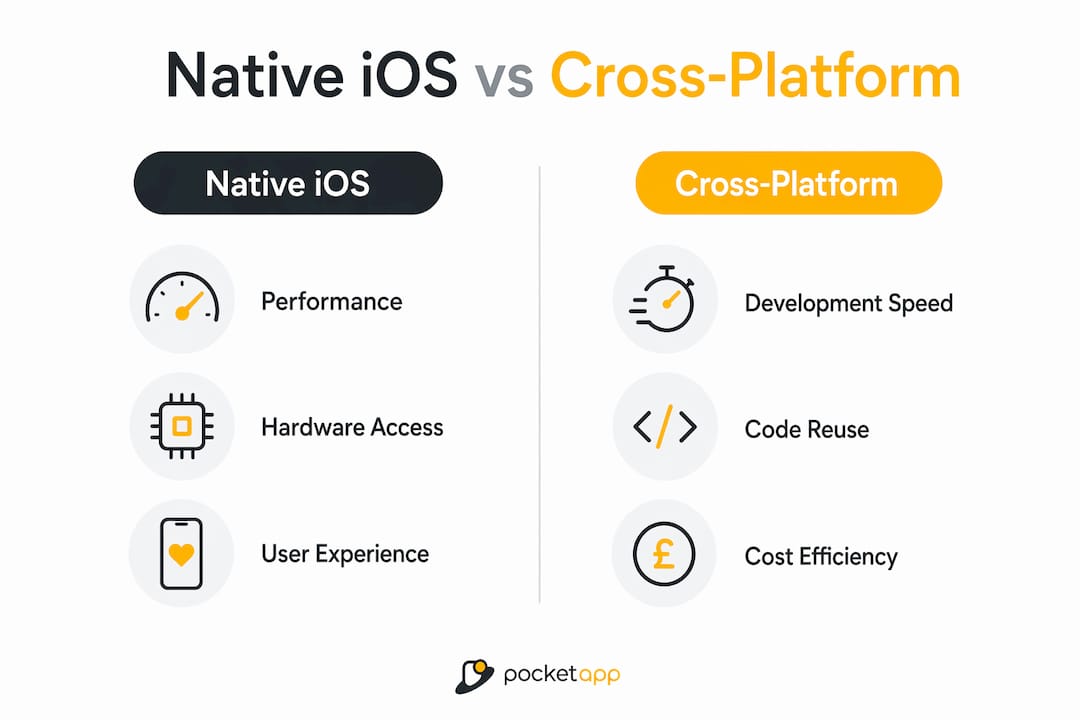
For more detail on cross-platform trade-offs, Pocketapp's guide to cross-platform development covers the decision framework from a UK business perspective.
When to choose native iOS:
- Your app uses advanced camera features, AR, or on-device ML
- Real-time performance (gaming, audio, video) is a core requirement
- You are targeting iOS exclusively and UX quality is a competitive differentiator
- Security, privacy compliance, or regulated data handling is central to the product
When to consider cross-platform:
- You need iOS and Android parity from launch with a constrained budget
- Your feature set is primarily forms, lists, and API calls with no deep hardware dependency
- Your team has strong TypeScript or Dart skills and limited Swift experience
- You are building a prototype or testing product-market fit before committing to a full native build
How does a native iOS project go from idea to App Store?
The full process runs: discovery → design → build → test → release → iterate. Each phase has clear deliverables, and skipping any of them tends to surface as rework later.
-
Discovery. Define the problem, user journeys, and technical constraints. The output is a scoped feature list, a technical architecture decision (native vs alternatives, backend choices), and a project plan. For UK clients, this is also where compliance requirements (GDPR, accessibility under the Equality Act 2010) are identified.
-
Design. Wireframes progress to interactive prototypes built against Apple's Human Interface Guidelines. Designers should work in Figma or Sketch with iOS component libraries so that handoff to engineers is clean. Prototype sign-off is the gate before any code is written.
-
Build. Engineering begins with the core data model and navigation structure, then adds features in agile sprints. CI/CD pipelines (Xcode Cloud, Bitrise, or GitHub Actions with macOS runners) automate builds and run XCTest suites on every pull request. Xcode and the iOS SDK are the required toolchain; there is no substitute for a Mac build environment.
-
Test. Internal QA covers a device matrix (at minimum: the current iPhone flagship, the previous generation, and a smaller model) across the two most recent iOS versions. TestFlight distributes beta builds to external testers. XCTest handles unit and UI automation; Instruments profiles memory and CPU behaviour.
-
Release. App Store Connect submission requires completed metadata, screenshots for every supported device size, a privacy policy URL, and App Privacy declarations. Apple's review typically takes 24–48 hours for a first submission.
-
Iterate. Post-launch, monitor crash rates via Xcode Organiser or a third-party tool such as Firebase Crashlytics, track engagement, and plan OS-update compatibility work ahead of each September iOS release.
Minimum viable native iOS release checklist:
- Xcode project with a clean build and zero warnings on the release scheme
- Provisioning profile and distribution certificate valid in Apple Developer
- App Store Connect record with metadata, screenshots, and privacy declarations complete
- TestFlight beta tested on a variety of device types
- Crash reporting integrated and verified
- Privacy manifest file included (required by Apple since 2024)
Pro Tip: Set up TestFlight external testing groups early, not just before submission. Real-device feedback from a small group of users during the build phase catches UX assumptions that the simulator never will.
Which tools do you actually need to build a native iOS app?
Xcode and Swift are the default toolchain, and there is no way around either. Xcode is the IDE, compiler, simulator, profiler, and submission tool in one. Swift is Apple's primary language: concise, safe by design, and fast. An Apple Developer membership (£99 per year in the UK) is required to distribute through the App Store or TestFlight.
Swift, SwiftUI, and UIKit at a glance:
- Swift is the language for all new iOS work. It is type-safe, readable, and compiles to highly optimised native code.
- SwiftUI is Apple's declarative UI framework, introduced in 2019 and now the recommended approach for new projects. It supports live previews in Xcode, reduces boilerplate significantly, and makes multi-platform extension to iPadOS and macOS straightforward.
- UIKit remains relevant for legacy codebases and for UI patterns that SwiftUI does not yet handle cleanly. Many production apps use both, with SwiftUI for new screens and UIKit for established components.
Supporting tools worth knowing:
- TestFlight for beta distribution and external tester feedback
- Instruments for profiling CPU, memory, energy, and network behaviour
- XCTest for unit tests and UI automation
- Xcode Cloud or Bitrise for CI/CD on macOS runners (GitHub Actions also supports macOS, though runner costs are higher)
A practical UK note: Xcode requires macOS, which means your build environment needs Apple hardware. For teams without in-house Macs, cloud CI services with macOS runners (Xcode Cloud is Apple's own offering and integrates directly with App Store Connect) remove the need to procure physical machines. Developer licences are individual or organisational; the Apple Developer Enterprise Programme (£299 per year) covers in-house distribution without the App Store.
What does a native iOS project cost, and how long does it take?
For UK projects, a focused MVP native iOS app typically runs from around £30,000 to £80,000 depending on scope, with full-featured production apps reaching £150,000 or more. Those ranges reflect agency day rates in the UK market, not offshore estimates. What pushes cost upward is almost always scope, not the choice of native over cross-platform.
Primary cost drivers:
- Complexity of device feature integration (ARKit, Core ML, custom camera pipelines cost significantly more than standard UI)
- Number of screens and user journeys
- Backend integrations (REST APIs, GraphQL, CloudKit, third-party services)
- Offline functionality and local data sync
- Animations and custom UI components beyond standard SwiftUI primitives
- Security and compliance requirements (GDPR, NHS data standards, PCI-DSS for payments)
- Accessibility implementation to WCAG 2.2 AA standard
Phased timeline for a typical UK native iOS project:
| Phase | Typical duration |
|---|---|
| Discovery and scoping | 2–4 weeks |
| UX design and prototyping | 3–6 weeks |
| MVP build (engineering) | 8 weeks |
| QA and device testing | 2–4 weeks |
| App Store review and release | 1–2 weeks |
The phasing recommendation that consistently reduces risk: build a thin native MVP covering the performance-critical or hardware-dependent features first. Validate those with real users before adding secondary screens or integrations. This approach keeps the initial investment proportionate to what you actually know about your users.
What are the ongoing challenges of maintaining a native iOS app?
The core trade-off is straightforward: native costs more upfront and delivers less runtime compromise. The maintenance obligation is real and predictable, which is actually an advantage over less structured approaches.
Apple releases a major iOS update every September. Each release deprecates some APIs, introduces new capabilities, and changes system behaviour in ways that can affect your app. Teams that plan for this, budgeting a maintenance sprint each autumn, handle it without drama. Teams that do not plan for it find themselves shipping emergency patches or, worse, watching their app fall out of compliance with App Store requirements.
Device fragmentation is less severe on iOS than Android, but it is not zero. Supporting the two most recent iOS versions covers the vast majority of active devices in the UK market, but older hardware has performance and feature constraints worth testing against.
Red flags to watch for during development:
- Tight coupling to private or undocumented Apple APIs (App Store rejection risk and breakage on OS updates)
- Over-reliance on third-party frameworks that have slow update cycles relative to iOS releases
- Fragile CI pipelines that break on Xcode version updates, causing release delays
- No automated test coverage for critical user journeys, making regression testing manual and slow
- Skipping the privacy manifest requirement introduced by Apple, which now causes submission rejection
For a broader view of cross-platform maintenance trade-offs, the same planning discipline applies regardless of your chosen approach.
How does App Store submission and distribution actually work?
Distribution routes for native iOS apps are: public App Store release, TestFlight beta (internal up to 100 testers, external up to 10,000), and enterprise distribution via the Apple Developer Enterprise Programme for internal business tools. App Store Connect is the control centre for all three.
App Store submission checklist:
- Archive a release build in Xcode and validate it against App Store requirements using the built-in validation tool.
- Confirm provisioning profiles and distribution certificates are current in Apple Developer.
- Complete App Privacy declarations in App Store Connect: list every data type your app collects and how it is used.
- Implement App Tracking Transparency (ATT) prompt if your app tracks users across third-party apps or websites.
- Upload screenshots for all required device sizes (iPhone 6.9", 6.5", and iPad if supported).
- Write localised metadata: app name, subtitle, description, and keywords. For UK releases, use British English spelling throughout.
- Set age rating, pricing, and availability by territory.
- Submit for review. Apple's review team typically responds within 24–48 hours.
Common rejection reasons to avoid:
- Broken links or placeholder content in the app or metadata
- Missing privacy policy URL
- Requesting permissions without a clear usage description string
- Crashes on the reviewer's device (test on a clean device, not just the simulator)
- Misleading screenshots that do not reflect the actual app experience
Post-release, use Xcode Organiser's crash reports alongside a dedicated analytics tool to monitor stability. Apple's phased rollout feature lets you release to a percentage of users first, catching issues before they reach your full audience. The role of privacy in post-release monitoring is worth reviewing separately, particularly for apps handling personal data under UK GDPR.
How a native iOS build looks in practice: Pocketapp's work
Pocketapp has delivered over 300 mobile projects for UK clients across retail, healthcare, charity, and brand engagement, with native iOS builds forming a significant part of that portfolio.
Projects for clients including WWF, Dechra, and Crocus have involved native Swift development, custom UX design aligned to Apple's Human Interface Guidelines, and App Store release management. The consistent pattern across these projects is that native was chosen where UX quality or hardware access was a commercial requirement, not simply a technical preference.
For B2B operational tools, native SwiftUI builds have enabled features such as bespoke widget configurations, smooth animations, and on-device data processing that cross-platform wrappers could not replicate without significant compromise. For consumer-facing apps, the App Store's privacy framework and Face ID integration have contributed to higher user trust scores and lower permission-denial rates during onboarding.
You can review Pocketapp's full project portfolio to see the range of native iOS and cross-platform work delivered for UK organisations.
Key takeaways
Native iOS apps give you the best performance, hardware access, and user experience available on iPhone. Choosing native is the right decision when those qualities directly affect your product's success.
| Point | Details |
|---|---|
| Choose native for hardware depth | ARKit, Core ML, haptics, and the camera pipeline require native Swift to perform without compromise. |
| Budget realistically for UK projects | MVP native iOS apps in the UK typically cost between £30,000 and £80,000; full-featured production apps may reach £150,000 or more. |
| Plan for annual maintenance | Apple's September iOS releases require a planned compatibility sprint each year to avoid App Store issues. |
| Use TestFlight early | Beta distribution to real UK users during the build phase catches UX problems the simulator misses. |
| Pocketapp as your native iOS partner | Pocketapp's 300+ project portfolio includes native Swift builds for UK clients across retail, healthcare, and charity. |
Why native iOS is worth the investment — a considered view
The most common mistake we see in native iOS decisions is treating cost as the primary variable. It is not. The real variable is risk: the risk of shipping a product that performs poorly, feels wrong on iPhone, or cannot access the hardware feature that makes your concept work.
Cross-platform tools have improved substantially, and for many business applications they are the sensible choice. But there is a category of product where native is not a premium option; it is the only option that actually delivers what the brief requires. Camera-first apps, AR experiences, real-time audio, and anything that needs to feel genuinely premium on iPhone all fall into that category. Clients who have tried to build those products with cross-platform runtimes and then switched to native Swift have consistently told us the same thing: the gap in quality is visible to users, and users notice.
The other underestimated factor is long-term cost of ownership. A well-structured native Swift codebase, with good test coverage and a clean CI pipeline, handles Apple's annual OS updates predictably. The maintenance cost is real but manageable. Poorly structured cross-platform codebases, by contrast, can accumulate framework debt that makes each update a significant engineering event. Native is not automatically cheaper to maintain, but it is more predictable, and predictability has real commercial value when you are planning a product roadmap.
For teams evaluating app development trends in 2026, the direction of travel is clear: Apple continues to invest heavily in Swift and SwiftUI, making native development faster and more accessible than it was three years ago. The gap between native and cross-platform on UX quality has not closed; if anything, SwiftUI's pace of improvement has widened it for complex UI work.
Pocketapp builds native iOS apps for UK businesses
Pocketapp offers end-to-end native iOS development for UK organisations, covering discovery, UX design, Swift engineering, App Store submission, and ongoing maintenance. With more than 300 projects delivered for clients including WWF, Dechra, and Crocus, the team brings hands-on experience of what native iOS builds actually require, from provisioning to post-launch monitoring.

If you are planning a native iOS project and want to understand scope, cost, and timeline before committing, a discovery call is the right starting point. Get in touch with Pocketapp to arrange yours, or review the mobile app development services page for a full picture of what we deliver.
Useful sources and further reading
Start with Apple's official documentation; it is the most accurate and up-to-date source for platform capabilities, SDK changes, and App Store requirements. Supplement it with practical delivery guidance for cost and timeline context.
| Source | Best for |
|---|---|
| Apple Developer — iOS | Platform overview, SDK documentation, Human Interface Guidelines |
| Apple Developer — Get Started | Toolchain setup, Swift and SwiftUI introductions, multi-platform guidance |
| App Store — Apple | Distribution, privacy framework, App Tracking Transparency |
| Getting started with iOS — AWS | Xcode and Mac environment requirements, developer toolchain overview |
| Pocketapp — native iOS advantages | UK business context for native app decisions |
| Pocketapp — iOS vs Android guide | Platform comparison for UK decision-makers |
FAQ
What is a native iOS app?
A native iOS app is built specifically for Apple's iOS platform using Swift or Objective-C, compiled with Xcode, and distributed through the App Store. It runs directly on the device without a cross-platform runtime or web wrapper.
Which apps are native to iPhone?
Apple's built-in apps, including Messages, Safari, Camera, Maps, and Health, are all native system apps. Most high-performance third-party apps on the App Store, particularly those using ARKit, Core ML, or advanced camera features, are also native iOS builds.
Is WhatsApp a native iOS app?
WhatsApp has a native iOS version written for the Apple platform and distributed through the App Store. It uses native frameworks for camera access, push notifications, and audio, though its cross-platform codebase means some UI elements differ from purely Apple-native apps.
How long does it take to build a native iOS app?
A focused MVP typically takes between 16 and 24 weeks from discovery to App Store release, covering scoping, design, engineering, QA, and Apple's review process. Full-featured apps with complex hardware integration or backend systems take longer.
Can Pocketapp build a native iOS app for my business?
Yes. Pocketapp delivers native iOS projects end-to-end for UK clients, from discovery and Swift engineering through to App Store submission and post-launch maintenance. Contact the team to discuss your project scope and timeline.