
TL;DR:
- Privacy in mobile apps involves collecting only user-consented data, protecting it from misuse, and clearly disclosing how it is handled. Transparency boosts user trust, encourages data sharing, and enhances retention, leading to better app performance and compliance. Developers face risks from third-party libraries exploiting permissions without explicit requests, making dependency audits crucial and privacy a core architectural decision from the start.
Privacy in mobile applications is defined as the practice of collecting only the data users consent to, protecting it from misuse, and disclosing how it is handled. The role of privacy in apps extends far beyond legal compliance. It shapes whether users install your app, trust it with sensitive data, and continue using it over time. Regulations such as GDPR and platform requirements from Apple and Google have made privacy disclosures a gatekeeping mechanism. Developers and product managers who treat privacy as a design principle, rather than a legal checkbox, build products that retain users and avoid costly enforcement actions.
How does the role of privacy in apps affect user trust?
Privacy disclosures function as trust signals. When users see a clear privacy label on the App Store or Google Play, they make a judgement about the app before downloading it. App store privacy labels require developers to report data types collected, the purpose of collection, deletion support, and encryption status. Inaccurate labels risk rejection or removal from stores entirely.
The psychological effect of transparency is measurable. Harvard Business School research found that privacy transparency increases data sharing by approximately 9% after opt-out measures are introduced. That finding runs counter to the instinct that asking for consent will reduce data collection. Users share more when they feel in control, not less.
Privacy controls also change behaviour during onboarding. Apps with transparent privacy practices retain users more effectively during initial permission requests. Users who encounter intrusive or unexplained permission prompts refuse them at high rates, which directly reduces the data available to the app. Transparency is not just ethical. It is commercially rational.
Key behaviours that shift when privacy improves:
- Users accept permission requests at higher rates when the purpose is clearly stated
- Negative app store reviews citing privacy concerns decrease
- Users are more willing to enable optional features that require data access
- Retention rates improve when users feel their data is handled responsibly
- Word-of-mouth referrals increase among privacy-conscious audiences
Pro Tip: State the specific reason for each permission request in plain language at the point of asking. "We need your location to show nearby stores" outperforms a generic system dialogue every time.
What privacy challenges do developers face with data collection?
The most underestimated privacy risk in app development is not what your code collects. It is what your third-party libraries collect without your explicit knowledge.

A 2026 study of 7,500 Android apps found that only 31.81% of apps explicitly collect directly identifiable personal data. That figure sounds reassuring until you examine what the remaining apps collect through partially identifiable data and system APIs. Under-reporting of location data is particularly common, meaning many apps disclose less than they actually collect.
The mechanism behind this is called permission piggybacking. Research published in SN Computer Science shows that around 50% of third-party libraries exploit host app permissions without making explicit requests of their own. Advertising and tracking libraries are the primary offenders. They access permissions such as ACCESS_FINE_LOCATION, ACCESS_COARSE_LOCATION, and READ_PHONE_STATE through the host app's existing grants, without the developer or the user realising it.
The four most common privacy challenges developers face:
- Under-reporting in privacy labels. Developers complete data safety sections based on their own code, often without auditing every library they include. The result is a disclosure that does not reflect actual data flows.
- Third-party library opacity. Many libraries do not publish clear documentation about what data they access. Developers integrate them for functionality and inherit undisclosed data collection.
- Permission scope creep. Apps accumulate permissions over time as features are added. No one removes the permissions that are no longer needed, creating unnecessary exposure.
- Mismatch between policy and practice. A mismatch between privacy label and actual behaviour can trigger app removal and regulatory action. Platforms cross-reference disclosures, and regulators use public labels as evidence in enforcement proceedings.
Statistic to note: Approximately 50% of third-party libraries in Android apps exploit host permissions without explicit requests. That means integrating a single analytics or advertising SDK can expose user location data without a single line of your own code doing so.
Auditing your dependency tree before submitting a privacy label is not optional. It is the only way to produce an accurate disclosure.
Which app data privacy features help developers protect users?
Platform controls give developers concrete tools to reduce privacy risk. The challenge is using them deliberately rather than accepting defaults.
Android privacy controls
Android's permission management system allows users to grant camera, microphone, and location access on a once-only basis, permanently, or not at all. Users can review which apps accessed sensitive data in the last 24 hours. Apps that have not been used recently have their permissions auto-reset. These controls shift power to the user, which means developers who request only necessary permissions face far less friction.
iOS privacy labels and data safety sections
Apple's App Store and Google Play both require structured privacy disclosures before an app can be published. These labels cover data types, purpose, whether data is linked to the user's identity, and whether it is used for tracking. The labels are public-facing, which means they influence download decisions directly.
| Feature | Android | iOS |
|---|---|---|
| One-time permission grants | Yes | Yes |
| Permission auto-reset for unused apps | Yes | Yes (iOS 15+) |
| Privacy nutrition labels | Data safety section | App privacy label |
| Sensitive data access history | Last 24 hours visible | App Privacy Report |
| Internal storage sandboxing | Yes | Yes |
Best practices for minimal data collection
Android's security best practices recommend treating sensitive data access as dependent on user trust. The guidance covers internal storage sandboxing, requesting the minimum permissions necessary, and keeping all dependencies up to date. Outdated libraries are a common source of both security vulnerabilities and undisclosed data collection.
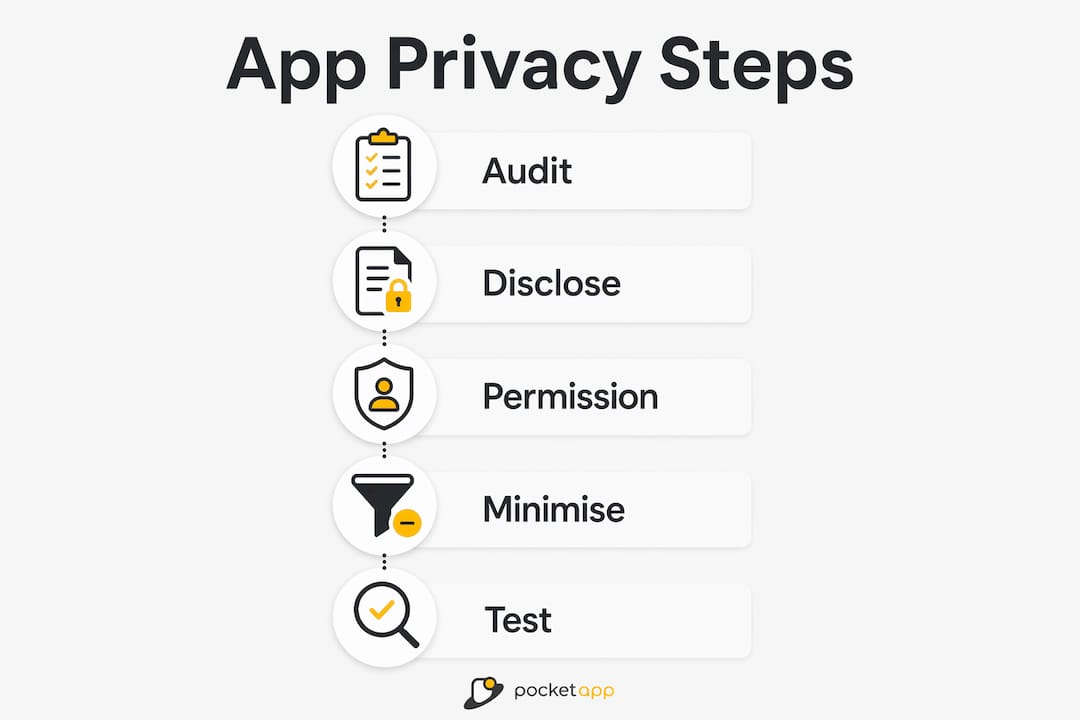
Pro Tip: Run a full permissions audit before every major release. Map each permission to the specific feature that requires it. If you cannot name the feature, remove the permission.
A clear privacy policy for your mobile app must align precisely with your store label. Regulators and platform reviewers compare the two. Any gap between them is treated as a deceptive practice, not an oversight.
How does strong privacy benefit developers beyond compliance?
Privacy is a commercial advantage, not just a legal obligation. Developers who treat it as a product feature rather than a constraint build apps that perform better in the market.
The most direct benefit is user retention. Apps that handle data responsibly generate fewer negative reviews citing privacy concerns. Positive feedback loops follow: users who trust an app share more data voluntarily, which improves the quality of personalisation and engagement features. Harvard Business School's research confirms this directly. Privacy labels not only build trust but incentivise developers to be more transparent, which in turn increases the data users are willing to share.
The legal risk reduction is equally significant. A privacy violation that triggers GDPR enforcement or app store removal costs far more than the investment required to build privacy in from the start. Brands such as WWF and Dechra, which Pocketapp has worked with, operate in sectors where user trust is foundational. A privacy failure in healthcare or charity apps carries reputational damage that no marketing budget can repair.
Benefits of embedding privacy early in development:
- Reduced cost of compliance at launch, since retrofitting privacy controls is significantly more expensive than building them in
- Lower risk of app store rejection due to inaccurate or incomplete privacy labels
- Stronger competitive position in categories where users actively compare privacy practices
- Better data quality, because users who consent freely provide more accurate information
- Reduced legal exposure under GDPR and the UK Data Protection Act 2018
"Privacy is not a feature you add at the end. It is an architectural decision you make at the beginning." This principle applies to every permission request, every third-party library, and every data field in your schema.
Developers who want practical guidance on embedding privacy into app architecture will find that the decisions made in the first sprint define the compliance burden for the entire product lifecycle.
Key takeaways
Privacy built into mobile apps from the start reduces compliance costs, increases user trust, and improves data quality across the product lifecycle.
| Point | Details |
|---|---|
| Privacy labels are gatekeepers | Inaccurate store disclosures risk app rejection, removal, and regulatory action. |
| Transparency increases data sharing | Harvard Business School found privacy opt-out measures increased user data sharing by approximately 9%. |
| Third-party libraries are the hidden risk | Around 50% of Android libraries exploit host permissions without explicit requests. |
| Platform controls reduce exposure | Android and iOS both offer one-time permissions, auto-reset, and access history tools. |
| Privacy drives retention | Users who trust an app's data practices accept permissions at higher rates and stay longer. |
Privacy in practice: what I have learned building apps
The hardest part of implementing privacy well is not the technical side. It is the organisational side. Most privacy failures I have seen in mobile development trace back to a single root cause: privacy was treated as a legal team problem, not a product team problem.
Third-party dependencies are where this plays out most painfully. A developer integrates an analytics SDK to track user flows. Nobody audits what that SDK accesses. Six months later, the app's privacy label is inaccurate, the data safety section is incomplete, and the product manager is fielding questions from the app store review team. The fix is not complicated. It requires a habit: audit every dependency before it enters the codebase, and review the full permissions list before every release.
The other pattern I keep seeing is privacy policies written by lawyers and never read by engineers. The policy says one thing. The app does another. That gap is where enforcement actions begin. The solution is a cross-functional review at every major release, where legal, design, and engineering sit in the same room and compare the policy against the actual data flows.
User expectations are also shifting faster than most product teams realise. Users in 2026 are more likely to check privacy labels before downloading an app than they were three years ago. Privacy-first design is becoming a differentiator in crowded app categories. Teams that build privacy culture into their product process now will spend far less time firefighting later.
— Paul
Pocketapp builds privacy into every stage of development
Privacy compliance is not something you can bolt on after launch. The architecture decisions made in the first weeks of a project determine how much it costs to comply, how users respond to permission requests, and whether the app passes store review.

Pocketapp has delivered over 300 mobile app projects for clients including WWF, Dechra, and Crocus, with privacy and data protection in applications treated as a core requirement from day one. Whether you are building a consumer app that handles sensitive personal data or a B2B tool operating under GDPR, Pocketapp's team of developers, designers, and compliance specialists can help you get it right from the start. Get in touch to discuss your project.
FAQ
What is the role of privacy in mobile apps?
Privacy in mobile apps governs how user data is collected, stored, and disclosed. It determines user trust, app store compliance, and legal obligations under frameworks such as GDPR.
Why do app store privacy labels matter?
App store privacy labels are required disclosures on both the App Store and Google Play. Inaccurate or incomplete labels risk app rejection, removal, and regulatory enforcement action.
What is permission piggybacking in Android apps?
Permission piggybacking occurs when third-party libraries access sensitive permissions granted to the host app without making their own explicit requests. Research shows around 50% of Android libraries do this, particularly for location and device identifier data.
How does privacy affect app download and retention rates?
Users refuse permission requests they perceive as intrusive, which reduces available data and increases uninstall rates. Apps with transparent privacy practices retain users more effectively from the first onboarding screen.
What are the best practices for app privacy in 2026?
Request the minimum permissions necessary, audit all third-party libraries before integration, align your privacy policy with your store label, and use platform controls such as Android's one-time permission grants and iOS's App Privacy Report.