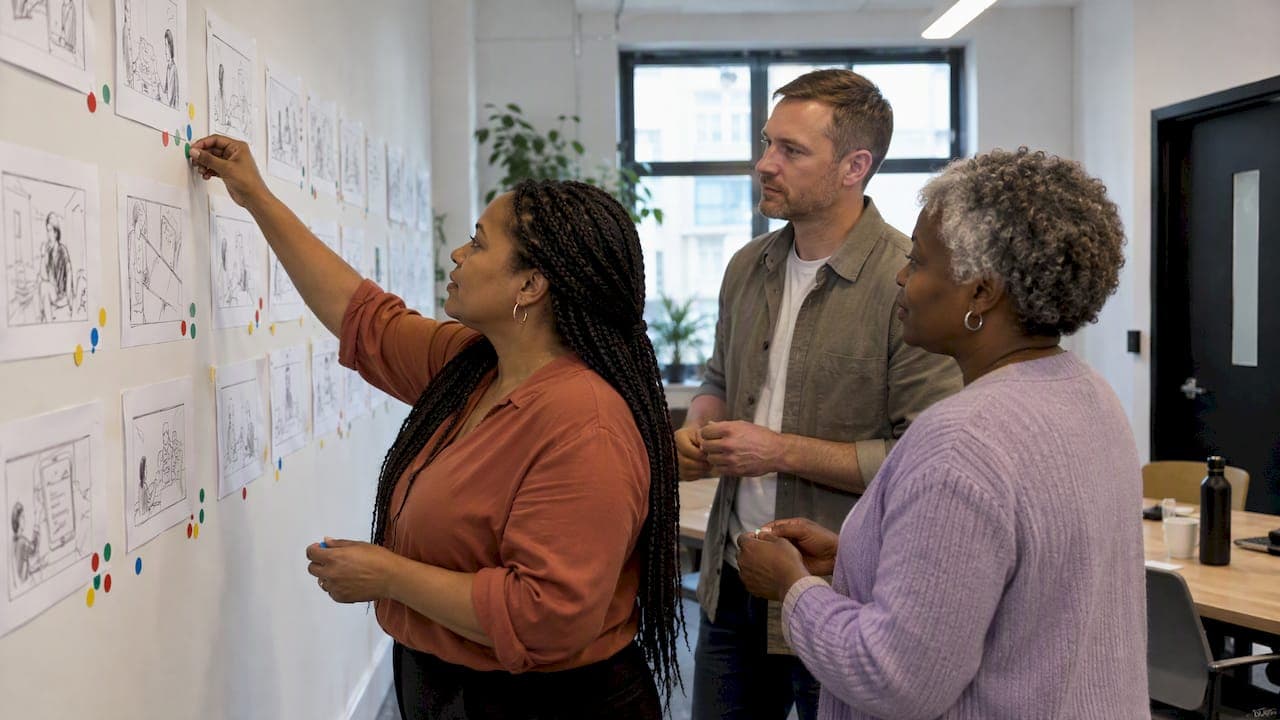
A design sprint is a five-day process for answering a critical business question through design, prototyping and testing with real customers. You spend Monday understanding the problem, Tuesday sketching solutions, Wednesday deciding, Thursday building a realistic prototype and Friday testing it with users. GV, which published the method, describes it as a way to learn before you commit to expensive development. This guide walks through each day, who needs to be in the room, what you leave with and when a sprint is the wrong tool.
TL;DR
- A design sprint compresses weeks of debate and guesswork into five days: understand, sketch, decide, prototype, test.
- Keep the team to seven people or fewer, including a Decider and a facilitator, and block all five days in the calendar.
- The prototype is a realistic front, not working software. Its job is to get honest reactions from real users on Friday.
- A sprint suits big, uncertain questions. If direction and features are already agreed, or you have little user research, other steps may come first.
- The output is evidence: what users did, which hypotheses held, and a plan for what to build next.
Table of Contents
- What a design sprint is, and what it is for
- Is a design sprint right for your project?
- Who takes part, and how to prepare
- The design sprint process, day by day
- The week at a glance
- Design sprint examples
- What happens after the sprint
- Common mistakes to avoid
- Our perspective
- Take your idea from sprint to app
- FAQ
- Sources
What a design sprint is, and what it is for
The sprint is a time-boxed method for reducing risk. GV says it can help teams enter markets, design products, develop features or define marketing strategies before they spend heavily on any of them. The idea is simple. Rather than build a full product and hope, you build just enough of the surface to watch customers react to it.
For a business planning a mobile app, that matters. An app is a significant investment, and the costliest mistakes are usually made early: solving the wrong problem, choosing the wrong audience, or building features nobody asked for. A sprint lets you test those assumptions in a week.
It works best on a defined, high-stakes question. Some examples of good sprint questions for app projects:
- Will our field staff actually use a mobile tool to log inspections, or will they stay with paper?
- Can a first-time customer complete a purchase in our proposed app flow without help?
- Does a loyalty feature make people more likely to open the app, or is it noise?
- Which of three possible directions for a charity's supporter app resonates with donors?
Is a design sprint right for your project?
A sprint is not always the first step. The Google Design Sprint Kit FAQ advises that you should conduct research first when user research is scant, and that a sprint may be unnecessary when product direction and features are already agreed. The same page makes the point that a sprint is most valuable when scoped to the needs of the business and the team.
A practical way to decide:
| Your situation | Likely best next step |
|---|---|
| A big question, several competing ideas, little agreement | Design sprint |
| A new idea but almost no information about users | User research or discovery first, then a sprint |
| Direction, features and audience already agreed | Move to detailed design and build |
| An existing app with a specific problem to fix | A focused sprint on that problem, or an expert review |
If your project is at the very beginning, our guide to digital product discovery explains how discovery work can feed a sprint with the right question.
Who takes part, and how to prepare
The people in the room shape the result more than any template does. Character's sprint guide recommends a team of seven or fewer with diverse skills, including a Decider and a facilitator, plus experts from inside or outside the company who can be consulted during the week.
The core roles:
- Decider. The person with authority to make the final call on what gets prototyped. Without one, Wednesday turns into a negotiation.
- Facilitator. The person who manages time, conversations and the overall sprint process. It helps if they are not also defending an idea.
- Makers and thinkers. Designers, a developer, someone from marketing or customer service, whoever knows the customer and the constraints best.
- Experts. People you interview on Monday: a finance lead, an operations manager, a support agent.
Preparation is mostly logistics, but it decides whether the week works. The same guide suggests that you block five full days on the calendar, book a room with two whiteboards, and appoint someone to lead customer recruitment. Recruiting matters most. If you wait until Thursday to find five people for Friday, the sprint stalls.
The human side counts too. People sketch and vote openly in front of colleagues, which is uncomfortable if the team does not feel safe disagreeing. This piece on psychological safety in Scrum teams covers why that trust makes agile teams more effective, and it applies equally to a sprint room on Monday morning.
Google's design team also stresses that dedicated time and space for people to come together remains central to why the process works. Do not run a sprint in the gaps between meetings.
The design sprint process, day by day
The sprint follows five phases, typically across five days. GV sets out the rhythm: understand and set a goal on Monday, sketch on Tuesday, decide on Wednesday, prototype on Thursday and test on Friday. Each day has one job, and each feeds the next.

Monday: understand the problem and choose a target
The team agrees a long-term goal, maps the challenge and picks an important target to focus on. The long-term goal is the ambitious version: where do we want this product to be in six months or two years? The map shows how a customer moves from first contact to the outcome you care about, such as a completed booking, a donation or a repeat order.
Then you talk to the experts. Short interviews surface what the team does not know, and the facilitator captures questions as "how might we" notes. By the end of the day the team picks one part of the map to concentrate on. You cannot test everything in a week, so choosing the moment of highest risk is the most valuable decision of the sprint.
If your team finds mapping journeys hard, a user story mapping workshop is a useful way to lay out the steps and priorities visually.
Tuesday: sketch individual solutions
Tuesday is about solutions, but not through group brainstorming. Each person sketches independently, following a four-step process that includes Crazy 8s, a rapid exercise in which you fold a sheet of paper into eight panels and sketch eight variations of one idea in eight minutes. The pressure forces you past the obvious first idea.

Why work alone? Atlassian's explanation is that individual, structured sketching lets people develop solutions on their own rather than falling into potentially chaotic group brainstorming. Quiet voices get equal weight, and the loudest person in the room does not set the direction.
The day ends with each person producing a detailed solution sketch: a clear, self-explanatory concept that a stranger could follow without being walked through it.
Wednesday: decide what to prototype
On Wednesday, the team looks at the sketches and chooses. The structure is deliberate: people review the work silently, mark what they like, discuss briefly and vote, and then the Decider makes the final call. Atlassian notes that structured decisions help avoid watered-down group decisions, the kind of compromise where everyone's favourite feature is bolted on and nothing is coherent.
The winning ideas are turned into a storyboard: a step-by-step plan of the scenario the customer will experience on Friday, usually around ten or so frames. This is the blueprint for Thursday. Any gaps, such as what appears on screen after a tap or how a user gets from one step to the next, are worked out here, not in the middle of building.
Thursday: build a realistic prototype
On Thursday the team turns the storyboard into a realistic façade, focused on the customer-facing surface. For an app, that normally means a clickable prototype that looks and behaves like the real thing on a phone, with no working backend behind it.
The point is to fake it well enough that a tester behaves naturally. Divide the work: some people build screens, one writes realistic content, another prepares the interview script and checks the flow end to end. A trial run in the afternoon catches broken links and confusing wording before real users see them.
This is where prototyping skill pays off. Our articles on the role of prototyping in successful app development and why interactive prototyping gives a better development journey explain how realistic prototypes expose problems early. If you want a broader view, our app prototyping guide for UK businesses covers fidelity, tools and what to test.
Friday: test with real users
On Friday the team interviews customers and learns by watching their reactions to the prototype. One person, usually the facilitator or a trained interviewer, speaks to each participant while the rest of the team watches live in another room and notes patterns on a shared board.
Watch behaviour, not opinions. A user who says "that looks great" but cannot find the checkout button has told you more than their compliment. Keep the questions open, let silences run, and resist the urge to rescue people when they struggle, because that struggle is the data.
At the end of the day, the team reviews the notes, spots the patterns across users and decides what to do. For practical interview technique, see our guide to app usability testing.
The week at a glance
| Day | Focus | You finish with |
|---|---|---|
| Monday | Understand | A long-term goal, a map of the challenge, one chosen target |
| Tuesday | Sketch | Detailed solution sketches from each person |
| Wednesday | Decide | A chosen direction and a storyboard |
| Thursday | Prototype | A realistic, testable prototype and an interview script |
| Friday | Test | Recorded user reactions and clear patterns |
Design sprint examples
GV lists a handful of well-known cases. Teams have used sprints for Slack overhauling its marketing, Blue Bottle Coffee expanding into online sales, and FitStar perfecting the new-user experience for its personalised fitness app. The range is the lesson: a sprint is not only for software interfaces. It can test a marketing message, a retail channel or an onboarding flow.
Translated to the kinds of problems UK organisations bring to app projects, the pattern is similar:
- Retail. Test whether shoppers understand a new in-app basket and checkout before developing payment integration.
- Charity. Prototype a supporter journey and see whether people reach the donation step or drop off at sign-up.
- Healthcare and services. Check that patients or staff can complete a booking or record without training.
- Internal operations. Try a mobile workflow with the people who will use it daily before it replaces an existing process.
These are illustrations of how the method applies, not results from specific projects.
What happens after the sprint
A sprint ends with evidence, not a finished product. Typical outputs are the findings from the week, a usability-testing report, a plan for next steps, and a clear view of which hypotheses held up and which did not, before you commit resources to building the full solution.
There are broadly three outcomes. The prototype works and you move into design and development with confidence. It partly works and you refine the weak points, perhaps with a second short round of testing. Or it fails, which is a good result: you have spent five days rather than five months finding out. To decide what to build first once you have findings, our app roadmap prioritisation guide shows a simple scoring approach. And if the prototype is the start of a real product, turning early ideas into testable app experiences explains the bridge from prototype to build.
Common mistakes to avoid
- Too many people. Past seven or so, the room slows down and quiet people stop contributing.
- No Decider. Without someone with authority, Wednesday becomes a compromise and the prototype loses focus.
- A vague question. "Improve the app" is not a sprint goal. "Will new customers complete registration in under two minutes?" is.
- Late recruitment. Start finding Friday's participants at the beginning of the week, or before.
- Part-time attendance. People who dip in and out break the flow. Protect the five days.
- Treating the prototype as the product. It is a learning tool. Keep it rough where roughness does not affect what you are testing.
Our perspective
We have delivered more than 300 projects, and the pattern is consistent: the apps that go smoothly are the ones where the team understood the problem before anyone wrote code. A sprint is one of the fastest routes to that understanding, and the principles behind it sit at the heart of how we work.
Our own process runs through discover, design, develop and deploy. The early stages are where we do the thinking a sprint formalises: strategic discovery workshops, interactive prototyping and testing ideas with the people who will use them. We would rather a client learn in a week that a feature is not needed than find out after launch.
We are also technology-agnostic. A sprint prototype tells you what the experience should be, and then we recommend the platform and approach that suit that experience, whether that is native, cross-platform or a web app. Sequence matters: decide what users need first, then choose the technology.
If you are unsure whether a full sprint is right, talk to us. Sometimes a shorter, tailored version of the same thinking is a better fit for your budget and timeline.
Paul
Take your idea from sprint to app
If you have a question worth testing, we can help you shape it. Our Discover, Design, Develop and Deploy process takes an idea from workshop and prototype through to a launched, supported app, and our Mobile App Clinics are a way to get expert input on an app idea or an existing app.
When you are ready to turn what you learn into a build, see how we approach mobile app development, or get in touch to talk through your project.
FAQ
How long does a design sprint take?
The standard format is five days, from Monday to Friday. Preparation, such as recruiting test users, booking a room and choosing the team, happens beforehand, and follow-up work happens afterwards. Block all five days in full for the core team.
How many people should be in a design sprint?
Keep it to seven or fewer, with a mix of skills. The team should include a Decider and a facilitator, and you can bring in internal or external experts for short interviews. Larger groups tend to slow decisions and silence quieter members.
Do I need a finished product or design experience to run a sprint?
No. The prototype is a realistic front, not working software, so you do not need a built product. Participants do not need to be designers either, because the structured sketching exercises are designed for people from any background. A facilitator keeps the week on track.
When is a design sprint not the right approach?
If you have almost no user research, do that first. If product direction and features are already agreed, a sprint may add little. It pays off when there is a big, uncertain question and the team needs evidence to decide.
Sources
- The Design Sprint, GV
- Design Sprint FAQ, Google Design Sprint Kit
- Design Sprint: How to solve big problems and test new ideas, Character
- Understanding the 5 Key Phases of Design Sprints, Atlassian
- 5-Day UX Design Sprint, Google Design
- Psychological safety in Scrum teams, Polarising