
A user onboarding workflow is the sequenced set of in-product and cross-channel touchpoints that moves a new user from signup to their first meaningful outcome. Before you design a single screen, define that outcome: the activation event.
Three diagnostic checks to run on any product right now:
- Activation clarity — can you state the single action that predicts long-term retention? If not, analyse your best-retained cohort and work backwards.
- Empty-state guidance — does every blank dashboard point directly to a first action, or does it leave users staring at nothing?
- Critical vs deferable setup — have you separated the steps a user must complete before reaching value from the ones that can wait?
A concrete example: a project-management app whose activation event is "first task assigned to a team member" should route every new user to that action within the first session, deferring profile photos, notification preferences, and integrations until after that win is achieved. That single prioritisation decision typically does more for early retention than any amount of UI polish.
Pro Tip: Map your onboarding steps into two columns — "required before first value" and "can be done later" — before you write a single line of copy or build a single screen. The required column is your onboarding workflow; everything else is post-activation housekeeping.

Table of Contents
- What a user onboarding workflow actually is (and what it is not)
- Why onboarding drives retention and which metrics to track first
- Core stages of an onboarding workflow and five design principles
- How to design or redesign an onboarding workflow step by step
- Patterns from Notion, Acorns, and VSCO — what to copy and what to avoid
- How to instrument onboarding, run experiments, and iterate
- Timeline, effort bands, and costs for UK onboarding projects
- Ready-to-use checklist, flow template, and microcopy snippets
- What two Pocketapp projects taught us about onboarding
- How onboarding connects to your customer support channels
- How to collect user feedback during onboarding without disrupting the flow
- Key takeaways
- The case for activation clarity over feature completeness
- Pocketapp designs and builds onboarding workflows that activate users
- Useful sources and tools for UK product teams
- FAQ
What a user onboarding workflow actually is (and what it is not)
The term gets used loosely, so a quick scope-setting saves confusion later. A workflow is the full decision tree: the branching logic, routing rules, channel triggers, and fallback states that govern what a user sees and when. An onboarding flow usually refers to a single linear path through that tree. A product tour is one element within a flow. An activation sequence is the subset of steps that lead to the activation event.
The more consequential distinction is between user onboarding and customer onboarding. User onboarding is about individual feature adoption: one person reaching their first meaningful outcome inside the product. Customer onboarding is organisational implementation: data migration, admin configuration, team alignment, and integration work that a success manager typically owns. For self-serve SaaS, user onboarding is the primary concern. For high-value B2B projects, both streams run in parallel but need separate owners, separate timelines, and separate success metrics.

Conflating the two is a common resourcing mistake. A product team that tries to handle enterprise implementation through in-app tooltips will frustrate admins; a customer success team that tries to replace in-product guidance with email sequences will lose self-serve users in the first session.
Pro Tip: Treat every empty dashboard as a high-value UX moment. Empty states that point directly to a first action — "Create your first project" with a single button — consistently reduce first-session abandonment compared with blank pages that offer no direction.
Why onboarding drives retention and which metrics to track first
Poor onboarding is the leading cause of early churn. Products that fail to deliver value in the first session lose most new users within the first week; for simpler products, the realistic target for first value is 1–3 days, and for enterprise tools, 7–14 days is a reasonable window. Miss those windows and re-engagement becomes expensive.
The causal chain is straightforward: users who reach activation are more likely to return, more likely to expand usage, and more likely to convert from trial to paid. Every improvement to activation therefore compounds across conversion, retention, and expansion revenue simultaneously.
The core KPI set to instrument from day one:
- Activation rate — the percentage of new users who complete the defined activation event; a healthy target for self-serve SaaS sits in the 40–60% range.
- Time-to-value (TTV) — how quickly a user reaches that first meaningful outcome; aim for under five minutes for simple products.
- Step completion rate — the percentage of users who complete each individual onboarding step, which surfaces where drop-off concentrates.
- Return rate after first session — the proportion of users who come back within seven days; a strong signal of whether the first session delivered genuine value.
- Cohort retention — 30-day and 90-day retention curves segmented by onboarding path, which reveal whether a workflow change actually improved long-term behaviour.
For quick diagnostics, activation rate and step completion give you signal within days. Cohort retention requires a longer window — typically 30–90 days — but it is the metric that ultimately justifies onboarding investment to stakeholders. UK SaaS teams running fortnightly sprints should instrument all five from the outset and review activation rate and TTV at the end of every sprint.
Onboarding accounts for 30–50% of churn variance in SaaS products — making it the highest-leverage feature area in most products.
Core stages of an onboarding workflow and five design principles
The stage model
A well-structured onboarding workflow moves through five stages:
- Orientation — the user understands what the product does and what they should do first (welcome screen, role/intent selection).
- Setup — the user completes the minimum configuration required to reach value (critical steps only; everything else is deferred).
- First outcome — the user completes the activation event and experiences the product's core value.
- Reinforcement — checklists, contextual tooltips, and lifecycle emails consolidate the first win and introduce adjacent features.
- Habit formation — repeated use patterns are established through re-engagement nudges, feature discovery, and expansion prompts.
Activation sits at the boundary between Setup and First Outcome. Everything before it should be ruthlessly minimised; everything after it can be introduced progressively. Many teams use a four-stage model that combines Reinforcement and Habit Formation into a single final stage; choose a stage structure aligned to your product and reporting needs.
Five design principles (the 5 C's)
- Clarity — every screen answers one question: what should I do right now? Applied at Orientation.
- Context — guidance appears at the moment of need, not front-loaded in a tour the user will skip. Applied at Setup and First Outcome.
- Criticality — only required steps appear in the critical path; deferable steps are hidden until after the first win. Applied at Setup.
- Choice — users can select a persona or goal at signup, routing them into a relevant path rather than a generic flow. Applied at Orientation and Setup.
- Continuity — the flow is resumeable; a user who drops off mid-setup returns to exactly where they left off. Applied across all stages.
Common pitfalls to avoid:
- Asking for profile information before the user has seen any value.
- Front-loading a five-minute product tour that covers every feature.
- Treating the empty state as a design afterthought rather than an onboarding moment.
- Building a single linear flow for a product with multiple distinct user personas.
- Measuring success by tour completion rather than by activation rate.
How to design or redesign an onboarding workflow step by step
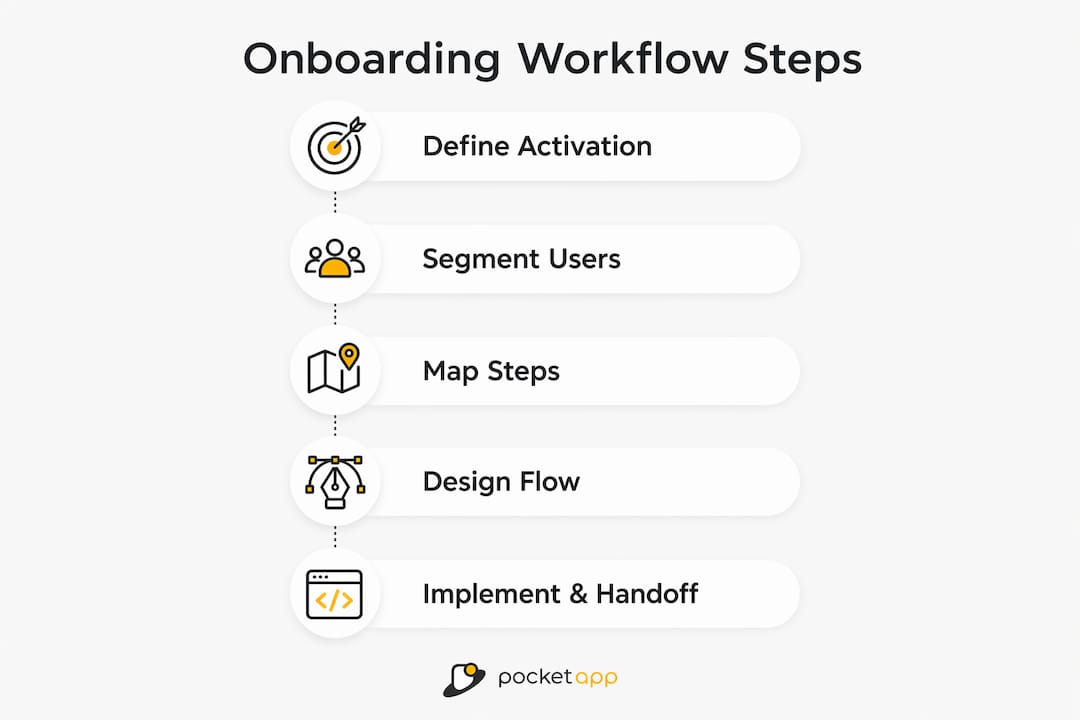
1. Define the activation event
Start by identifying the single action that best predicts long-term retention. Pull your best-retained cohort from your analytics tool (Mixpanel, Amplitude, or PostHog all support this) and identify the action that distinguishes retained users from churned ones within the first week. That action is your activation event. Everything else in the workflow exists to get users there.
2. Segment and route at signup
Ask two or three questions at signup to route users into persona-specific paths. Keep it to a maximum of three questions: each additional question reduces completion. Typical routing dimensions are role (individual vs team), intent (use case), and experience level. Tools like Pendo and Userpilot both support conditional branching based on signup responses.
3. Map required vs deferable steps
List every setup action the product currently asks of new users. Classify each as critical (must happen before activation) or deferable (can happen after). Move all deferable steps out of the critical path. This single exercise typically cuts onboarding length by 30–50% without removing any functionality.
4. Produce sprint deliverables
A single design sprint should produce:
- A flow map showing every decision node, branch, and fallback state.
- Decision rules for routing logic (if role = admin, show team-invite step; else skip).
- Microcopy for welcome screens, empty states, skip warnings, and call-to-action buttons.
- Starter templates or sample data to eliminate blank-page friction.
- An instrumentation plan listing every event and property to track.
- An experiment backlog of A/B test ideas ranked by expected impact.
5. Implement and hand off
Assign clear ownership: product owns the flow logic and instrumentation plan; design owns microcopy and UI patterns; analytics owns event taxonomy and cohort definitions; support owns the in-app chat triggers and escalation rules. A shared handoff document prevents the "I thought you were handling that" problem that delays most onboarding projects.
Pro Tip: Build skip-and-resume mechanics from the start. Designing for resumeable setup means a user who abandons mid-flow on day one can return on day two and pick up exactly where they left off, rather than restarting from the welcome screen. This alone can recover a meaningful proportion of day-two drop-off.
Patterns from Notion, Acorns, and VSCO — what to copy and what to avoid
Notion: template-first onboarding
Notion routes new users to a gallery of starter templates before asking them to build anything from scratch. The pattern works because users see a finished state immediately, which answers the implicit question "what can I actually do with this?" Template-led onboarding reduces blank-page friction and accelerates time-to-value by giving users a concrete starting point rather than an empty canvas. The generalised rule: if your product involves creation, always offer a starter template as the default path.
Acorns: progressive disclosure and a single first action
Acorns (the micro-investment app) reduces its signup flow to one decision at a time, revealing complexity only after the user has committed to the previous step. The welcome screen asks a single question; the next screen asks one more. By the time the user reaches the investment configuration, they have already experienced a small win and are invested in completing the process. The pattern generalises to any product where the full feature set would overwhelm a new user: reveal features in the order they become relevant, not in the order they appear in your navigation.
VSCO: quick win through immediate output
VSCO gets users to a finished, shareable photo edit within the first two minutes of signup. The activation event is tangible and emotionally rewarding, which drives return visits. The lesson for product teams: wherever possible, design the activation event to produce something the user can see, share, or act on immediately. Abstract first outcomes ("your account is set up") are far weaker retention signals than concrete ones ("here is your first report / edited photo / assigned task").
Patterns to avoid
- Feature-dump tours that walk through every menu item before the user has done anything.
- Mandatory profile completion before the user has seen the product's core value.
- Single-path flows that ignore user role or intent and treat every signup identically.
- Non-resumeable flows that restart from the beginning if the user closes the browser.
For high-frequency consumer apps, quick wins and progressive disclosure are the dominant patterns. For lower-frequency enterprise tools, template routing and deferred setup tend to outperform because users need scaffolding to understand a complex product before they can reach value independently.
How to instrument onboarding, run experiments, and iterate
Instrumentation checklist
Before running any experiment, confirm you are capturing:
- A
signup_completedevent with properties: source, role, intent, plan. - A step-level event for every onboarding screen (e.g.
onboarding_step_viewed,onboarding_step_completed,onboarding_step_skipped). - An
activation_event_completedevent with a timestamp, so you can calculate TTV. - A
session_returnedevent to measure day-two and day-seven return rates. - Cohort definitions that segment users by onboarding path, role, and signup date.
Layer attribution
When your onboarding system includes multiple help surfaces — a setup wizard, contextual tooltips, an in-app chatbot — you need to know which layer is driving activation. Tag each interaction with a help_layer property and compare activation rates across user segments who engaged with each layer versus those who did not. Well-designed wizards tend to drive the majority of attributed activations; tours and chat recover users who stall after the wizard completes.
Experiment recipes for UK SaaS teams
- Welcome screen CTA copy — test a benefit-led headline ("See your first report in 3 minutes") against a generic welcome message. Metric: activation rate. Guardrail: do not let TTV increase.
- Checklist length — test a 3-item checklist against a 5-item checklist. Metric: checklist completion rate and 7-day retention. Outcome-centred checklists limited to 3–5 items consistently outperform longer lists.
- Template vs blank canvas — test routing users to a starter template against an empty state. Metric: activation rate and time-to-value.
- Deferred setup — test moving one non-critical step (e.g. profile photo) out of the critical path. Metric: step completion rate and activation rate.
For each experiment, aim for a minimum of two weeks' runtime and a sample size sufficient to detect a 5-percentage-point difference in your primary metric. Use Pendo or Userpilot for in-app experiments; PostHog or Amplitude for cohort analysis. Run progressive rollouts at 10% of new signups before full deployment to protect activation rates during testing.
Timeline, effort bands, and costs for UK onboarding projects
Realistic delivery expectations prevent the two most common project failures: under-resourcing a quick win and over-scoping a first iteration.
| Effort band | Typical scope | Duration | Team |
|---|---|---|---|
| Quick win | Microcopy refresh, empty-state redesign, checklist addition | 1–2 sprints (2–4 weeks) | 1 designer, 1 engineer, 1 PM |
| Moderate redesign | New routing logic, persona paths, instrumentation overhaul | 1–3 months | 2 designers, 2 engineers, 1 PM, 1 analyst |
| Full rebuild | New flow architecture, multi-channel sequences, A/B framework | 3 months | Full product squad + UX research |
For UK SaaS teams, the investments that pay back fastest are: interactive walkthroughs (which reduce support tickets and provide step-level analytics), activation instrumentation (which makes every subsequent experiment faster to evaluate), and starter templates (which reduce blank-page drop-off with relatively low engineering effort).
Scoping checklist for a discovery session:
- Is the activation event defined and measurable?
- How many distinct user personas need separate paths?
- Does the current flow have skip-and-resume capability?
- Is there an existing instrumentation plan, or does one need to be built from scratch?
- What is the current activation rate, and what is the target?
- Are there existing lifecycle email sequences, and do they sync with in-app state?
Cost expectations vary significantly by scope and whether you are using an onboarding tool (Pendo, Userpilot) or building custom. A quick-win sprint with an existing tool typically costs less than a full rebuild with custom analytics integration. For bespoke mobile app projects, Pocketapp's mobile app development service includes discovery workshops that scope onboarding requirements before any build begins.
Ready-to-use checklist, flow template, and microcopy snippets
Onboarding checklist (activation-correlated, 3–5 items)
Keep your checklist to the actions that directly predict retention. A well-scoped checklist of 3–5 items outperforms longer lists because it feels achievable rather than overwhelming.
- ☐ Complete the one action that defines your activation event (e.g. "Assign your first task").
- ☐ Invite one team member (if collaboration is core to the product).
- ☐ Connect one integration or import one data source (if data is required for value).
- ☐ (Deferable) Set notification preferences.
- ☐ (Deferable) Complete your profile.
Mark the first three as required and the last two as optional, surfaced only after the activation event is complete.
Flow template
Signup → Role/intent question (1–2 questions) → Critical setup (required steps only) → Activation event → Reinforcement (checklist + contextual tooltip) → Lifecycle email (day 1, day 3, day 7)
Events to track at each node: signup_completed, routing_question_answered, critical_step_completed, activation_event_completed, checklist_item_checked, email_opened, email_cta_clicked.
Microcopy examples
| Moment | Weak copy | Strong copy |
|---|---|---|
| Welcome screen headline | "Welcome to [Product]!" | "You're 3 minutes from your first [outcome]." |
| Empty state | "No projects yet." | "Create your first project and see what [Product] can do." |
| Skip warning | "Are you sure?" | "You can finish this later — your progress is saved." |
| CTA button | "Next" | "Create my first [outcome]" |
| Checklist completion | "All done!" | "You've completed setup. Here's what to explore next." |
For accessibility, use plain language (reading age 9–11), avoid directional cues ("click the button on the right"), and test all copy with a screen reader. For different segments, adjust the outcome noun in each copy string rather than rewriting the whole template — a developer sees "Deploy your first build"; a marketer sees "Publish your first campaign." Good app design principles apply equally to microcopy as to visual UI.
What two Pocketapp projects taught us about onboarding
Project one: a retail engagement app
A UK retail client came to us with a loyalty app that was seeing strong download numbers but poor activation. Users were signing up, reaching an empty points dashboard, and leaving without completing a single transaction. The activation event was undefined — the team had been measuring "profile completed" as a proxy, which turned out to have no correlation with retention.
We ran a discovery workshop to identify the real activation event (first points earned via a qualifying purchase), then redesigned the empty dashboard to show a single prompt: "Scan your receipt to earn your first points." We removed four non-critical setup steps from the critical path and added a day-one email triggered by signup without activation. The instrumentation we added tracked receipt_scanned as the primary activation event and day_7_return as the retention guardrail. Activation rate improved materially, and the support team reported a reduction in "how do I get started?" queries within the first month.
Lesson: defining the activation event before redesigning any UI is non-negotiable. Without it, you are optimising for the wrong metric.
Project two: a B2B operational process app
A healthcare sector client needed to onboard clinical staff across multiple sites onto a new operational tool. The challenge was dual-stream: individual users needed in-product guidance, while site administrators needed a separate configuration and data-migration process. Treating these as one workflow had caused confusion and delays in the initial rollout.
We separated the streams: a self-serve in-app wizard for individual users (covering the five critical steps to first task completion) and a structured customer onboarding programme for administrators (covering data import, role assignment, and integration with existing systems). We added layer attribution to distinguish which help surface — wizard, tooltip, or support chat — was driving activation for each user type. The result was a cleaner handoff between the customer success team and the product, and a measurable reduction in time-to-value for individual users.
Lesson: for B2B products, separating user and customer onboarding into distinct streams with distinct owners is the single most effective structural change you can make.
How onboarding connects to your customer support channels
Onboarding and support are not separate functions — they are two layers of the same system. A well-designed multi-channel onboarding system combines in-app guidance, lifecycle emails, chat, and post-activation follow-ups, with each channel handling a different friction type.
In-app guidance handles first-run setup and feature discovery. Lifecycle emails re-engage users who stall mid-flow or go quiet after the first session. In-app chat (via tools like Intercom or Zendesk) catches users who have a specific question that the flow does not answer. Post-activation follow-ups (email or in-app) introduce secondary features once the user has established a baseline habit.
The critical integration point is behavioural triggering: support channels should fire based on in-app state, not on a fixed schedule. If a user completes step three of five and then goes quiet for 48 hours, the day-two email should reference step four specifically, not restart the onboarding sequence from the beginning. This requires your onboarding tool and your email platform to share event data — a straightforward integration with most modern stacks (Segment, Amplitude, or a direct API connection between Pendo/Userpilot and your email provider).
Support teams should also feed back into the onboarding design process. The questions that appear most frequently in support chat during the first week are a direct signal of where the flow is unclear. A monthly review of first-week support tickets, mapped against onboarding step completion data, is one of the most cost-effective ways to identify friction points.
How to collect user feedback during onboarding without disrupting the flow
Feedback collection during onboarding is a balance: you need signal, but every question you ask is a step that delays the user's path to value. The principle is to collect feedback at natural pause points, not mid-flow.
The most effective moments are: immediately after the activation event (when the user has just experienced value and is most engaged), at the end of the first session (a single-question micro-survey), and at the day-seven mark (a slightly longer NPS or CSAT survey triggered by return visit). Avoid asking for feedback during the critical setup path — it interrupts momentum and signals that you are not confident in your own flow.
For in-app surveys, keep questions to one at a time. "How easy was it to complete your first [outcome]?" with a 1–5 scale gives you a quantitative signal you can track over time. Open-text follow-ups ("What, if anything, was confusing?") surface qualitative insight that analytics cannot. Tools like Pendo and Userpilot both support in-app micro-surveys with conditional logic, so you can ask different questions to different segments without building custom survey infrastructure.
Session recordings (via tools such as FullStory or Hotjar) complement survey data by showing you where users hesitate, re-read, or abandon without explaining why. Pair recording data with step completion rates to prioritise which friction points to address first. Improving app UX iteratively, informed by both quantitative and qualitative feedback, is what separates teams that ship once and move on from those that compound gains over time.
Key takeaways
A well-designed user onboarding workflow is built around a single, measurable activation event — everything else is sequenced to reach that event as quickly as possible.
| Point | Details |
|---|---|
| Define activation first | Identify the action that predicts long-term retention before designing any screen or copy. |
| Separate critical from deferable | Move non-essential setup steps out of the critical path to cut onboarding length without removing functionality. |
| Instrument from day one | Track activation rate, time-to-value, step completion, and 7-day return rate before running any experiment. |
| Iterate in short cycles | Run A/B tests on checklist length, CTA copy, and template routing; review activation rate at the end of every sprint. |
| Pocketapp for bespoke builds | Pocketapp's discovery workshops define activation events and scope onboarding workflows before any mobile app build begins. |
30-day diagnostic: define your activation event, audit your critical path for deferable steps, instrument the five core KPIs, and identify the top three drop-off points from step completion data.
90-day implementation: redesign the critical path, add starter templates or empty-state prompts, build skip-and-resume mechanics, connect lifecycle email to in-app state, and run your first A/B experiment with a two-week minimum runtime.
First experiment to run in sprint one: test a benefit-led welcome screen headline ("You're 3 minutes from your first [outcome]") against your current welcome message, with activation rate as the primary metric and TTV as the guardrail.
The case for activation clarity over feature completeness
There is a persistent temptation in product teams to treat onboarding as a feature showcase. The logic is understandable: the team has built something they are proud of, and they want new users to see all of it. The result is almost always a five-minute tour that users skip, a checklist with twelve items that nobody completes, and an activation rate that sits well below where it should be.
The products that get onboarding right — Notion, VSCO, Acorns — share one characteristic: they have made a deliberate decision about what the first win looks like, and they have removed everything that stands between the user and that win. That is not a design decision; it is a product strategy decision. It requires someone with authority to say "we are not showing users feature X until after they have done Y," and to hold that line when engineers and stakeholders push back.
For UK product teams, the practical implication is that onboarding redesigns should start in a discovery workshop, not in Figma. The design work is straightforward once the activation event is agreed and the critical path is mapped. The hard work is the alignment. We have seen projects where the discovery conversation alone — clarifying what activation actually means for the product — changed the entire direction of the build.
Self-serve products with simple activation events can often be redesigned in one or two sprints. High-touch B2B tools with complex organisational onboarding need a longer runway and a clear separation between the in-product experience and the customer success programme. Knowing which type of project you are running before you start is the difference between a focused sprint and a six-month rebuild that solves the wrong problem.
Pocketapp designs and builds onboarding workflows that activate users
If your product is losing users before they reach their first meaningful outcome, the fix is rarely a visual redesign. It is a structural one: a clearly defined activation event, a critical path stripped of everything non-essential, and instrumentation that tells you whether the changes are working.
Pocketapp works with UK product teams on exactly this. Our app design service covers discovery workshops, flow mapping, UX/UI design, interactive walkthroughs, and instrumentation planning — the full set of deliverables a product team needs to ship a measurable onboarding improvement. For enterprise mobile apps with complex B2B onboarding requirements, we scope both the user and customer onboarding streams from the outset, so the two do not get conflated mid-project.

We have delivered over 300 projects for clients including WWF, Dechra, and Crocus, and we bring that experience directly to onboarding scoping conversations. If you are planning a new build or a redesign and want to start with a structured discovery session, get in touch with the Pocketapp team to discuss your project.
Useful sources and tools for UK product teams
Onboarding frameworks and guides:
- RampStack: Design a SaaS Onboarding Flow — practical walkthrough covering skip-and-resume mechanics, multi-channel orchestration, and layer attribution. Best for teams designing from scratch.
- UserOrbit: Complete Guide to SaaS User Onboarding — covers activation-first design, time-to-value targets, and cohort analysis. Best for teams auditing an existing flow.
- Userflow: Product Onboarding Checklist — detailed guidance on checklist sizing, deferable mapping, and activation-correlated task selection.
- Appcues: User Onboarding Resources — empty-state patterns, microcopy examples, and in-app guidance best practices.
Analytics and experimentation tools:
- Pendo and Userpilot — in-app onboarding builders with conditional branching, A/B testing, and step-level analytics. Both are available to UK teams.
- Amplitude and PostHog — cohort analysis and funnel reporting for activation and retention measurement.
- FullStory and Hotjar — session recording and heatmaps for qualitative friction analysis.
Rapid prototyping:
- Spark Concept — AI-assisted digital product builder useful for rapid prototyping and idea validation during discovery.
Pocketapp resources:
- Reducing churn through smarter onboarding flows
- How to improve app UX: a step-by-step guide for retention
- User experience optimisation guide
FAQ
What is a user onboarding flow?
A user onboarding flow is the sequence of in-product steps that guides a new user from signup to their first meaningful outcome (the activation event). It typically includes a welcome screen, routing questions, critical setup steps, and a reinforcement layer such as a checklist or contextual tooltips.
What are the stages of onboarding?
A standard onboarding stage model covers orientation (user understands the product and next step), setup (minimum configuration to reach value), first outcome (the activation event), reinforcement (checklists and follow-ups that consolidate the first win), and habit formation (building repeated use patterns). Some frameworks combine reinforcement and habit formation; use the stage model that best fits your workflow.
What is an onboarding workflow?
An onboarding workflow is the full decision tree governing what a user sees and when during their first experience of a product — including branching logic, routing rules, channel triggers (in-app, email, chat), and fallback states for users who stall or drop off.
What are the 5 C's of onboarding design?
One widely used framework maps five principles to onboarding stages: clarity (one clear action per screen), context (guidance at the moment of need), criticality (only required steps in the critical path), choice (persona routing at signup), and continuity (resumeable flows that save progress). Definitions vary across frameworks, so always validate against your product's specific activation model.
How do you measure onboarding success?
Track four core metrics: activation rate (percentage of users completing the activation event), time-to-value (how quickly they reach it), step completion rate (where drop-off concentrates), and 7-day return rate. Cohort retention at 30 and 90 days confirms whether onboarding improvements translate into long-term behaviour change.