
TL;DR:
- User experience quality directly impacts app retention, loyalty, and business value.
- Preparing with stakeholder alignment and structured frameworks is essential for effective UX optimization.
- Continuous measurement, testing, and iteration are vital for sustaining app performance and user satisfaction.
Picture this: a client downloads your app, taps through two confusing screens, and deletes it within 90 seconds. That lost engagement is not just a UX failure; it is a measurable business cost. For project managers and business leaders commissioning mobile applications, the quality of user experience directly determines whether your investment drives loyalty and efficiency or quietly bleeds value. This guide walks you through every stage of mobile app UX optimisation, from foundational definitions and stakeholder alignment to technical performance, personalisation, and the measurement cycles that separate good apps from great ones.
Table of Contents
- Understanding user experience in mobile applications
- Essential preparations: frameworks, tools and stakeholder alignment
- Step-by-step UX optimisation process for mobile apps
- Performance, accessibility and handling edge cases
- Measuring, benchmarking and iterating for continuous improvement
- Our perspective: why great user experience is more than technology
- Take the next step in optimising your mobile app's user experience
- Frequently asked questions
Key Takeaways
| Point | Details |
|---|---|
| User-centred design | Put users at the heart of every decision to build sustained business value. |
| Framework-driven optimisation | Use structured frameworks and benchmarks to guide ongoing UX improvements. |
| Continuous measurement | Track, compare, and refine with meaningful metrics for lasting engagement and efficiency. |
| Technical excellence | Prioritise performance and accessibility to ensure a seamless experience for every user. |
| Personalisation matters | Tailor experiences to user needs for significantly higher retention and satisfaction. |
Understanding user experience in mobile applications
User experience in mobile apps is not simply about making things look attractive. It covers the full spectrum of how a person interacts with your application: how quickly they find what they need, how confident they feel while navigating, how the app responds to their actions, and whether the overall encounter leaves them wanting to return. For business decision-makers, understanding these layers is essential because each one connects directly to retention, conversion, and operational efficiency.
There is an important distinction between B2C and B2B UX expectations that many organisations overlook. Consumer apps must create emotional pull, delight through animation, and reduce friction for first-time users who may never read a tutorial. B2B apps, by contrast, serve power users who need speed, precision, and reliability above all else. A field engineer using a service management app values fast data entry and offline capability far more than a beautifully animated splash screen. Getting this balance right is where why UX matters for business becomes a strategic conversation, not just a design one.
The current benchmark landscape is revealing. Native apps follow 98% web UX guidelines, yet usability plateaus without expressive design, and B2B apps should prioritise power-user efficiency. This tells us that meeting baseline usability standards is now table stakes. What separates high-performing apps is the layer of intentional, expressive design that responds to context, user role, and emotional state.
| UX dimension | B2C priority | B2B priority |
|---|---|---|
| Visual appeal | High | Moderate |
| Speed and performance | High | Critical |
| Onboarding simplicity | Critical | Moderate |
| Power-user shortcuts | Low | High |
| Personalisation | High | Moderate |
| Offline functionality | Moderate | High |
Key components of strong mobile UX include:
- Usability: Can users complete tasks without confusion or error?
- Efficiency: How many steps does it take to reach a goal?
- Engagement: Does the app encourage return visits and deeper use?
- Emotional impact: Does the experience feel trustworthy, satisfying, or even enjoyable?
- Accessibility: Can users with varying abilities use the app effectively?
"Expressive design is not decoration. It is the difference between an app users tolerate and one they recommend." This principle applies equally to user experience for retail apps and enterprise tools, where the emotional quality of an interaction shapes long-term adoption.
Essential preparations: frameworks, tools and stakeholder alignment
Knowing what makes for a robust user experience, it is vital to set the right foundations and gather the tools before improving your app's UX. Many organisations jump straight into redesigning screens without first agreeing on what success looks like. This leads to expensive rework and misaligned expectations between product teams, designers, and business owners.
The first preparation step is internal alignment. Every stakeholder, from the commercial director to the product manager, must agree on the core KPIs that UX optimisation is meant to move. These might include session length, task completion rate, support ticket volume, or Net Promoter Score. Without shared metrics, UX decisions become subjective arguments rather than evidence-led choices.

A structured framework prevents this. Adopt frameworks like diagnose, set policies, take actions, and benchmark against competitors to gauge your current UX level. This three-phase approach forces teams to understand the problem before proposing solutions. The diagnostic phase involves reviewing analytics, conducting user interviews, and mapping existing journeys. The policy phase defines what standards the app must meet. The action phase prioritises and executes improvements in a logical sequence.
Pro Tip: Triage your UX issues by plotting them on an impact versus effort matrix. High-impact, low-effort fixes, such as clearer error messages or simplified form fields, should be addressed first. This builds momentum and demonstrates ROI before tackling larger structural changes.
| Tool category | Example tools | Primary use |
|---|---|---|
| Analytics | Mixpanel, Amplitude, Firebase | Behaviour tracking and funnel analysis |
| User testing | UserTesting, Maze, Lookback | Qualitative session recording |
| Benchmarking | Baymard, SimilarWeb | Competitive UX comparison |
| Heatmapping | Hotjar, UXCam | Visual interaction patterns |
| Accessibility audit | Axe, Lighthouse | Compliance and inclusive design |
Useful tools for structured UX preparation include:
- Analytics platforms to identify where users drop off in key journeys
- Benchmarking databases to compare your app's performance against sector standards
- User testing platforms for moderated and unmoderated session recordings
- Heatmapping tools to visualise tap patterns and scroll depth
- Stakeholder workshops to align on priorities before design work begins
Reading design tips for better engagement alongside your analytics data helps bridge the gap between what users do and what they need. The goal of preparation is to enter the optimisation process with clarity, not assumptions. Explore crafting engaging app experiences to understand how strategic design thinking shapes every subsequent decision.
Step-by-step UX optimisation process for mobile apps
With your frameworks and tools at the ready, you can begin systematically optimising your app's user experience. The process is sequential but iterative; you will return to earlier stages as new data surfaces.
1. Map current user journeys Start by documenting every path a user can take through your app. Identify the critical journeys, such as registration, core task completion, and account management, and note where drop-offs occur. Analytics data and session recordings are your primary sources here.
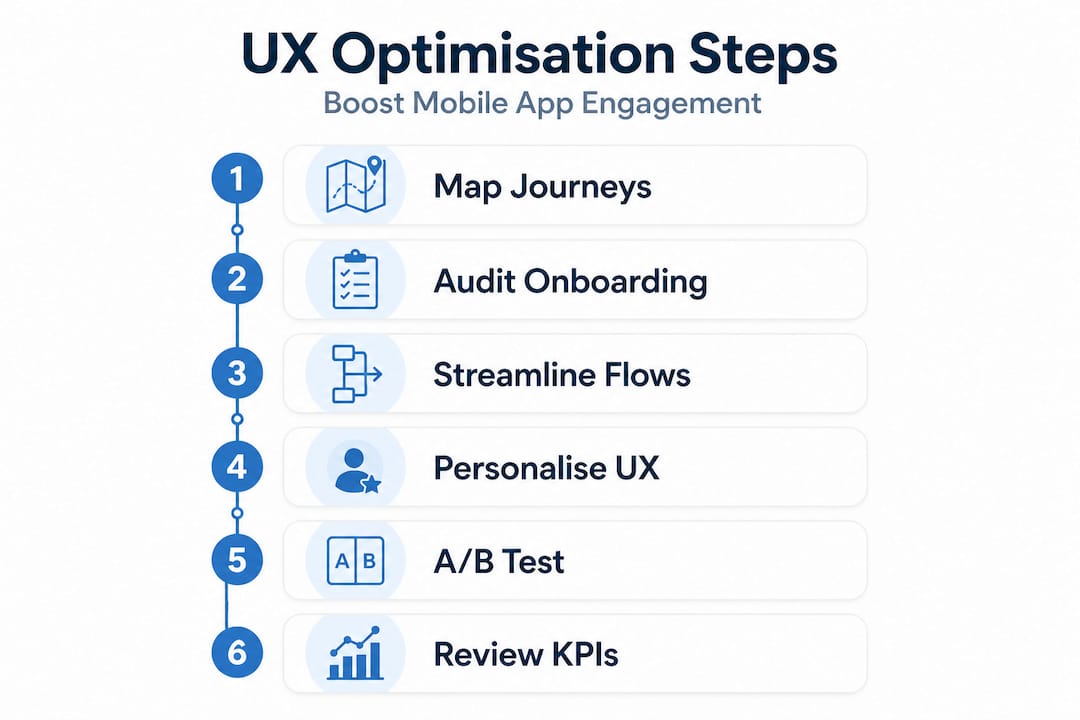
2. Audit onboarding Onboarding is where most apps lose users permanently. Onboarding should reach value in under 60 seconds, meaning users must experience the core benefit of your app almost immediately. Remove any unnecessary permission requests, reduce the number of steps before the first meaningful action, and use contextual tooltips rather than lengthy tutorial screens.
3. Streamline navigation and flows Simplify your information architecture so that users never need more than three taps to reach any primary feature. Eliminate redundant screens, consolidate settings, and ensure that back navigation behaves predictably. Review the app UX improvement steps that consistently reduce friction across different app categories.
4. Introduce personalisation Personalisation is one of the most powerful levers available. Personalisation can improve retention by up to 20% through more relevant, contextually aware experiences. This can range from surfacing recently used features on a home screen to adapting content recommendations based on user behaviour. Explore personalising mobile app UX to understand the technical and strategic options available.
5. Apply behaviour nudges Nudges are subtle design cues that guide users towards beneficial actions without being manipulative. Progress indicators, streak counters, and contextual prompts all encourage continued engagement. These are particularly effective in B2C apps but can also drive adoption of underused features in enterprise tools. Learn more about keeping users engaged through well-placed, respectful nudges.
6. Run A/B tests on key screens Never assume a design change is an improvement without data. A/B testing allows you to compare two versions of a screen or flow with real users, measuring completion rates, time on task, and error frequency. Start with high-traffic screens where even a small improvement yields significant business impact.
7. Review KPIs and iterate After each round of changes, return to your agreed KPIs. Did session length increase? Did support tickets decrease? Did task completion rates improve? Use these answers to inform the next cycle of optimisation.
Pro Tip: Set a fixed review cadence, such as monthly, to assess UX metrics. Irregular reviews lead to reactive fixes rather than strategic improvements, which ultimately costs more time and budget.
Performance, accessibility and handling edge cases
While journey mapping and personalisation drive engagement, technical rigour ensures all clients enjoy the experience equally. A beautifully designed app that loads slowly or excludes users with accessibility needs will underperform regardless of how thoughtful its UX strategy is.
Performance optimisation starts at the asset level. Compress assets, use caching and lazy loading, adhere to Core Web Vitals, and test for edge cases across devices and networks. Lazy loading means content is only fetched when it is needed, reducing initial load times dramatically. Caching stores frequently accessed data locally, so repeat interactions feel instantaneous. These are not optional refinements; they are baseline requirements for any app competing in a market where users expect sub-two-second load times.
Consistency in visual design is equally important. Using established grid systems and recognised design components, such as those from Material Design or Apple's Human Interface Guidelines, reduces cognitive load and builds user trust. When interface elements behave predictably, users spend less mental energy on navigation and more on achieving their goals.
Accessibility is a legal and ethical obligation, not a bonus feature. Key considerations include:
- Colour contrast: Ensure text meets WCAG 2.1 AA contrast ratios for users with visual impairments
- Font sizing: Support dynamic text scaling so users can adjust readability in system settings
- Assistive technology: Ensure all interactive elements are labelled for screen readers such as VoiceOver and TalkBack
- Touch target sizing: Buttons and links should be at least 44 by 44 points to accommodate motor impairments
- Keyboard and switch access: Support alternative input methods for users who cannot use touchscreens
Review designing for accessibility to understand how inclusive design also improves usability for all users, not just those with specific needs.
"Testing only on flagship devices in perfect network conditions is the fastest way to miss the majority of your actual users." Mid-tier Android devices on 4G connections represent a significant portion of real-world usage, particularly in field-based B2B contexts.
Edge case testing should include one-handed operation, interrupted sessions, and low-storage scenarios. These are the conditions under which apps most commonly fail, and they are precisely the conditions your users will encounter.
Measuring, benchmarking and iterating for continuous improvement
Building technical and design excellence is not the end. Ongoing measurement is key to lasting ROI. Many organisations treat UX as a project with a finish line, when in reality it is a continuous practice that evolves alongside user expectations and business goals.
Selecting the right KPIs is the starting point. Not every metric is equally meaningful. Vanity metrics like total downloads tell you little about quality. Focus instead on:
- Task completion rate: The percentage of users who successfully complete a defined action
- Time on task: How long it takes to complete a core journey
- Error rate: How often users encounter mistakes or dead ends
- Retention rate: The proportion of users who return after their first session
- Net Promoter Score: Whether users would recommend the app to a colleague or friend
Benchmarking gives these numbers context. Benchmarks such as Baymard help position your app competitively on UX, and continuous testing with AI assistance still requires human oversight for real improvements. This is an important caveat. Automated testing tools can identify accessibility violations and performance regressions, but they cannot judge whether a flow feels intuitive or whether an error message is genuinely helpful.
The improvement cycle looks like this:
- Review current KPI data against benchmarks
- Identify the highest-priority gap between current and target performance
- Implement a targeted design or technical change
- Test with real users through moderated sessions or A/B testing
- Measure the impact on relevant KPIs
- Refine and move to the next priority
Staying current with 2026 app design trends ensures your benchmarking reflects where the market is heading, not just where it has been. Understanding user flow in app design also helps you evaluate whether your measurement framework captures the journeys that matter most to your users.
Our perspective: why great user experience is more than technology
After years of working across hundreds of mobile projects with clients in retail, healthcare, charity, and enterprise, we have observed a consistent pattern. The organisations that achieve the best UX outcomes are not necessarily those with the largest budgets or the most advanced technology. They are the ones where business leaders treat UX as a strategic responsibility rather than a delegated task.
There is a real risk in handing UX entirely to designers and developers without maintaining leadership engagement. When that happens, design decisions get made in isolation from business context. Features get built because they are technically interesting rather than because users need them. The payoff of superior UX only materialises when there is a clear line of accountability from the boardroom to the build.
We also challenge the assumption that technology alone solves UX problems. Personalisation engines, AI-driven recommendations, and advanced analytics are powerful, but they amplify the quality of your underlying design decisions. If your core user journeys are confusing, adding a recommendation engine will simply surface confusing content faster. The fundamentals of clarity, speed, and trust must be in place before advanced features add genuine value.
The most durable UX improvements we have seen come from organisations that invest in understanding their users as people, not just as data points. Regular qualitative research, even informal conversations with real users, surfaces insights that no analytics dashboard can provide. Balancing efficiency with emotional resonance is what separates apps that users rely on from apps that users love.
Take the next step in optimising your mobile app's user experience
If you are ready to elevate your mobile app's user experience, industry expertise is right at your fingertips. At Pocket App, we bring over 300 projects of experience to every engagement, from initial discovery and UX strategy through to build, deployment, and ongoing iteration.

Our team specialises in business app development services that align technical excellence with genuine user insight, whether you are building a new product from scratch or optimising an existing application. We combine structured UX frameworks with hands-on testing and benchmarking to deliver measurable improvements in engagement and efficiency. If you want to explore what expert app design looks like in practice, we would welcome a conversation about your specific goals and challenges. Reach out to our team to arrange a tailored consultation.
Frequently asked questions
What is the first step in optimising mobile app user experience?
The first step is to analyse current user journeys and gather data on pain points using analytics tools. Frameworks like diagnose, set policies, and take actions provide a structured starting point, with benchmarking helping you understand where your app currently stands relative to competitors.
How does personalisation impact user retention in mobile apps?
Effective personalisation can boost retention by up to 20% by delivering more relevant, contextually aware experiences that keep users coming back. The key is grounding personalisation in real behavioural data rather than assumptions about what users want.
Which technical optimisations most affect app performance?
Compressing assets, caching, and lazy loading are the most impactful technical improvements for app performance across a range of devices and network conditions. Compliance with Core Web Vitals standards provides a reliable benchmark for measuring progress.
Why is human review important even with AI UX testing?
AI assistance requires human review because automated tools cannot assess the nuanced, contextual quality of a user experience the way a real person can. Edge cases, emotional tone, and genuine usability can only be properly evaluated through human observation and judgement.