
TL;DR:
- Behavior-triggered engagement strategies respond to specific user actions rather than fixed schedules to improve retention. Conducting friction audits and mapping lifecycle stages to behaviors can lift activation and reduce drop-off significantly. Tailoring multi-channel workflows and user segmentation ensures communication is relevant and enhances long-term user loyalty.
User engagement strategy is defined as a system of behaviour-triggered interventions designed to guide customers towards repeated, meaningful interaction with a digital product. The most effective approaches do not rely on sending more messages. They remove friction, respond to specific user actions, and personalise communication based on what each customer actually does inside your product. This user engagement strategies guide draws on 2026 industry data to give marketing professionals and business leaders a practical framework for improving retention, activation, and loyalty across mobile and digital platforms. The gap between teams that grow and teams that churn is almost always found in the mechanics of how they respond to user behaviour.
What does a user engagement strategies guide actually cover?
Engagement strategy, in the industry, is often called behavioural retention design. The term captures something important: the goal is not to make your product look more appealing, but to make it work better for the specific behaviours that predict long-term use. A well-built engagement system maps user lifecycle stages, removes journey friction, triggers personalised communication, and uses real data to refine every step.
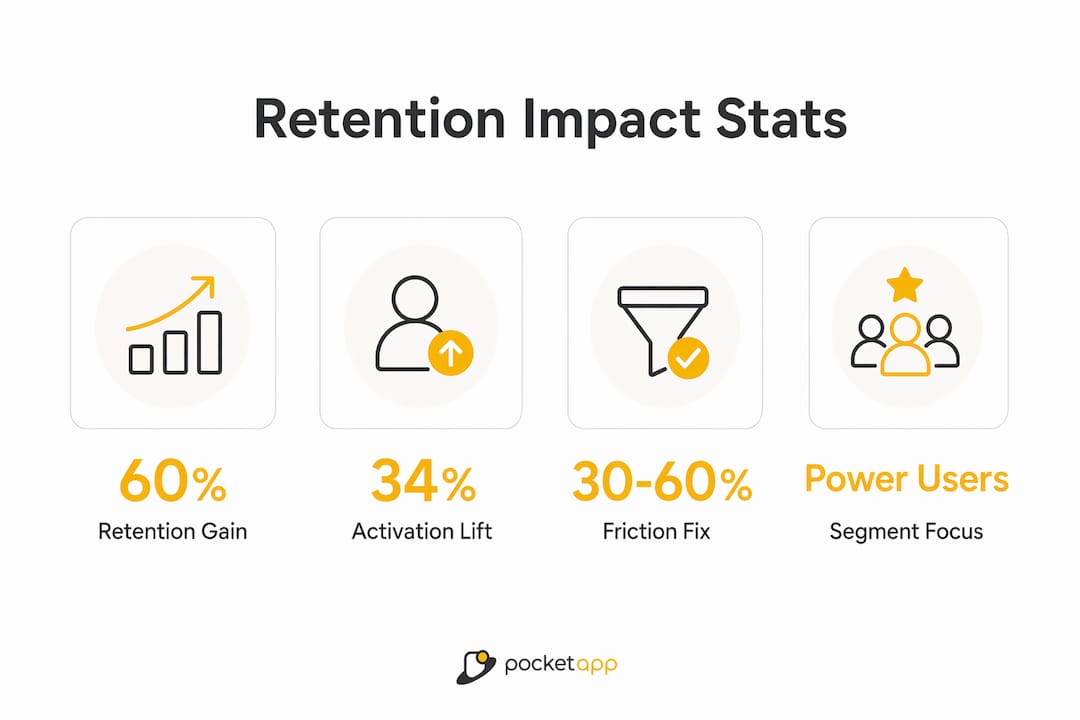
The core insight is this: most retention failures are mechanical, not cosmetic. Teams that fix the underlying process problems in their user journeys consistently outperform teams that focus on redesigning emails or refreshing in-app visuals. Mechanical fixes and friction removal deliver retention lifts of up to 60%, a figure that no aesthetic improvement comes close to matching.
Pocketapp has built over 300 mobile products across retail, healthcare, charity, and B2B sectors. That portfolio makes one thing clear: the apps with the strongest retention rates are the ones where engagement was designed into the product architecture from the start, not bolted on afterwards.
How do you map critical user behaviours and lifecycle stages?
The first mistake most teams make is mapping lifecycle stages to dates rather than behaviours. Sending a "Day 7" re-engagement email to every user regardless of what they have done in the product is a time-triggered approach. It is also largely ineffective.
Mapping lifecycle stages to specific user behaviours rather than cohort dates lifts activation rates by 34%. That figure comes from a platform that implemented behavioural triggers responding to incomplete profile actions. The trigger fired when a user left a step unfinished, not because seven days had passed. The result was a message that felt relevant because it was relevant.

To build this kind of system, you need to identify which actions inside your product are retention-critical. These are the moments where a user either commits to the product or drifts away. Common examples include completing a first meaningful task, inviting a colleague, or connecting an integration. Once you know these moments, you can build triggers around them.
Practical steps for behavioural lifecycle mapping:
- Identify your activation event. What is the single action that most strongly predicts a user becoming a long-term customer?
- Map the steps before that event. Where do users drop off before reaching it?
- Tag incomplete actions. Build triggers that fire when a user starts but does not finish a key step.
- Segment by lifecycle stage. New users, active users, and at-risk users need different messages at different moments.
Pro Tip: Replace linear product tours with personalised onboarding checklists that adapt based on what a user has already completed. This approach increases perceived product value and accelerates feature adoption.
How does a friction audit improve user retention?
A friction audit is a structured process for finding and removing the steps in a user journey that cause drop-off. It is the single highest-return activity in behavioural retention design, and most teams either skip it entirely or do it once and never repeat it.
The audit process works in four stages:
- Record real user sessions. Use session replay tools to watch how actual customers move through your product. Do not rely on assumptions about what users do.
- Map every step in the journey. Write out each action a user must take to complete a core task. Include micro-steps that feel obvious, such as confirmation screens and loading states.
- Identify bottlenecks. Look for steps where users pause, backtrack, or abandon the flow entirely. These are your friction points.
- Prioritise mechanical fixes over cosmetic ones. Removing a step delivers more retention lift than redesigning the screen that contains it.
The evidence for this approach is specific. At a car wash service, removing a 3-step confirmation flow reduced no-shows by 18% and increased repeat bookings by 12%. The product did not change. The journey did.
| Fix type | Example | Retention impact |
|---|---|---|
| Mechanical | Remove confirmation steps | High (up to 60% lift) |
| Structural | Reorder onboarding sequence | Medium |
| Cosmetic | Redesign button colour | Low |
Friction audits that record real user interactions and surface mechanical bottlenecks consistently outperform design aesthetic improvements. The table above reflects that hierarchy. Prioritise in that order.
Pro Tip: Run a friction audit on your highest-drop-off screen first. Fix the mechanical issue before touching the visual design. You will see results faster and with less resource.
Why do behaviour-triggered communication workflows outperform generic messages?
The question every mature engagement team now asks is not "what should we send?" It is "what should fire, to whom, in which channel, in response to which signal?" That shift in framing changes everything about how communication workflows are built.
Behaviour-triggered communication outperforms generic time-triggered messages because it aligns the intervention with the user's next logical action. A message that fires because a user abandoned a key step is useful. A message that fires because it is Tuesday is noise.
Effective behaviour-triggered workflows combine three channels:
- In-app messages for immediate, contextual guidance at the moment of friction.
- Push notifications for re-engagement when a user has left the product but the trigger is time-sensitive.
- Email for deeper re-engagement, feature education, or churn prevention when a user has been inactive for a defined period.
Behaviour-triggered intervention workflows can coordinate all three channels without requiring custom code for each trigger. That makes them accessible to marketing teams, not just engineering teams. The metric to watch is task completion rate, not daily active users or monthly active users. A user who completes their core task every time they open the product is retained. A user who opens the product and leaves without completing anything is not, regardless of what your DAU figures show.
Pro Tip: Build a "missed action" trigger for your most critical activation event. If a user starts the action but does not finish it within 24 hours, fire an in-app message. If they still have not completed it after 48 hours, follow up with a push notification or email.
How should you segment users by engagement intensity?
Segmenting users by engagement intensity into power users, casual users, and dormant users is the foundation of any retention programme that actually predicts churn. Each group needs a different strategy, a different cadence, and a different message.
The cadence question is often overlooked. A daily journaling app should measure and target daily active use. A monthly billing tool should not. Engagement cadence must match the product's natural rhythm, because pushing daily engagement on a product that customers only need monthly creates friction rather than loyalty.
| Segment | Behaviour signal | Recommended tactic |
|---|---|---|
| Power users | High frequency, broad feature use | Early access, community involvement, referral incentives |
| Casual users | Moderate frequency, limited feature use | Guided feature discovery, contextual tips |
| Dormant users | No activity for defined period | Win-back sequence, friction audit of last session |
Onboarding, reminders, and loyalty incentives all need to be calibrated to the segment. Power users do not need onboarding reminders. Dormant users do not respond to feature announcements. Casual users are the most valuable segment to move upward, because they already have a relationship with the product and the barrier to deeper engagement is usually a single friction point or a missing "aha moment."
What are the best practices for collecting feedback and using analytics?
The most reliable feedback comes from users at the moment they experience something. Collecting feedback in-app with micro-surveys immediately after a user interaction yields higher response rates and more specific insights than delayed email surveys. A user who just struggled with a step can tell you exactly what went wrong. A user responding to an email three days later is reconstructing a memory.
Best practices for feedback and analytics:
- Embed micro-surveys at friction points. Place a one or two question survey immediately after a step where session data shows high drop-off.
- Combine session replay with survey responses. Watching a user struggle and then reading their explanation of the struggle gives you diagnostic clarity that neither source provides alone.
- Tag agent versus human sessions. Automated agent sessions skew retention data and misguide engagement decisions. Teams that separate bot traffic from real user traffic make significantly better decisions.
- Track task completion rate as your primary metric. It tells you whether users are achieving their goals, which is the only engagement that predicts retention.
Pro Tip: Set up a micro-survey on your most-abandoned screen. Ask one question: "What stopped you from completing this?" The answers will surface mechanical issues that session data alone cannot explain.
Key takeaways
Effective user engagement requires behaviour-triggered systems that remove friction, personalise communication by lifecycle stage, and measure task completion rather than surface activity metrics.
| Point | Details |
|---|---|
| Behaviour over time triggers | Map lifecycle stages to user actions, not dates, to lift activation rates by 34%. |
| Friction audits first | Identify and remove mechanical bottlenecks before making any cosmetic changes. |
| Segment by engagement intensity | Tailor cadence and messaging for power, casual, and dormant users separately. |
| Trigger multi-channel workflows | Coordinate in-app, push, and email responses to specific user signals, not schedules. |
| Measure task completion | Track whether users complete core tasks, not just whether they open the product. |
The shift I keep seeing teams miss
The most common mistake I see from marketing teams in 2026 is spending weeks refining email design while the product's onboarding flow loses 40% of new users in the first three steps. The email looks beautiful. Nobody reaches it.
The shift from time-based to behaviour-triggered engagement is not a technical upgrade. It is a change in how you think about your relationship with the customer. You are no longer broadcasting on a schedule. You are responding to signals. That requires knowing which signals matter, and that requires doing the friction audit work first.
I have also seen teams build sophisticated segmentation models and then apply the wrong cadence to each segment. A weekly reminder to a user of a daily habit app is not just ineffective. It actively signals that you do not understand how they use the product. Cadence alignment is not a detail. It is the difference between a message that feels helpful and one that feels like spam.
The teams that get this right embed engagement strategy into the product development lifecycle from the discovery phase. They do not treat retention as a marketing problem to solve after launch. They treat it as a product design constraint from day one. If you want to keep users engaged long-term, that thinking has to start before a single screen is designed.
— Paul
How Pocketapp builds engagement into every product
Pocketapp designs and builds mobile apps where engagement is a structural decision, not an afterthought. With over 300 projects delivered for brands including WWF, Dechra, and Crocus, the team understands how to translate behavioural retention principles into product architecture that works from day one.

Every project begins with a discovery phase that maps user lifecycle stages, identifies activation events, and defines the friction points that most commonly cause early drop-off. The result is a mobile app development process built around the specific behaviours that predict retention for your audience. Whether you need a consumer-facing app or a B2B platform, Pocketapp's approach to app design puts user behaviour at the centre of every decision. Get in touch to discuss your project.
FAQ
What is a behaviour-triggered engagement strategy?
A behaviour-triggered engagement strategy fires messages or interventions in response to specific user actions or inactions, rather than on a fixed schedule. This approach outperforms time-based messaging because it aligns communication with the user's actual experience.
How much can a friction audit improve retention?
A systematic friction audit that removes unnecessary steps from user journeys can improve retention rates by 30–60%. Mechanical fixes, such as reducing confirmation steps, consistently deliver the largest gains.
What metrics should I track for user engagement?
Task completion rate is the most reliable engagement metric because it measures whether users are achieving their goals. Daily or monthly active user counts can be misleading if users open the product without completing meaningful actions.
How do I segment users for engagement campaigns?
Segment by engagement intensity into power users, casual users, and dormant users. Align your communication cadence with the natural rhythm of the product, whether that is daily, weekly, or monthly use.
Why does in-app feedback outperform email surveys?
In-app micro-surveys collect responses immediately after a user experience, when the detail is fresh. Delayed email surveys rely on memory and produce lower response rates and less specific feedback.