
TL;DR:
- Volunteer management apps now serve as essential tools by centralizing recruitment, scheduling, communication, and tracking processes for nonprofits. They enhance volunteer experience through mobile-first design, real-time updates, and accurate check-in and hour logging, especially in high-volume or low-connectivity environments. Proper vendor selection and workflow redesign around app capabilities are critical to maximizing data security, efficiency, and volunteer engagement.
Volunteer management apps are defined as purpose-built platforms that centralise recruitment, scheduling, communication, and tracking into a single coordinated system. The role of apps in volunteer management has shifted from a convenience to a necessity as nonprofits scale their programmes and face growing expectations from volunteers who expect the same digital experience they get from consumer apps. Platforms like Better Impact, VolunteerMatters, and Planning Center now handle workflows that once required spreadsheets, phone calls, and manual sign-in sheets. Better Impact is trusted by 85,000 organisations to automate these processes. That scale of adoption signals a fundamental change in how nonprofits operate, not just a technology upgrade.
What key features do volunteer management apps offer?

Volunteer management software supports four core functions: recruitment, scheduling, communication, and tracking. Each replaces a manual process that previously consumed coordinator time and introduced errors. Together, they form an integrated workflow rather than a collection of disconnected tasks.
Recruitment and sign-up is where most volunteer journeys begin. Apps provide public-facing sign-up pages that volunteers can access from any device, with self-service options to browse roles, select shifts, and register without coordinator involvement. This removes the back-and-forth of email confirmations and reduces the administrative load significantly.
Scheduling is where apps deliver their most visible efficiency gains. Key scheduling features include:
- Shift building with defined capacity limits and role requirements
- Repeating shift templates for recurring events or weekly programmes
- Waitlist management so no slot goes unfilled when a volunteer cancels
- Automated confirmations sent to volunteers upon booking
Communication tools handle the ongoing dialogue between coordinators and volunteers. Automated email reminders, SMS broadcasts, and in-app alerts keep volunteers informed about upcoming shifts, location changes, or last-minute cancellations. Push messaging and SMS broadcasts are particularly effective for urgent updates because they reach volunteers directly on their phones without requiring them to check an inbox.
Volunteer tracking covers contact records, shift history, hour logging, and mobile check-in and check-out. Coordinators gain a complete picture of each volunteer's contribution without manually compiling data from separate sources.
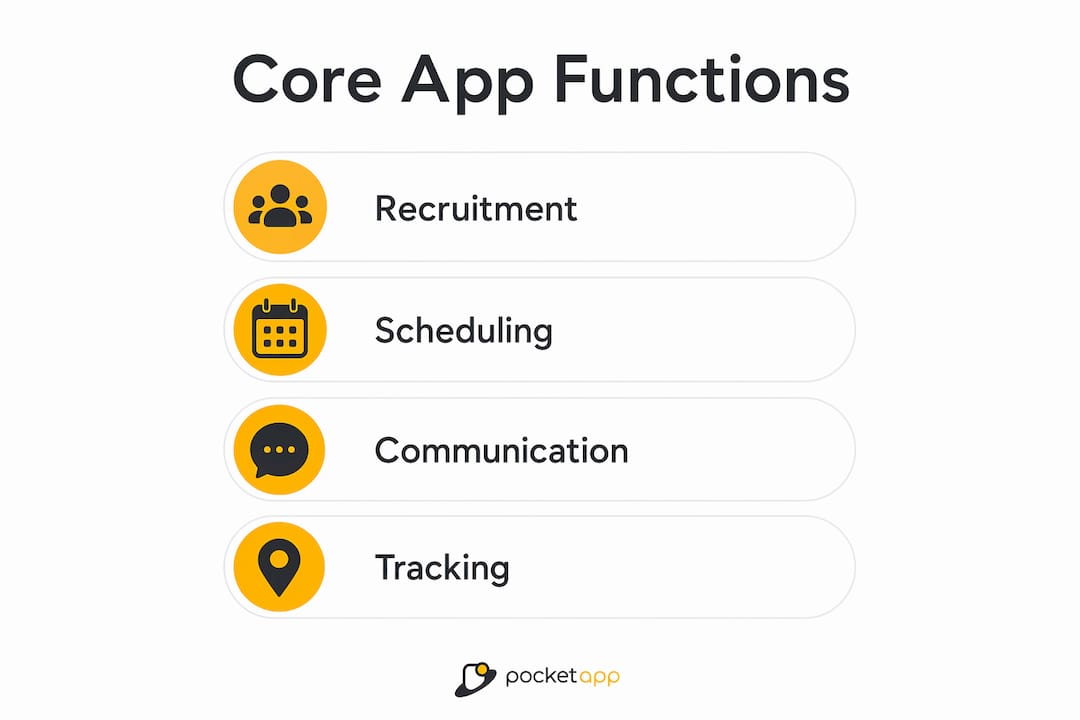
Pro Tip: When evaluating apps for managing volunteers, prioritise platforms that connect all four functions natively. Apps that bolt communication onto a scheduling tool as an afterthought tend to create data gaps that undermine reporting accuracy.
How do mobile-first apps improve volunteer experience?
Mobile-first volunteer management means volunteers can register, select shifts, receive reminders, and log hours entirely from their phones. This matters because the majority of volunteers encounter your organisation outside office hours, on a mobile device, and with limited patience for friction-heavy sign-up processes. A clunky desktop-only portal loses volunteers before they even commit to a shift.
The practical improvements mobile-first design delivers are substantial:
- Volunteers complete registration in minutes on their own devices, increasing sign-up conversion
- Self-service shift selection reduces inbound enquiries to coordinators
- SMS and text reminders outperform email for reducing no-shows because they arrive in a channel volunteers check constantly
- Mobile check-in at the venue removes paper sign-in sheets and produces accurate attendance data in real time
- Instant hour logging means volunteers record their contribution while it is still fresh, improving data quality
For coordinators, mobile access changes the nature of the role. Rather than being tied to a desk to manage a spreadsheet, a coordinator at a large outdoor event can view shift coverage, send a broadcast to volunteers in a specific zone, and approve a last-minute substitution from their phone. This real-time field management capability is one of the most underappreciated advantages of modern volunteer apps.
"Volunteers expect the same experience from a nonprofit app that they get from booking a restaurant or ordering a delivery. If your sign-up process takes longer than two minutes on a phone, you are already losing people."
The mobile-first design principles that apply to consumer apps apply equally here. Minimal steps, clear calls to action, and fast load times are not optional extras for charity apps. They are the baseline expectation.
How do volunteer apps handle check-in and hour tracking?
Accurate attendance and time logging are where many nonprofits still rely on paper or honour systems. Apps replace both with mechanisms that are faster, more accurate, and easier to audit.
Planning Center's check-in system illustrates how this works in practice. Volunteers can check in ahead of time through a dedicated app, or scan a QR code on arrival to confirm their presence. The system records exact arrival times and links them to the volunteer's profile automatically. For high-throughput events with hundreds of volunteers arriving in a short window, QR-code scanning is significantly faster than manual sign-in.
| Check-in method | Best suited for | Key advantage |
|---|---|---|
| QR-code scanning | Large events, rapid entry | Fast, accurate, no manual input |
| Mobile self-check-in | Ongoing programmes | Volunteer-led, reduces coordinator workload |
| Kiosk device at venue | Fixed locations | Centralised, no personal device needed |
| Offline sync check-in | Low-connectivity sites | Data captured locally, synced when online |
Offline-capable check-in is a feature that deserves more attention than it typically receives. Many volunteer sites, from rural conservation projects to community halls, have unreliable internet connectivity. Apps that use encrypted local storage and sync data when connectivity returns mean no attendance record is lost, regardless of signal quality.
For hour tracking, VolunteerMatters' tracking tools combine mobile self-check-in and check-out with automatic crediting of hours to each volunteer's record. Location-based verification adds an accountability layer by confirming the volunteer's physical presence at the project site before the check-in is accepted. This combination of self-reporting and location verification produces more accurate data than either method alone.
Pro Tip: Do not rely solely on self-reported hours for grant reporting or compliance purposes. Configure your app to require location verification or coordinator approval for hour submissions above a defined threshold. This protects your organisation and maintains data integrity.
What should nonprofits consider before adopting a volunteer app?
Selecting and implementing a volunteer management tool requires more than comparing feature lists. The decisions made at the outset about privacy, access controls, and user experience will determine whether volunteers actually use the app or abandon it after the first shift.
Privacy and security deserve serious attention. Rosterfy's Trust Centre documents procedures covering personally identifiable information protection, media disposal, and compliance standards. Nonprofits should ask any prospective vendor for equivalent documentation before committing. Volunteer data, including contact details, shift history, and location records, carries real privacy obligations under UK GDPR.
Role-based access controls determine what each user can see and do within the platform. Least-privilege role-based systems allow volunteers to update their own shift-specific data without accessing sensitive organisational information such as donor records or internal communications. Staff retain full oversight while volunteers experience a clean, relevant interface.
Key considerations when evaluating apps for managing volunteers include:
- Whether volunteers can participate without creating a full account (reducing sign-up friction)
- How the app handles last-minute communication, including push notifications and SMS broadcasts
- Whether the vendor provides documented privacy and security policies
- How role permissions are structured and whether they can be customised to your organisation's needs
- The quality of onboarding materials provided to volunteers, not just to administrators
User experience design is the factor most often underestimated by nonprofit managers. An app that requires volunteers to navigate five screens to confirm a shift will see lower adoption than one that does it in two taps. UX principles for charity apps consistently point to minimal barriers, clear language, and accessible design as the primary drivers of volunteer engagement with digital tools.
Onboarding matters as much as the app itself. Sending volunteers a short explainer video or a one-page guide before their first shift dramatically increases the likelihood they will use the app correctly from day one. Coordinators who invest time in this step report fewer support queries and higher data quality across the board.
Key takeaways
Apps that integrate recruitment, scheduling, communication, and tracking into one platform are the most effective volunteer management tools available to nonprofits in 2026.
| Point | Details |
|---|---|
| Integration beats isolation | Apps connecting all four core functions produce better data and fewer coordination errors than single-purpose tools. |
| Mobile-first design drives adoption | Volunteers who can register and check in from their phones are more likely to complete sign-up and show up. |
| QR and offline check-in improve accuracy | QR-code scanning and offline sync capabilities handle high-volume and low-connectivity environments reliably. |
| Privacy governance is non-negotiable | Nonprofits must verify vendor privacy and security documentation before handling volunteer personal data. |
| Role-based access protects sensitive data | Least-privilege permissions keep volunteer-facing interfaces clean while protecting internal organisational information. |
Why the shift from spreadsheets matters more than most nonprofits realise
I have worked with enough charity and nonprofit clients to know that the spreadsheet-to-app transition is rarely framed correctly. Most organisations treat it as a technology upgrade. It is actually a governance upgrade. When you move volunteer data from a shared Excel file to a platform with role-based access, audit trails, and documented privacy procedures, you are not just saving coordinator time. You are reducing your organisation's exposure to data breaches, compliance failures, and the reputational damage that follows.
The pitfall I see most often is nonprofits adopting a capable platform and then configuring it to replicate their old spreadsheet workflows. They use the scheduling module but ignore the communication tools. They log hours manually instead of enabling mobile check-in. The result is a more expensive spreadsheet. The organisations that get genuine value from these platforms are the ones that redesign their workflows around the app's capabilities rather than forcing the app to fit their existing habits.
Volunteer feedback is the most underused resource in this process. After every major event, ask volunteers directly what worked and what frustrated them about the app experience. The answers are almost always more specific and more useful than anything a coordinator would identify from the admin side. One client discovered that a significant proportion of their volunteers were abandoning the shift selection screen because a single dropdown menu was not loading correctly on older Android devices. A five-minute fix resolved a problem that had been quietly reducing sign-ups for three months.
The technology in volunteer management space is maturing quickly, and the gap between organisations using integrated platforms and those still relying on manual processes is widening. The nonprofits investing in this now will find recruitment, retention, and reporting significantly easier in the years ahead.
— Paul
Build a volunteer management app tailored to your organisation

Off-the-shelf platforms cover common use cases well, but nonprofits with specific workflows, unusual event structures, or complex volunteer hierarchies often find that a bespoke app delivers far better results. Pocketapp has built custom mobile apps for organisations including WWF, with a focus on mobile-first design, cross-platform deployment, and user experiences that drive genuine engagement. If your volunteer programme has outgrown generic tools or you need features that no existing platform offers, a tailored solution built around your specific needs is worth exploring. Contact Pocketapp to discuss what a purpose-built volunteer app could look like for your organisation.
FAQ
What is the role of apps in volunteer management?
Volunteer management apps centralise recruitment, scheduling, communication, and tracking into one platform, replacing manual processes such as spreadsheets and email chains. Platforms like Better Impact and VolunteerMatters automate these workflows to reduce coordinator workload and improve data accuracy.
How do apps help reduce volunteer no-shows?
SMS and push notification reminders sent automatically before a shift are the most effective tools for reducing no-shows, as they reach volunteers directly on their phones rather than relying on email. Mobile-first platforms like myTRS include these reminders as a standard feature within their scheduling workflows.
Can volunteer apps work without internet connectivity?
Yes. Offline-capable apps such as those using QR-code scanning with encrypted local storage can record check-ins without an active connection and sync the data automatically when connectivity is restored. This makes them suitable for rural or low-connectivity volunteer sites.
What privacy considerations apply to volunteer management apps?
Volunteer data including contact details, location records, and shift history falls under UK GDPR obligations. Nonprofits should request documented privacy and security procedures from any vendor, similar to the Trust Centre documentation published by Rosterfy, before processing volunteer personal data through a third-party platform.
Do volunteers need to create an account to use these apps?
Not always. Many volunteer management tools offer participation without requiring a full account, reducing sign-up friction and improving conversion rates. Coordinators should prioritise this feature when evaluating apps, particularly for one-off events where volunteers are unlikely to return repeatedly.