
TL;DR:
- Mobile apps centralize event operations, enhancing attendee engagement and streamlining logistics.
- They provide valuable data insights, improving ROI and future event planning accuracy.
- Proper selection, integration, and promotion of the right app are essential for success.
Mobile apps are frequently dismissed as a convenient add-on for events, a digital programme handed to attendees and quickly forgotten. That assumption is costing planners time, money, and measurable results. The reality is that mobile apps centralise event operations and reduce manual processes across every stage of an event's lifecycle. From pre-event registration to post-event analytics, the right app touches everything. In this guide, we cover the four areas where mobile apps deliver the greatest value for event planners: attendee engagement, logistics, data-driven decision-making, and choosing the right solution for your specific needs.
Table of Contents
- Centralising information and boosting engagement
- Streamlining logistics and attendee operations
- Driving data-led decisions for ROI and future planning
- Selecting and implementing the right app solution
- Our perspective: What most planners overlook about mobile apps
- Take your event management app to the next level
- Frequently asked questions
Key Takeaways
| Point | Details |
|---|---|
| Centralise operations | Mobile apps unify schedules, content, and engagement tools for both organisers and attendees. |
| Save time with logistics | Apps streamline check-ins and integrate systems, saving planners significant hours at every event. |
| Data-driven improvements | Analytics from mobile apps enable planners to measure ROI and refine future events. |
| Prioritise utility | Choosing apps based on practical needs, integration, and ease of access leads to higher adoption and better outcomes. |
Centralising information and boosting engagement
The first thing attendees notice about a well-built event app is that they no longer need to ask questions. Schedules, venue maps, speaker bios, session links, and sponsor details all live in one place. That convenience is not trivial. When attendees feel informed, they engage more, move around the venue with confidence, and spend less time queuing at information desks.
Beyond information delivery, the real power of mobile app event enhancement lies in interactive features. Push notifications allow you to send real-time updates instantly, whether that is a room change, a session delay, or a last-minute networking opportunity. Attendees receive the message on their device without you needing to make a tannoy announcement or rely on signage.
Engagement tools built into event apps take participation to a different level entirely. Consider what becomes possible:
- Live polls that let speakers gather instant audience opinions mid-session
- Q&A features that allow attendees to submit and upvote questions without interrupting the flow
- Gamification mechanics such as leaderboards, challenges, and rewards that encourage networking and session attendance
- Networking tools including attendee directories and in-app messaging to connect delegates before, during, and after the event
- Push notifications for real-time schedule updates and sponsor messages
These app engagement features are not gimmicks. They shift attendees from passive observers to active participants, which directly affects satisfaction scores and the likelihood of return attendance.
The breadth of what a well-configured app can handle is significant. Core features include agenda building, networking, notifications, and analytics, all within a single platform your team manages from one dashboard. That operational consolidation alone justifies the investment for most large-scale events.
"Event apps are now the operational backbone of modern event experiences, not a supplementary tool but the central nervous system connecting every moving part."
When your attendees, speakers, sponsors, and logistics team all operate from the same platform, communication gaps close rapidly. That alignment is what separates a smooth event from a stressful one.
Streamlining logistics and attendee operations
Planners who have managed large events without a dedicated app will recognise the familiar pain points: long check-in queues, lost printed schedules, last-minute room changes causing confusion, and staff fielding the same questions repeatedly. Mobile apps address each of these directly.
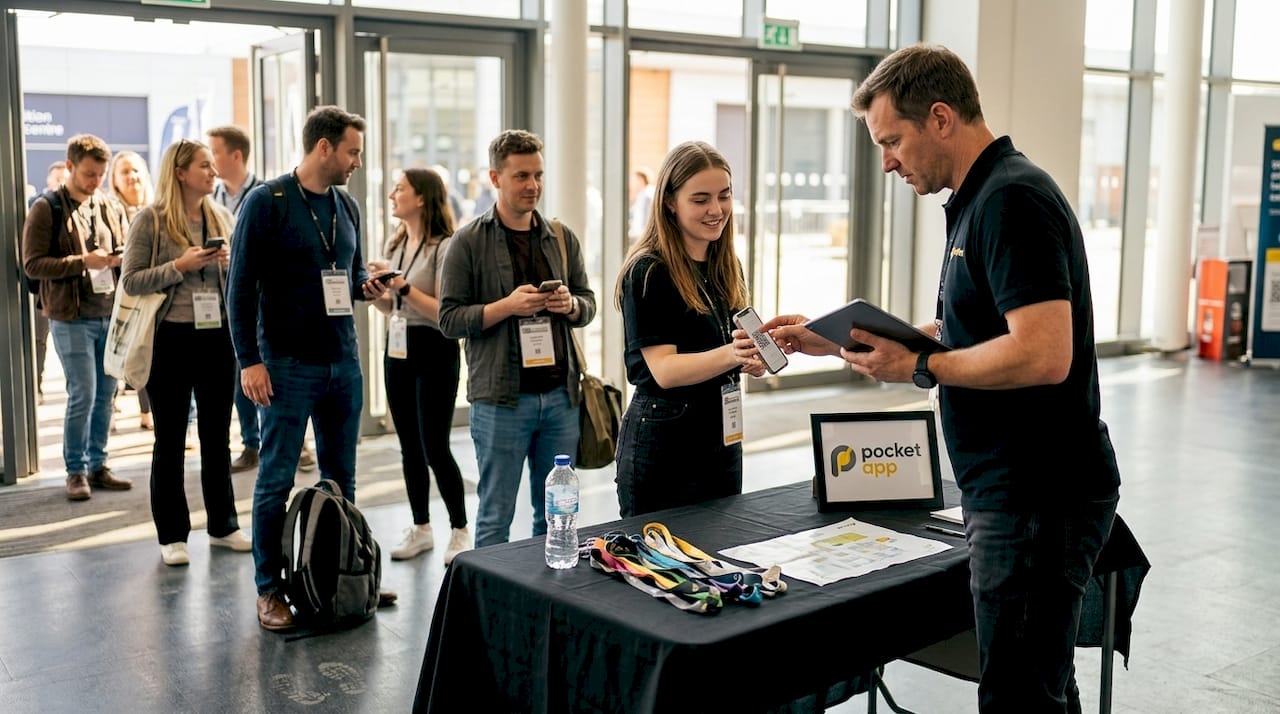
QR code check-in is one of the most immediately impactful features. Attendees scan their unique code on arrival, and the system updates in real time. QR check-ins reduce queues, real-time analytics allow on-the-spot adjustments, and 89% of event planners report saving over 200 hours per event after implementing a mobile app solution. That is not a marginal improvement; it is a fundamental shift in how your team spends its time on the day.
Here is how the operational difference plays out in practice:
- Registration and check-in: QR codes replace printed lists, reducing errors and wait times significantly
- Schedule management: Updates push instantly to all attendees rather than requiring reprints or signage changes
- Staff communication: Internal app channels keep your team aligned without relying on radio systems or group chats
- Sponsor and exhibitor management: Digital floor maps and exhibitor profiles replace printed catalogues
- Feedback collection: In-app surveys capture responses in the moment rather than relying on post-event emails
| Process | Traditional approach | App-enabled approach |
|---|---|---|
| Check-in | Printed lists, manual sign-off | QR scan, instant update |
| Schedule changes | Reprint or announcement | Instant push notification |
| Attendee queries | Staff on the floor | Self-service app content |
| Feedback | Post-event email survey | In-app, real-time prompt |
| Analytics | Manual collation | Automated dashboard |
Integration with your existing CRM and registration systems is equally important. A well-built app does not operate in isolation; it connects to the platforms you already use, ensuring data flows cleanly without duplication. For virtual solution building, this integration is especially critical when managing hybrid audiences across multiple platforms simultaneously.
Offline functionality is often overlooked during the planning phase and causes significant problems on the day. Conference centres, exhibition halls, and outdoor venues frequently have unreliable Wi-Fi. An app that fails when connectivity drops is worse than no app at all.
Pro Tip: Before your event goes live, run a full offline test and stress-test every integration point. Discovering a CRM sync failure two days before your event is manageable. Discovering it on the morning is not. These efficiency improvements are well documented across enterprise deployments and apply directly to event environments.
Driving data-led decisions for ROI and future planning
With logistics streamlined, insight becomes the next priority. One of the most underused capabilities of event apps is the analytics layer running quietly beneath the surface. Every tap, every session check-in, every poll response, and every networking connection generates data that tells you what actually worked.
Mobile apps track attendance patterns, session popularity, sponsor interaction rates, and dwell time across different areas of your event. That information is not just interesting; it is commercially valuable. Mobile analytics in events allow you to present concrete evidence of value to sponsors, justify budget decisions to stakeholders, and make specific improvements for your next event.
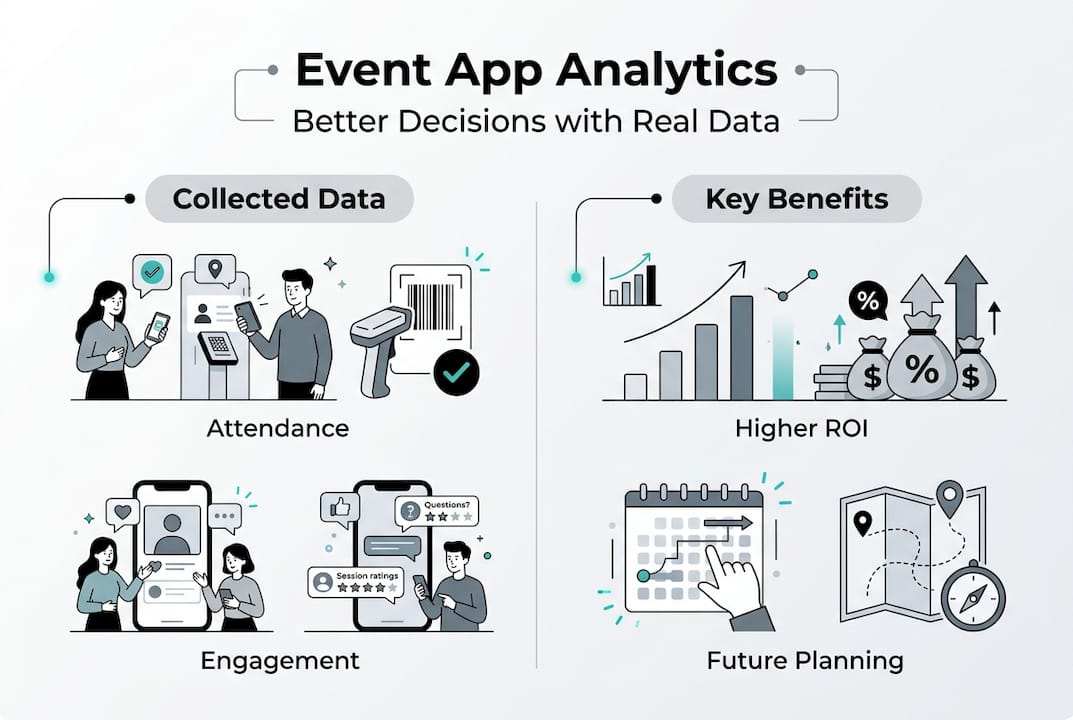
The numbers support this strongly. 91% of planners report positive ROI from their event app investment, with a 70% or higher adoption rate considered the benchmark for a successful deployment. When adoption reaches that level, the data becomes statistically meaningful rather than anecdotal.
| Metric | What it tells you |
|---|---|
| Session attendance rate | Which topics resonate most with your audience |
| Poll participation | How engaged attendees are during sessions |
| Networking connections made | Whether your format encourages meaningful interaction |
| Sponsor profile views | Which sponsors received genuine visibility |
| App adoption rate | Overall engagement with the event platform |
| NPS score via in-app survey | Likelihood of attendees returning or recommending |
After each event, your analytics data should drive a structured review. Here is what to do with it:
- Compare session attendance against programme time slots to identify scheduling conflicts
- Review sponsor interaction data before renewing or repricing packages
- Use measuring app adoption rates as a leading indicator of overall event health
- Cross-reference NPS scores with session ratings to identify specific improvement areas
- Share anonymised engagement data with speakers to help them refine future presentations
Planners who treat post-event analytics as a routine step rather than an optional extra consistently outperform those who rely on gut feel. The data is there. Using it is simply a matter of habit. Reviewing employee engagement benchmarks from internal app deployments can also provide useful context when setting targets for your own event adoption goals.
Selecting and implementing the right app solution
Once you understand what mobile apps can do, the practical question becomes which type of app is right for your event and how to implement it effectively. This decision shapes everything from development timelines to attendee experience.
The main options are native apps, progressive web apps (PWAs), and hybrid solutions. Native apps offer the richest feature set and best performance but require separate builds for iOS and Android. PWA vs native mobile is a genuine debate worth exploring; PWAs run in a browser, require no download, and work well for events where you want low friction for first-time users. Hybrid solutions sit between the two, offering broader reach with a single codebase.
When selecting your approach, work through these factors in order:
- Event scale and frequency: A one-off conference has different needs from a recurring annual summit
- Audience technical comfort: Consider whether your attendees will readily download a native app or prefer browser-based access
- Integration requirements: List every system the app must connect to before choosing a platform
- Offline needs: If your venue has poor connectivity, offline functionality is non-negotiable
- Accessibility and privacy compliance: Ensure the app meets WCAG accessibility standards and complies with UK GDPR requirements
- Analytics capability: Confirm the platform captures the specific metrics you need to report on
"Start with your goals, not your feature list. Define what success looks like in measurable terms, then build or select the app that gets you there. Adoption rates and engagement scores tell you far more than download counts."
Promotion and testing are where many well-chosen apps underperform. Prioritise utility over features, promote early, test rigorously, and treat your app launch as a campaign in its own right, not an afterthought. Send download prompts four to six weeks before the event, not four days before.
Pro Tip: Assign one team member as the app owner responsible for content accuracy, testing, and attendee support. Shared responsibility often means no one checks the details that matter most on the day.
Our perspective: What most planners overlook about mobile apps
After working across hundreds of mobile projects, the pattern we see most often is planners selecting apps based on feature lists rather than outcomes. The demo looks impressive, the gamification is polished, and the UI is attractive. Then adoption sits at 40% and the analytics are too thin to act on.
The uncomfortable truth is that a simpler app used by 80% of your attendees delivers more value than a feature-rich one used by half. Successful event app rollouts consistently share three traits: they start with clear goals, they integrate cleanly with existing systems, and they are promoted as essential rather than optional.
Measuring what matters is equally important. Adoption rates and engagement, not just downloads, alongside NPS and session ratings, give you a complete picture. Downloads tell you nothing about whether your app changed the experience.
Accessibility and privacy are also frequently treated as compliance checkboxes rather than genuine priorities. An app that excludes attendees with accessibility needs or handles data carelessly damages trust in ways that take years to repair.
Pro Tip: Schedule a 60-minute post-event analytics review within 48 hours of your event closing. Impressions fade quickly; data does not.
Take your event management app to the next level
Building an event app that genuinely improves your attendees' experience and your team's efficiency requires more than picking a platform from a shortlist. It requires strategic thinking about goals, integration, and long-term scalability.

At Pocket App, we have delivered over 300 mobile projects across sectors including events, retail, healthcare, and charity. Whether you need to develop event apps from the ground up or want expert guidance on event app design that puts your attendees first, our team brings the technical depth and strategic clarity to make it happen. Get in touch to discuss your next event and find out how a bespoke mobile solution could transform your results.
Frequently asked questions
How do mobile apps improve attendee engagement in events?
Mobile apps boost engagement by providing real-time interaction tools such as polls, Q&A, and networking features directly on attendees' devices, turning passive audiences into active participants.
What features should event planners prioritise when choosing a mobile app?
Planners should focus on utility, system integration, offline access, and strong analytics rather than surface-level features, as prioritising utility and integration consistently drives higher adoption and better outcomes.
How does mobile app adoption impact event ROI?
High adoption generates richer, more actionable data; 91% of planners report positive ROI, with a 70% or higher adoption rate considered the benchmark for a successful deployment.
Can mobile apps still work if Wi-Fi is unreliable at the event?
Apps built with offline mode functionality remain fully operational during connectivity issues, ensuring check-ins, schedules, and engagement features continue to work without interruption.