
TL;DR:
- Mobile fundraising has become the primary channel for donations, with 58% in the UK made via mobile in 2025.
- A mobile-first design, simple donation forms, and automated follow-up are essential for maximizing donation conversions and retention.
Mobile fundraising is the practice of using mobile-optimised platforms and experiences to drive charitable donations via smartphones and tablets. The European Fundraising Association reports that 58% of one-off donations in the UK were made via mobile in 2025, up from 40% in 2024. That shift makes mobile the default channel for UK giving, not a secondary option. This mobile fundraising guide covers everything nonprofits need to know: from building a solid mobile donation strategy to automating follow-up and troubleshooting common pitfalls.
What are the essential components of a mobile fundraising strategy?
A mobile fundraising strategy starts with a mobile-first design philosophy, not a desktop experience squeezed onto a smaller screen. Charities that design for mobile first achieve significantly better donor conversion by prioritising vertical navigation, large tap targets, and minimal steps. The difference is not cosmetic. It is structural.
Payment options that remove friction
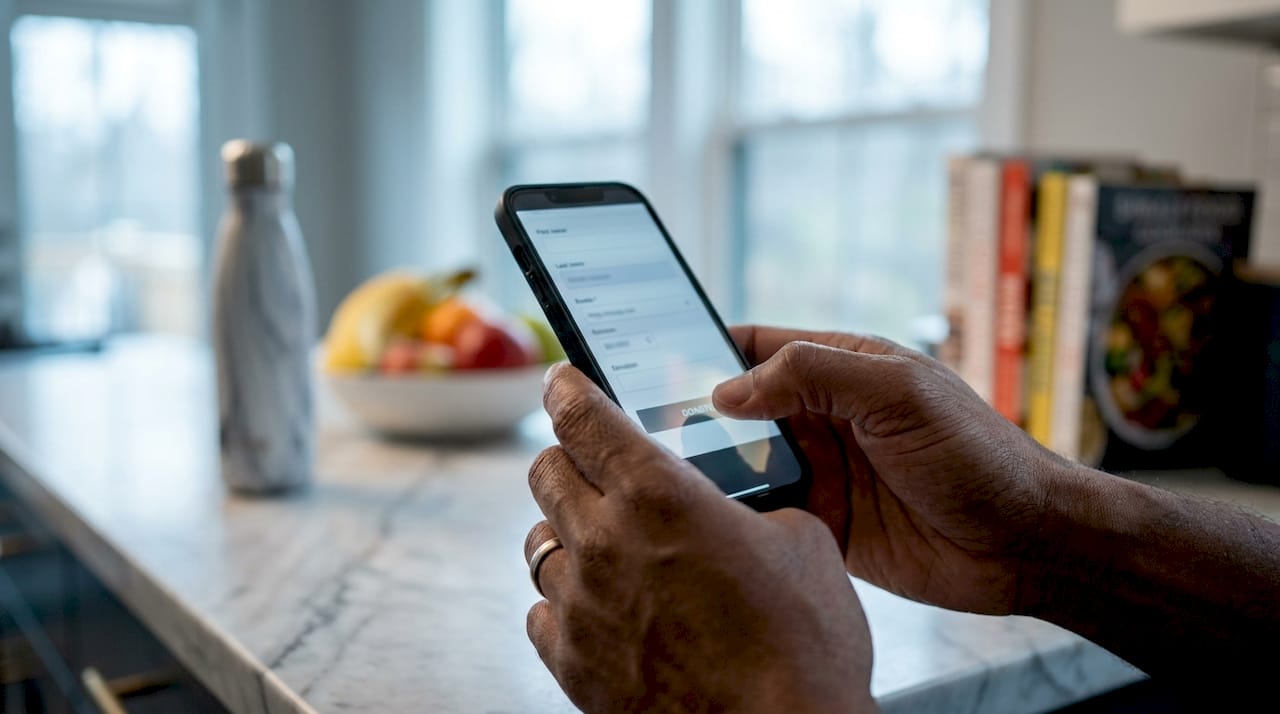
49% of one-off online donations in 2025 used digital wallets such as Apple Pay and Google Pay. That figure shows donors actively avoid manual card entry when a faster option exists. Integrating digital wallets is now a baseline requirement, not a premium feature.
Donation form design
Effective mobile donation forms follow three non-negotiable rules. First, limit fields to five maximum. Second, use tap targets of at least 48px so thumbs hit the right element every time. Third, complete within 60 seconds to maintain the emotional momentum that prompted the gift. Every extra field you add reduces the likelihood of completion.
Forcing donors to create profiles before donating is one of the most damaging mistakes a nonprofit can make. Treat each donation as a gift to be completed, not a registration to be processed.
Post-donation engagement
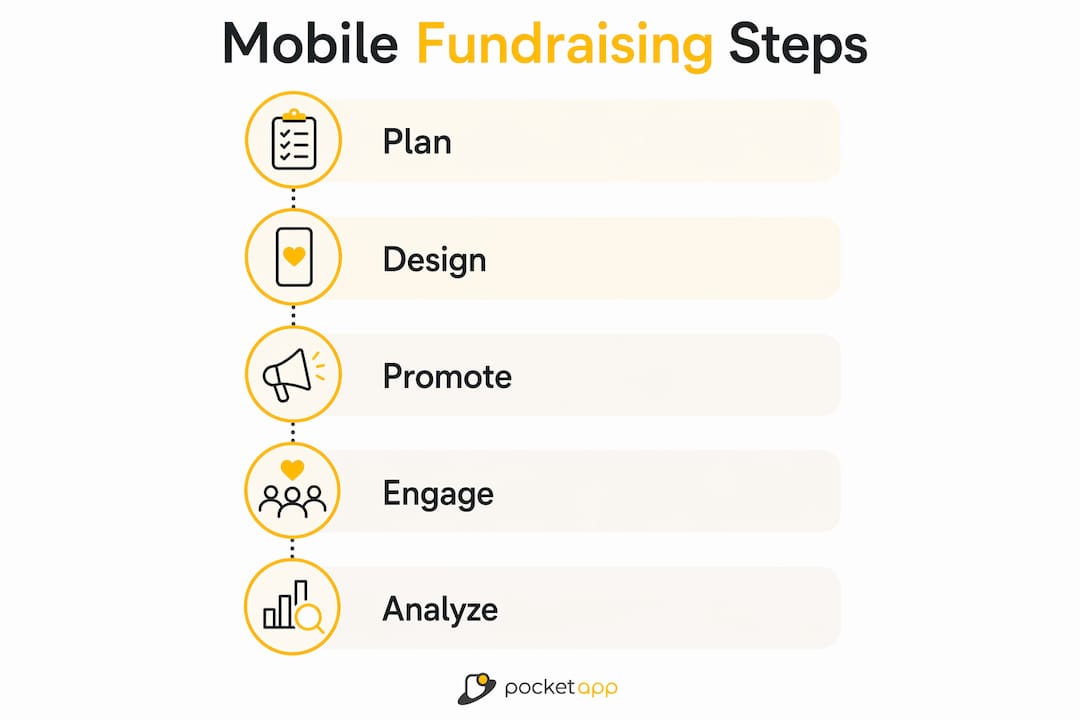
Automated thank-you messages sent immediately after a gift are not just good manners. They are a retention tool. Connecting your donation form to an email or SMS system means donors hear from you within seconds, while the emotional connection is still fresh. This sets the foundation for recurring giving, which the next sections address in detail.
Pro Tip: Test your entire donation flow on a real device before every campaign launch. What looks correct in a browser preview often breaks on an actual handset.
How to set up mobile-friendly donation forms
Choosing the right donation form provider shapes every other decision in your mobile giving setup. Evaluate providers on four criteria: mobile-first design out of the box, published conversion rate benchmarks, transparent fee structures, and clean integration with your existing CRM or website.
Embedding forms on your website
- Use a native embed snippet. Most providers supply a short block of code you paste into your page. This keeps donors on your site rather than redirecting them to a third-party page, which reduces drop-off.
- Consider a pop-up trigger. A donation lightbox that appears after a donor reads a campaign page converts browsers into givers without requiring a separate landing page.
- Apply media queries for mobile-only campaigns. If you are running a campaign targeted exclusively at mobile users, use CSS media queries to show a simplified form layout only on screens below 768px.
- Set preset amounts with impact messages. Replace "£10" with "£10 feeds a family for a week." Donors respond to outcomes, not numbers.
- Add a recurring giving toggle. Place it prominently above the submit button. Defaulting to a one-off gift and hiding the recurring option costs nonprofits significant long-term revenue.
Boosting conversions with exit-intent triggers
Exit-intent pop-ups on mobile can increase one-time gift conversions by up to 88.2%. They fire when a donor scrolls back toward the top of the page or taps the back button, capturing people who were about to leave without giving. That is a significant recovery rate for a single technical addition.
| Form element | Best practice | Why it matters |
|---|---|---|
| Number of fields | Maximum five | Fewer fields mean higher completion rates |
| Tap target size | At least 48px | Prevents accidental taps and frustration |
| Preset amounts | Three to four options | Anchors donor expectations to specific outcomes |
| Recurring toggle | Above submit button | Increases long-term donor value |
| Exit-intent pop-up | Triggered on back gesture | Recovers abandoning donors before they leave |
Pro Tip: Always test your forms on at least three real devices: an older Android handset, a mid-range iPhone, and a tablet. Emulators miss touch quirks that real users encounter immediately.
What are effective mobile fundraising tactics?
Mobile donors are contextual givers. They give in the moment, inspired by a social post, a text message, or a video they just watched. Complex payment flows or third-party redirects break that emotional connection and the donation disappears with it.
Text-to-donate campaigns
Text-to-donate is one of the most direct mobile donation strategies available. The donor journey is simple: text a keyword to a shortcode, receive a reply with a payment link, and complete the gift in under 60 seconds. Text-to-donate campaigns achieve the highest conversion rates among text-based channels because the friction is almost zero.
Choose keywords that are short, memorable, and campaign-specific. "GIVE," "HELP2026," or your charity's name all work well. Offer three tiered amounts in your reply message, for example £5, £15, and £30, so donors self-select rather than defaulting to the lowest option.
Multi-channel promotion
- Social media: Vertical video on Instagram Reels and TikTok outperforms landscape formats for mobile audiences. Include a donation link in the first line of your caption.
- SMS campaigns: Send campaign updates with a direct payment link. Keep messages under 160 characters to avoid splitting across two texts.
- Email: Use a single, large call-to-action button rather than multiple links. Mobile email clients render small text links almost untappable.
- Printed materials: QR codes on posters, leaflets, and event programmes link directly to your mobile donation page. They work particularly well at physical fundraising events.
- Peer-to-peer fundraising: Equip supporters with a personal fundraising page they can share via WhatsApp or social media. Peer referrals carry more trust than direct charity appeals.
"Millennials and Gen Z donors expect to give in seconds, on the device in their hand, without creating an account or entering a card number. Charities that meet that expectation win their loyalty. Those that do not lose the gift entirely."
Capturing younger donors requires storytelling in formats they already consume. Short vertical videos showing real impact, photo carousels with captions, and authentic behind-the-scenes content all perform well. Pair this content with a frictionless giving link and you have a complete mobile giving best practice in action.
How to integrate mobile donation data with your tech stack
Collecting donations on mobile is only half the job. Connecting that data to your wider systems turns one-off gifts into lasting donor relationships. The best practice for nonprofits is to link mobile donation events to CRM segmentation and personalised communications through middleware such as Zapier, which requires no custom code.
- CRM integration: Tag every mobile donor at the point of gift. Distinguish first-time givers from returning donors so your follow-up communications are relevant, not generic.
- Automated thank-you messages: Trigger a personalised SMS or email within 60 seconds of a completed gift. Automated post-donation actions can grow recurring donations by 52%. That figure alone justifies the setup time.
- Accounting software sync: Connect your donation platform to accounting tools such as Xero or QuickBooks via API. This removes manual data entry and reduces reconciliation errors at month end.
- Analytics tracking: Use Google Analytics 4 events to track donation funnel steps: page view, form start, amount selected, and payment complete. Identify exactly where donors drop off and fix that step first.
- Donor segmentation: Build separate communication tracks for mobile-only donors, recurring givers, and lapsed supporters. Personalised messaging consistently outperforms broadcast emails in open rates and conversion.
For nonprofits evaluating CRM platforms for integration, the key criteria are API availability, native webhook support, and the ability to tag donors by acquisition channel.
Pro Tip: Set up a test donation of £1 through your live form and trace it through every system: CRM, email trigger, and accounting sync. If any step breaks in testing, it will break in a real campaign.
Which common mobile fundraising challenges should nonprofits watch for?
Most mobile fundraising problems share a common cause: the experience was designed for desktop and adapted for mobile as an afterthought. Recognising the specific symptoms helps you fix the right thing quickly.
- High drop-off on the form page: Check your field count first. If you have more than five fields, remove the least critical ones. Then check your page load speed. A page that takes more than three seconds to load on a 4G connection loses a significant proportion of visitors before they even see the form.
- Compatibility issues across devices: Android and iOS handle touch events, font rendering, and scroll behaviour differently. Real-device testing is the only reliable way to catch these differences. Emulators frequently miss usability issues that matter on actual handsets.
- Lack of donor trust signals: Display your charity registration number, an SSL padlock indicator, and a brief privacy notice near the payment button. Donors who feel uncertain about security abandon the form rather than ask questions.
- Ineffective calls to action: A/B test your submit button copy. "Donate now" and "Give £15 today" can produce meaningfully different conversion rates. Run each variant for at least two weeks before drawing conclusions.
- No mobile-specific analytics: If you are not segmenting your Google Analytics data by device type, you cannot see where mobile donors specifically drop off. Set up a mobile-only segment and review it before every campaign.
For a full checklist of features your mobile giving setup should include, the fundraising app checklist for nonprofits covers the technical and UX requirements in detail.
Key takeaways
Mobile fundraising succeeds when nonprofits combine mobile-first design, frictionless payment options, and automated donor follow-up into a single, tested system.
| Point | Details |
|---|---|
| Mobile is the default channel | 58% of UK one-off donations now come via mobile, making mobile-first design non-negotiable. |
| Digital wallets reduce drop-off | Integrating Apple Pay and Google Pay removes manual card entry and keeps donors in the flow. |
| Forms must be minimal and fast | Limit fields to five, use 48px tap targets, and aim for completion in under 60 seconds. |
| Automation drives recurring giving | Automated post-donation SMS or email follow-up can grow recurring donations by 52%. |
| Real-device testing is non-negotiable | Emulators miss touch quirks; always test on physical Android and iOS devices before launch. |
Why mobile-first is a mindset, not a feature
The most common mistake I see nonprofits make is treating mobile as a checkbox. They build a desktop donation page, tick "mobile responsive" in the site settings, and consider the job done. It is not done. It has barely started.
Mobile-first fundraising requires you to design the smallest, simplest version of your donor experience first, then scale it up for larger screens. That reversal of process changes every decision: which fields you include, where you place the payment button, how much copy you write, and which images you choose. The UX principles for charity apps that drive real giving are built on this foundation.
What I have found through working on mobile giving projects is that the organisations with the best conversion rates are not the ones with the most features. They are the ones who removed the most friction. Every time you eliminate a step, a field, or a redirect, you keep more donors in the flow long enough to give.
Start small. Pick one campaign, build it properly for mobile, test it on real devices, and measure every step of the funnel. The data you collect from that single campaign will teach you more than any guide can. Then iterate. The nonprofits that treat mobile fundraising as a continuous improvement process consistently outperform those that treat it as a one-time project.
— Paul
How Pocketapp supports nonprofit mobile fundraising
Pocketapp has built mobile applications for organisations including WWF, with a portfolio of over 300 projects across charity, healthcare, and consumer sectors.

For nonprofits that need more than an off-the-shelf form, Pocketapp designs and builds custom mobile donation platforms that integrate directly with your CRM, payment gateway, and analytics stack. Every project starts with a discovery phase to map your donor journey before a single line of code is written. Whether you need a standalone giving app or a mobile-first donation experience embedded in your existing site, Pocketapp builds to your specification. Speak to the team about your requirements and get a clear picture of what is possible for your organisation.
FAQ
What percentage of UK donations are made via mobile?
58% of one-off online donations in the UK were made via mobile in 2025, making it the dominant giving channel for one-off gifts.
How many fields should a mobile donation form have?
Mobile donation forms should contain a maximum of five fields. Every additional field reduces the likelihood of completion.
What is text-to-donate and how does it work?
Text-to-donate lets donors give by texting a keyword to a shortcode, then completing payment via a reply link. The full process takes 30–60 seconds from first text to payment confirmation.
How can nonprofits increase recurring donations from mobile?
Automated post-donation SMS or email messages triggered immediately after a gift can grow recurring donations by 52%. Connecting your donation form to a CRM and automation tool such as Zapier makes this straightforward to set up.
Why is real-device testing important for mobile fundraising?
Emulators do not replicate the touch behaviour, font rendering, or scroll quirks of actual handsets. Testing on real devices catches usability problems that would otherwise cost you donations during a live campaign.