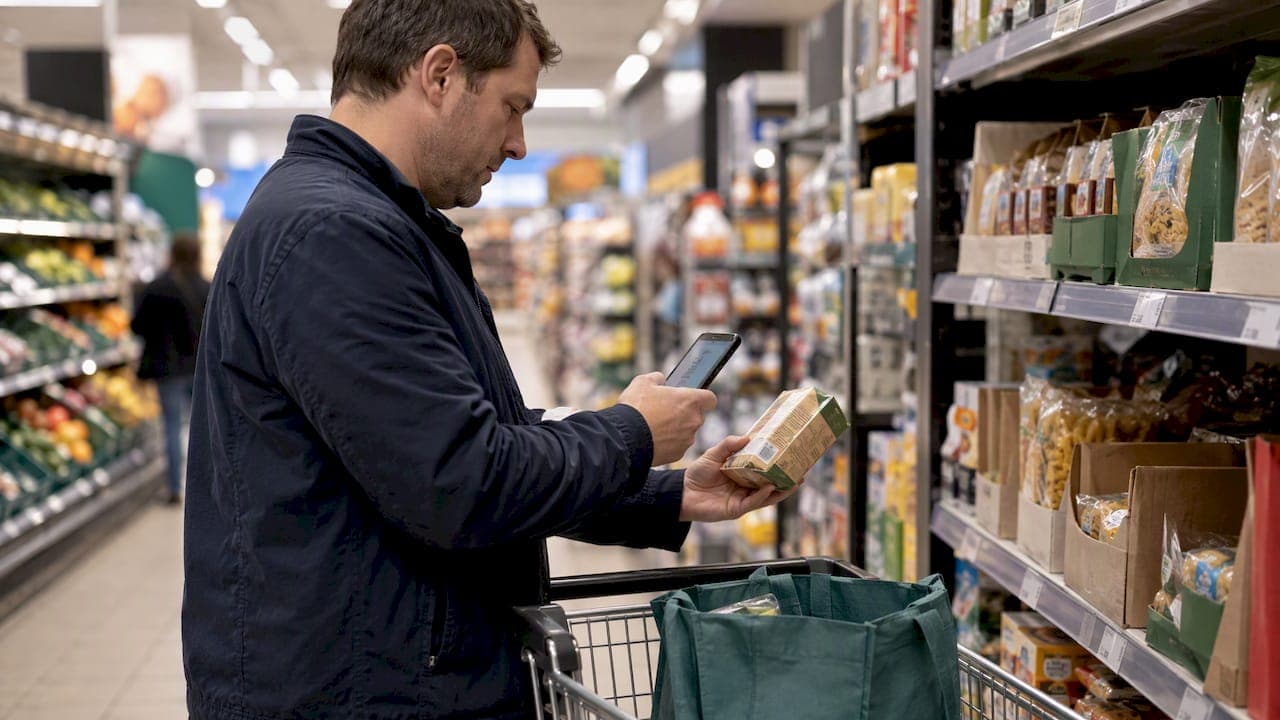
Scan and go features let shoppers scan items on a handset or phone as they shop, building a virtual basket that skips the conveyor belt entirely. The result is faster checkout, less queuing and a choice between paying in-app or at a fixed terminal. The trade-off, measured by ECR Retail Loss research, is a measurable rise in shrinkage that retailers need to plan for from day one.
TL;DR:
- Registration tied to loyalty cards links purchase history to known shoppers and supports targeted rescans, while open access speeds adoption but limits repeat discrepancy tracking.
- Partial basket audits undercount errors, so establish periodic random full audits and define sample sizes, selection rules, and staff escalation procedures before launch.
- Prioritize receipt or QR exit validation, basket display monitors, detection of unscanned items, and random full rescans, while training staff to approach flagged shoppers without accusation.
- Pilot in one or two stores, set utilization targets, and track basket uplift, audit errors, incremental shrinkage, satisfaction, and transaction cost from launch.
Table of Contents
- 1. How scan and go actually works
- 2. Core features to evaluate before you specify a build
- 3. What retailers and shoppers actually gain
- 4. Shrinkage, audits and the controls that actually work
- 5. A pilot-to-scale checklist for introducing scan and go
- 6. Technical and UX choices that keep scan and go reliable
- 7. Balancing convenience and loss prevention
- 8. How we help retailers build scan and go features that hold up
- FAQ
- Sources
1. How scan and go actually works
Three variants dominate the market, and each places the payment checkpoint in a different spot. Retailer-owned handset systems dock at charging stations and pair with a loyalty card or staff-issued token. App-based mobile scanning lets shoppers use their own phone, then pay in-app or at a designated self-checkout area, as Waitrose's guidance describes. Whole-store frictionless formats use cameras and shelf sensors to build the basket automatically, with no scanning step at all.
Registration method shapes what an audit programme can do later:
- Loyalty card sign-up ties purchase history to a known shopper, supporting targeted rescans.
- Phone number or email verification creates a lighter-touch record for occasional checks.
- Open, unregistered access speeds adoption but limits how retailers can flag repeat discrepancies.
2. Core features to evaluate before you specify a build
A working scan-and-go feature set needs to handle more than a barcode. The scanning mechanism matters first: a camera-based SDK versus a dedicated hardware scanner changes mis-scan rates, and offline caching with background sync keeps the app usable where in-store connectivity dips.

Cart behaviour comes next. Shoppers expect to add, remove and edit items freely, see loyalty offers applied automatically, and receive a digital receipt rather than a paper one.
Weighed and loose items are the trickiest part of any build. Good implementations combine in-aisle label printing, scale integration at the point of purchase, and a manual lookup fallback when a barcode will not scan.
Payment and verification close the loop:
- Tokenised card payments and digital wallet support reduce friction at the final step.
- A pay-at-terminal option suits shoppers who prefer not to enter card details in-app.
- A receipt or QR code validated at an exit gate confirms payment before the shopper leaves.
Anti-fraud tooling sits underneath all of this: rescan alerts, nudge messages when an item looks unscanned, algorithmic selection of baskets for audit, and admin dashboards that surface telemetry in near real time.
Pro Tip: Build the rescan prompt into the natural pack-as-you-shop flow rather than as a late checkout interruption; shoppers respond better to a gentle nudge mid-basket than a stop at the door.
3. What retailers and shoppers actually gain
The commercial case for scan and go rests on throughput and space. Shorter dwell time at checkout frees floor space that can be reallocated to merchandising, and staff who once ran tills can be redeployed to customer service or stock replenishment.
Running spend feedback inside the app, paired with personalised offers, is a core driver of basket value in scan-and-go formats, according to practitioner research on shopper behaviour, though the effect varies by how experienced the shopper is with the app.
For shoppers, the appeal is control: watching the running total build, packing bags once instead of twice, and skipping a queue entirely. For retailers, convenience-led customers tend to report higher satisfaction scores, and loyalty integration gives a reason to keep using the same app on the next visit.
4. Shrinkage, audits and the controls that actually work
Convenience has a cost, and it shows up in loss figures. ECR's analysis of full-audit data found that losses can rise notably for every 1% of transaction value handled through scan-and-go, a figure drawn from full-audit calculations rather than the lighter partial checks many stores rely on day to day.
That distinction matters for how retailers measure their own exposure.
Partial basket audits commonly undercount errors; full audits reveal error rates far higher than spot checks suggest.
Full random audits are more disruptive to the shopper experience, which is why most retailers reserve them for periodic deep checks rather than every visit. The 2026 ECR follow-up report identifies the interventions with the strongest early evidence of reducing loss:
- Exit gates that validate a receipt or QR code before the shopper leaves the store.
- Personal display monitors that show shoppers what the system has detected in their basket.
- AI-based non-scan detection that flags items picked up but never scanned.
- Random full rescans layered on top of routine partial checks.
- Staff training focused on approaching flagged baskets without accusing a shopper outright.
Each control carries a friction cost. Exit gates slow the final step for every shopper; AI detection runs quietly in the background but needs clear messaging so it does not feel like surveillance.
5. A pilot-to-scale checklist for introducing scan and go
Rolling out scan and go well is less about the technology and more about the sequencing. A practical path looks like this:
- Pick one or two pilot stores with a clear utilisation target and decide which variant (handset, app or frictionless) and payment flow you will test.
- Set a registration policy: loyalty-gated access supports stronger audit targeting, while open access favours faster adoption.
- Define the audit policy before launch, including sample sizes, how baskets are algorithmically selected, and the staff escalation workflow for flagged baskets.
- Track utilisation rate, basket uplift, audit-error rate, incremental shrinkage in basis points, customer satisfaction and cost per transaction from week one.
Pro Tip: Run the pilot's audit policy at a slightly higher sample rate than you expect to need long-term; it is far easier to loosen checks later than to explain a shrinkage spike you cannot trace to its source.
6. Technical and UX choices that keep scan and go reliable
Reliable scan-and-go features start with UX decisions that reduce mis-scans before they happen: clear in-aisle prompts, a lightweight labelling pattern for loose items, and visible feedback the moment a scan succeeds or fails.
On the technical side, the choice of barcode scanning SDK and image recognition approach needs testing across a realistic spread of device cameras and lighting conditions, not just flagship phones; our commissioning guide to barcode scanning covers the device matrix worth testing before launch.
Payment integration should rely on tokenisation rather than storing card data directly, and verification flows benefit from the kind of secure registration we cover in our piece on biometric authentication in mobile apps. Telemetry for audits should log scan timestamps and rescan flags without collecting more personal data than the audit programme actually needs.
- Test scanning accuracy across low-end and mid-range devices, not only recent models.
- Surface audit signals on an admin dashboard in near real time, not in a daily batch report.
- Keep registration data to the minimum needed to run the chosen audit policy.
7. Balancing convenience and loss prevention
Retailers tend to treat scan and go as a technology decision when it is really a risk management decision wearing a technology coat. The strongest rollouts we have seen treat pilot data as the whole argument: measure utilisation, measure shrinkage, then decide. UX comes first, detection comes second, and neither works without the other.
— Paul
8. How we help retailers build scan and go features that hold up
We build the mobile side of this from the inside out, taking a scan-and-go concept through a structured process so the registration, scanning and audit telemetry work together rather than as separate bolt-ons.
- An initial phase maps your payment flow, registration policy and audit requirements before a line of code is written.
- Design and development build the scanning, cart and payment experience around the device range your shoppers actually use.
- Deployment and ongoing support keep the app stable as you scale from pilot stores to the wider estate.
If you are scoping a pilot, our Mobile App Clinics are a short, practical way to pressure-test feasibility before committing to a full build. Get in touch through our development process page to start the conversation.

FAQ
How do I access scan and go?
Most retailers offer scan and go through their own branded app, downloaded free from the app store, or via an in-store handset collected at a docking station near the entrance. Registration usually needs a loyalty account, phone number or email address before you can start scanning, as outlined in Waitrose's own guidance.
How do I scan items on a supermarket app?
Open the retailer's app, select the scan-and-go feature and point your phone's camera at each item's barcode as you place it in your basket or trolley. The app builds a running total as you shop, and you pay either in-app or at a self-checkout point before leaving.
Is scan and go worth using as a shopper?
For shoppers who want to skip queues and track spend as they go, scan and go tends to deliver a genuinely faster, more convenient trip, particularly for smaller baskets. The main trade-off is the occasional rescan or audit check at exit, which retailers use to manage the shrinkage risk ECR Retail Loss research has quantified.
What is a retailer's own scan and go programme typically called?
Retailers brand their scan-and-go features differently store to store, often combining a fixed self-checkout payment point with an in-app option, a mix ECR's global self-checkout study found common across the sector. Expect the exact name, registration steps and audit approach to vary by retailer.
Are more retailers rolling out scan and go?
Yes, investment continued into 2026, with retailers expanding app-based scan-and-go features as a customer experience priority, including Lidl's 2026 rollout of its own mobile scanning service.