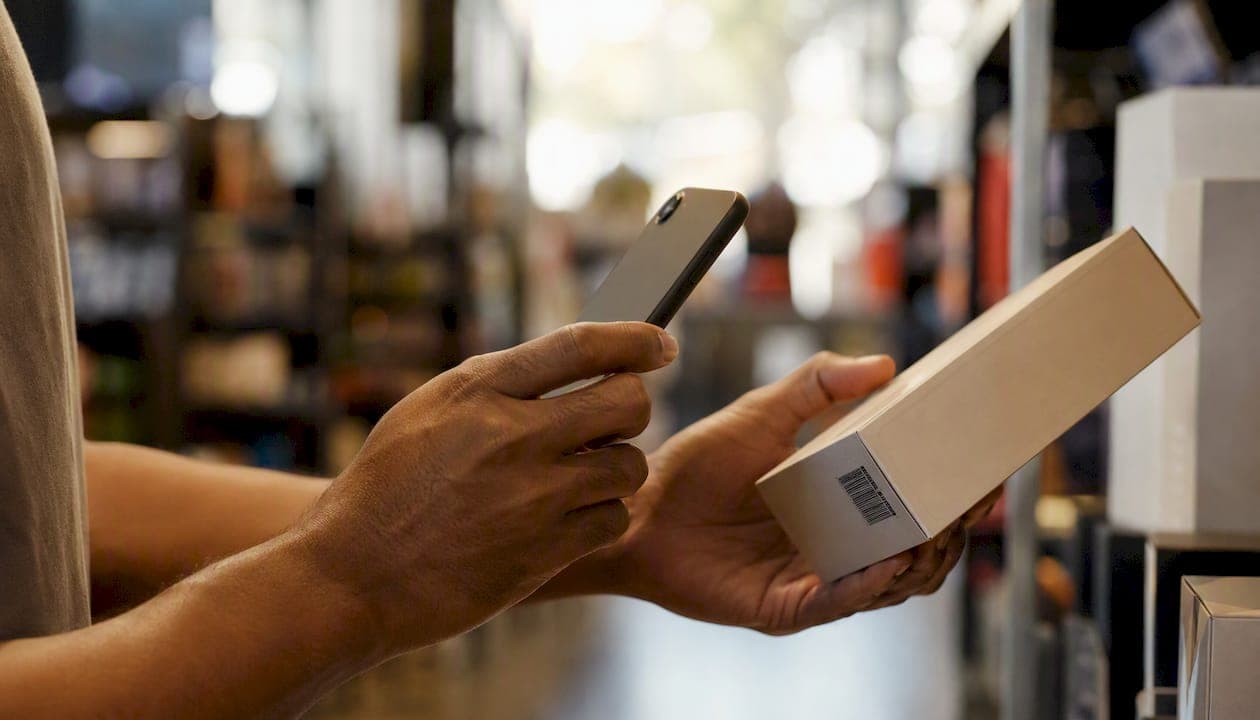
For most UK bespoke mobile apps, commission a camera-based in-app barcode scanning implementation as your default. Switch to dedicated hardware scanners only for high-volume warehouse or fulfilment workflows where staff scan hundreds of items per shift. Where both workflows exist in one product, a hybrid approach is the right call.
Before you write a single line of your RfP, lock in three things:
- Scope your symbologies. List every barcode format the app must read (EAN-13, QR, Code 128, and so on). Unscoped symbologies are the single most common cause of late-stage rework.
- Define performance targets. Set a maximum time-to-first-scan, an acceptable false-positive rate, and battery/thermal limits.
- Require a device test matrix. Any proposal without a named list of test devices and OS versions is incomplete.
Non-negotiable deliverables to demand in every proposal: a working demo on your own devices, a device test report, an idempotency design (UUID per submission), and documented error-handling flows.
Key takeaways
Commissioning barcode scanning in a bespoke mobile app requires a clear approach decision, a scoped symbology list, defined performance targets, and idempotency built in from the start.
| Point | Details |
|---|---|
| Choose your approach early | Camera-based in-app for most apps; dedicated hardware for high-volume warehouse workflows; hybrid where both coexist. |
| Scope symbologies in the RfP | List every required format and enable only those; restricting symbologies reduces false positives and decode time. |
| Set measurable performance targets | Specify time-to-first-scan (under 1.5 s), false-positive rate (below 0.1%), and frame throttling (every 3rd–5th frame). |
| Require idempotency from day one | Every scan submission must carry a UUID; retrofitting deduplication into a live system is costly and disruptive. |
| Pocketapp delivers end-to-end | Discovery, prototype, build, device-matrix QA, and post-launch support for bespoke scanning integrations. |
Table of Contents
- Which barcode scanning SDK approach should you commission?
- What technical requirements should you include in your developer brief?
- Which barcode formats should you specify in your brief?
- What device and platform differences do you need to plan for?
- How should barcode data integrate with your backend or ERP?
- What should your testing plan and acceptance criteria include?
- What timeline and cost should you budget for a UK bespoke integration?
- What questions should you ask agencies and what deliverables must proposals include?
- What security, privacy, and maintenance obligations should you include?
- Why Pocketapp's portfolio is relevant to your barcode project
- What engineers have learned from real scanning projects
- Pocketapp can scope and build your scanning feature
- Sources
- FAQ
Which barcode scanning SDK approach should you commission?
Three implementation approaches cover the vast majority of UK bespoke projects, and each suits a different operational context.
Camera-based in-app scanning uses the device's built-in camera and an on-device decode library. Staff or customers use their own smartphones or company-issued devices. Setup cost is lower, distribution is straightforward, and the barcode scanning UX can be designed to match your brand. This is the right default for retail, customer-facing, healthcare, and charity apps where scan rates are moderate and devices are general-purpose.
Dedicated hardware scanners are purpose-built handheld devices with laser or imager heads. They scan faster, tolerate poor lighting, and hold up to physical punishment in warehouses. The trade-off is device procurement cost, MDM overhead, and a more constrained UX. Commission this route when staff scan more than a few hundred items per shift, or when environmental conditions (glare, distance, damaged labels) make camera scanning unreliable.
Platform and native integrations cover scenarios where scanning feeds directly into an ERP or line-of-business system. Microsoft Dynamics 365 Business Central is the clearest UK enterprise example: its mobile app supports barcode scanning via UI buttons, AL code invocation, and dedicated scanner hardware through Android intents. If your backend is Business Central, specify which of those three scenarios your workflows require.
Default recommendation for UK product teams: Camera-based in-app scanning for retail, customer-facing, and moderate-volume internal tools. Dedicated hardware for warehouse and fulfilment. A hybrid architecture when both workflows must coexist in one product — design the data layer to accept input from either source without duplication.
What technical requirements should you include in your developer brief?
Getting the performance specification right before development starts saves significant rework. These are the concrete items to include.
Frame rate and throttling. Camera streams for barcode scanning typically target 15–30 fps; processing every 3rd–5th frame is a proven optimisation that keeps scanning responsive while protecting battery life and managing thermal load. Specify both the target frame rate and the throttling interval in your brief.
Threading. Decode logic must run off the UI thread. Results are delivered back via a main-thread callback. An app that blocks the UI thread during decode will feel sluggish and will fail basic UX review.
Region of interest (ROI) and autofocus. Limiting decoding to a defined ROI box rather than the full frame can reduce required compute by roughly 60–80%. For real-world reliability, require tap-to-focus rather than continuous autofocus; continuous autofocus causes hunting artefacts that interrupt mid-scan.
Resolution. Capture at 720p–1080p for real-time decoding. Google's ML Kit guidance recommends 1280×720 or 1920×1080 and sets minimum pixel-size constraints for barcode modules. Higher resolutions improve range but increase processing time, so test the trade-off on your target devices.
Confidence thresholds. Require the app to reject low-confidence reads locally rather than forwarding them to the backend. This reduces noise and gives users cleaner feedback.
Pro Tip: Require an ROI overlay in the UI and allow tap-to-focus. Preload or initialise the scanner in a standby state so users who toggle scanning frequently do not wait for a cold start each time.
RfP performance checklist items:
- Maximum time-to-first-scan (suggest under 1.5 seconds for camera-based)
- Acceptable false-positive rate per symbology
- Battery consumption target over a representative shift
- Memory ceiling on lower-end Android devices
- Frame-drop behaviour when the decode queue is saturated (drop frames, not buffer them, per low-level pipeline design guidance)
Which barcode formats should you specify in your brief?
Restrict enabled symbologies to only those your workflows actually need. Fewer active formats means faster decode times and fewer false positives. Symbology whitelisting is a standard capability to require from any scanning component.
| Symbology | Typical use case | Validation rule to specify |
|---|---|---|
| EAN-13 / UPC-A | Retail product identification | 13-digit numeric, check-digit validation |
| Code 128 | Logistics, NHS patient wristbands | Variable length; restrict to expected length range |
| — | Industrial asset tracking | Alphanumeric; specify max character count |
| QR Code | Customer-facing, marketing, payments | URL or structured data; validate prefix |
| Data Matrix | Pharmaceutical, small-part labelling | GS1 GTIN or application identifier validation |
| — | UK driving licences, boarding passes | Structured; validate field count |
| Aztec | Transport ticketing (e.g. National Rail) | Validate against expected data schema |
For GS1-compliant workflows, specify GTIN validation explicitly. A barcode scanner library that decodes the raw string without validating the GS1 application identifier structure will pass malformed data to your backend.
What device and platform differences do you need to plan for?
iOS and Android handle camera permissions and scanner lifecycle differently, and those differences affect both development effort and UX design.
Permissions:
- iOS requires a usage description string in
Info.plist; the system prompt appears once and cannot be re-triggered programmatically. If the user denies it, the app must direct them to Settings. - Android uses a runtime permission model. Permissions can be requested in context, but the app must handle permanent denial gracefully, including a rationale dialogue before the second request.
- Dedicated scanners on Android often communicate via intent broadcasting. The app must register the correct intent filter and handle the scanner's key event or broadcast receiver correctly.
Device matrix to mandate in proposals:
- At least two low-to-mid-range Android devices (e.g. Samsung Galaxy A-series) representing the lower end of your user fleet
- At least one current and one prior-generation iPhone model
- Any dedicated scanner models already in use or planned (Zebra, Honeywell, or similar)
- OS versions: current and one major version back for both platforms
Testing requirements to specify:
- Camera permission grant, denial, and Settings-redirect flows
- Behaviour when the app returns from standby with the camera in a paused state
- Fallback UX when permission is permanently denied (manual entry or error message)
How should barcode data integrate with your backend or ERP?
Three integration patterns cover most UK bespoke scenarios.
Synchronous lookup: the app decodes a barcode and immediately calls an API to retrieve or validate data. Suitable for customer-facing retail apps where the result must appear on screen within a second or two.
Asynchronous queueing: decoded values are written to a local queue and uploaded in the background. This is the right pattern for warehouse environments with patchy Wi-Fi. The queue must persist across app restarts.
Intent-based scanner input: dedicated hardware sends barcode values to the app via Android intents. The app registers a broadcast receiver and processes the value as though it were a camera decode. Business Central supports all three patterns, including intent configuration for dedicated scanners and AL code invocation for custom page actions.
Business Central RfP note: If your ERP is Business Central, specify which of the three supported scenarios apply: UI-button scan, AL code invocation, or dedicated scanner via Android intent. Ask bidders to provide sample AL code and confirm they have tested against your BC environment version. Include the intent provider configuration in the acceptance criteria.
Implementation checklist for any integration pattern:
- UUID attached to every scan submission for idempotency; without UUIDs, unreliable mobile Wi-Fi causes duplicate records
- Backend validation point that rejects malformed or out-of-range barcode values
- Required metadata per submission: timestamp, device ID, and scan image hash (where images are retained)
- Time-windowed client-side deduplication to prevent a single visible label triggering dozens of identical reads
What should your testing plan and acceptance criteria include?
Use-case-based testing on real devices is the standard, and proposals that describe only emulator or lab testing should be challenged. Require at least ten runs per test case, across representative devices and real environments.
Acceptance criteria to specify in contracts:
- Time-to-first-scan under 1.5 seconds for camera-based scanning under normal lighting
- Maximum two retries before the app prompts the user to reposition
- False-positive rate below 0.1% per symbology
- Minimum 98% success rate per symbology at the specified working distance
Sample test cases to require:
- Angled label (30° and 45° tilt) at standard working distance
- Damaged or partially obscured label (simulate 20% occlusion)
- Low-light environment (below 50 lux)
- High-throughput batch scan (20 items in 60 seconds)
- Offline queue: scan 10 items offline, restore connectivity, confirm all 10 upload without duplicates
| Device | OS version | Symbologies tested | Lighting | Target success rate | Time-to-scan target |
|---|---|---|---|---|---|
| Samsung Galaxy A-series | Android 14 | EAN-13, QR, Code 128 | Normal / low | ≥98% | ≤1.5 s |
| current and one prior-generation iPhone model | current and one major version back | EAN-13, QR, Data Matrix | Normal / low | ≥98% | ≤1.5 s |
| Zebra or similar | Android 13 | Code 128, — | Normal / glare | Minimum 98% | under 1.5 seconds |
What timeline and cost should you budget for a UK bespoke integration?
A medium-complexity camera-based integration for a UK bespoke app typically runs across five phases:
- Discovery: 1–2 weeks. Scope symbologies, define performance targets, confirm device fleet, and map backend integration points.
- Prototype: 2–4 weeks. Working demo on target devices with core symbologies and ROI overlay.
- Build and integration: 4–8 weeks. Full feature build, backend integration, offline queue, and idempotency layer.
- QA and pilot: 2–4 weeks. Device matrix testing, acceptance criteria sign-off, and limited user pilot.
- Roll-out: approximately 2 weeks. Staged deployment and monitoring.
UK cost brackets (medium-complexity bespoke integration, discovery through launch): Small scope (single platform, 3–4 symbologies, simple API lookup): £25,000–£45,000. Medium scope (cross-platform, offline queue, ERP integration): £45,000–£90,000. Enterprise scope (dedicated hardware support, custom OCR, strict SLAs, regulated sector): £90,000–£150,000+. These are indicative ranges; your discovery workshop will produce a firmer estimate.
Factors that push cost upward: dedicated hardware procurement and MDM setup, custom OCR for non-standard label formats, offline-first syncing with conflict resolution, regulated-sector compliance (NHS, financial services), and SLAs requiring sub-four-hour incident response.
What questions should you ask agencies and what deliverables must proposals include?
- Can you demonstrate the scanning feature working on our specific devices before contract signature?
- What is your deduplication and idempotency strategy, and can you show us the implementation from a previous project?
- How do you handle camera permission denial on both iOS and Android?
- What is your error-handling design for failed API calls during a scan session?
- Can you provide a device test report from a comparable previous project, including time-to-first-scan metrics?
Non-negotiable proposal deliverables:
- Working prototype on named target devices by the end of the prototype phase
- Device test report covering the agreed matrix, with pass/fail per acceptance criterion
- Full code handover with documentation covering the scanning module architecture
- Maintenance SLA: patching cadence, monitoring approach, and process for adding new symbologies post-launch
Evaluate bidders on their experience with camera integrations and native platform APIs, sample performance metrics from previous projects, and evidence of offline queueing and retry logic in production apps.
What security, privacy, and maintenance obligations should you include?
Security checklist:
- Encrypt all scan data in transit (TLS 1.2 minimum) and at rest on the device
- Attach a UUID to every submission; validate and deduplicate server-side
- Sign and version your APIs; reject unsigned or outdated client versions
- Limit local image retention to the session only, or avoid storing raw scan images entirely
GDPR note for UK projects: If scanned barcodes contain or resolve to personal identifiers (NHS numbers, loyalty card IDs, employee badges), document the lawful basis for processing, apply data-minimisation principles, and include data-deletion procedures in your SLA. The UK GDPR applies to any personal data processed by the app, regardless of where the backend sits.
Maintenance SLA template items:
- Monthly security patching cadence with a 48-hour critical-patch window
- Monitoring alerts for camera API errors and failed scan submissions
- Defined support hours and escalation path
- Change-request process for adding or removing barcode formats post-launch
Why Pocketapp's portfolio is relevant to your barcode project
When evaluating agencies, look for evidence of delivery at scale across real-world conditions, not just a list of technologies. Pocketapp has delivered over 300 bespoke mobile projects for clients including WWF, Dechra, and Crocus, across retail, healthcare, charity, and operational workflows.
What to request from any agency as proof of relevant experience:
- Case studies showing camera or hardware integrations in production
- Sample code or architecture diagrams for a scanning module
- Device test reports with named devices, OS versions, and measured metrics
- Client references from projects with comparable backend complexity
A discovery call and a paid prototype milestone are the two most reliable ways to assess whether an agency can deliver. Ask for both in your RfP.
What engineers have learned from real scanning projects
The gap between a demo that scans a clean label on a desk and a production app that works reliably in a busy warehouse is wider than most briefs anticipate. ROI targeting, deduplication, and idempotency are not optional refinements; they are the difference between an app that passes acceptance testing and one that creates duplicate stock records at 2 AM.
From experience on production scanning builds: require time-windowed client deduplication and a UUID on every submission from day one. Retrofitting idempotency into a live system is expensive and disruptive. The same applies to frame-dropping logic: an app that buffers frames when the decode queue is backed up will run out of memory on a mid-range Android device within minutes of sustained use.
Common delivery pitfalls to avoid: over-optimising capture resolution without testing on low-end devices, writing acceptance tests against a single device in ideal lighting, and skipping the offline queue pilot until the final week of QA.
Pocketapp can scope and build your scanning feature
Pocketapp's bespoke mobile app development service covers the full delivery arc: discovery workshop, interactive prototype, build and backend integration, device-matrix QA, and post-launch support. For scanning projects specifically, that means scoping your symbologies and performance targets in week one, delivering a working demo on your devices before the main build begins, and handing over a tested, documented scanning module at launch.

To get started, bring your device list, a sample of the labels the app will scan, and your backend API documentation to the discovery workshop. From there, Pocketapp will produce a fixed-scope proposal with a prototype milestone and a device test plan built in. Request a discovery workshop to scope your project.
Sources
The following references informed the technical guidance in this article and are worth bookmarking for your discovery and design phases.
- How to Build a Production-Grade Barcode Scanning Pipeline: Camera, Decoding, Validation, and Error Handling | Dynamsoft Blog
- Barcode scanning in the Business Central mobile app - Microsoft Learn
- Barcode scanning — Scandit documentation
- How to make a barcode scanner app performant | Scandit blog
- Low Level Design: Barcode Scanner Service – techinterview
Use these during discovery to validate your performance targets and during technical design to challenge your agency's proposed architecture.
FAQ
What is the best approach for mobile barcode scanning in a bespoke UK app?
Camera-based in-app scanning is the right default for most UK bespoke apps. Switch to dedicated hardware only for high-volume warehouse workflows where scan rates or environmental conditions exceed what a smartphone camera can handle reliably.
How many frames per second should a barcode scanning app process?
Target a camera stream of 15–30 fps and process every 3rd–5th frame. This keeps scanning responsive while reducing CPU load and protecting battery life on mobile devices.
What is idempotency and why does it matter for barcode scanning?
Idempotency means attaching a unique identifier (UUID) to every scan submission so the backend can detect and discard duplicate requests. On unreliable mobile or warehouse Wi-Fi, the same scan can be submitted multiple times; without UUIDs, this creates duplicate records.
Which barcode formats should I include in my RfP?
Specify only the formats your workflows actually need. Common choices for UK projects are EAN-13, Code 128, QR Code, and Data Matrix. Restricting enabled symbologies reduces false positives and speeds up decode time.
Can Pocketapp integrate barcode scanning into an existing app?
Yes. Pocketapp's bespoke development service covers scanning feature integration into existing apps as well as new builds, including backend integration, device-matrix QA, and post-launch support.