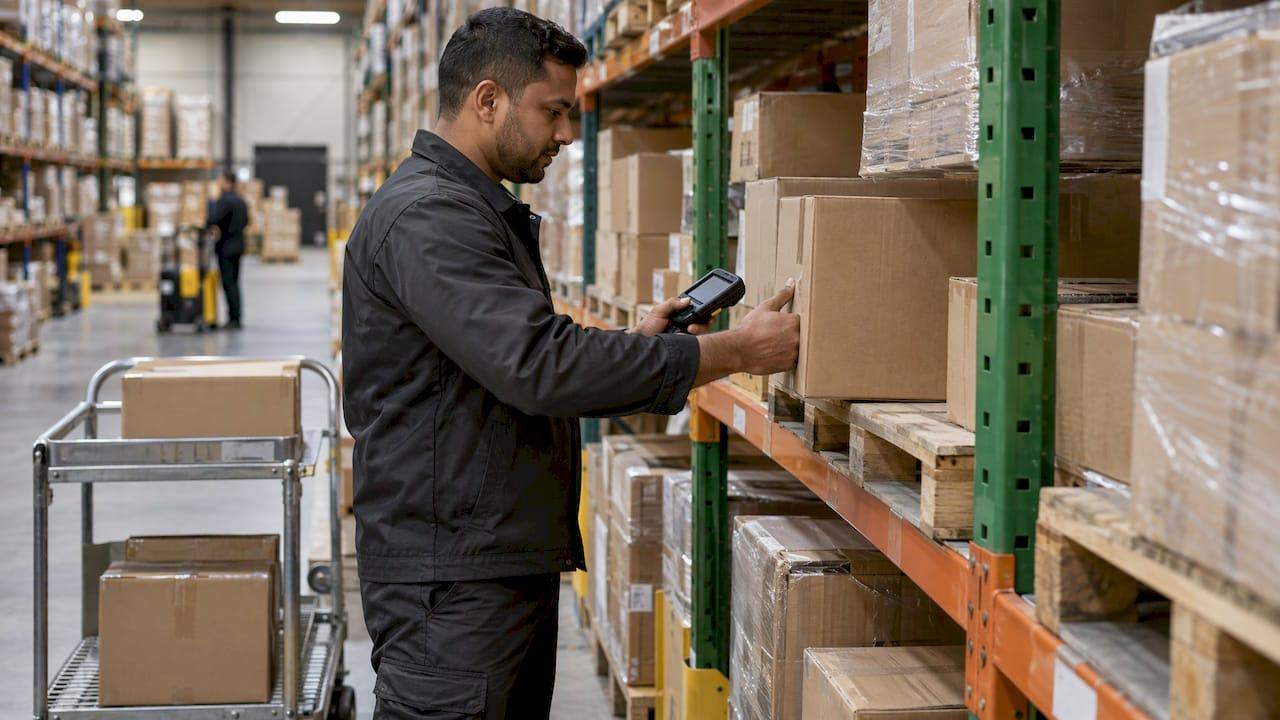
A good warehouse picking app does one job: it tells a picker exactly where to go, what to take and how many, and it refuses to let them move on until the scan proves they got it right. Everything else, from batch picking to integrations, serves that loop. The features that matter most are the ones fitted to your own stock, layout, devices and systems, which is why businesses with a distinctive warehouse flow usually get the best result from an app designed around it, starting with a proper discovery stage. We build custom mobile apps at Pocket App, and this guide sets out the features to specify, the workflows to support and the questions to settle before a line of code is written.
TL;DR
- The core loop is: pick list, guided route, bin scan, item scan, quantity confirmation, exception handling. If any link is weak, errors get through.
- Support the picking methods your order mix needs (single order, batch, zone, wave) and make the app able to change method as volumes shift.
- Plan for the floor, not the office: glove-friendly screens, scanner or camera fallback, and offline working when Wi-Fi drops.
- Decide integrations early: sales channels, couriers, accounting and your stock system should share one record of stock.
- Specify the exceptions (short stock, damaged goods, wrong bin) as carefully as the happy path. That is where most apps fall down.
Table of Contents
- What a picking app actually does
- The core features every picking app needs
- Picking workflows: choose the ones your orders need
- Exceptions: where picking apps succeed or fail
- Devices, connectivity and usability on the floor
- Integrations: one version of the stock
- Measuring whether the app works
- Why a tailored picking app often wins
- Writing the brief: a checklist
- Planning a picking app with Pocket App
- Our view on picking apps
- FAQ
- Sources
What a picking app actually does
Picking is the step where staff collect the items for a customer order from their storage locations. It is labour-intensive, and the UK Warehousing Association (UKWA) lists eight practices for cutting manual picking errors, including logical product arrangement, double verification for high-value picks, regular cycle counts and guided systems such as pick-to-light or pick-to-voice. A picking app puts that discipline in the picker's hand on a phone, tablet or rugged handheld.
In practice the flow looks like this:
- Orders arrive from your sales channels or stock system and appear in a picking queue.
- A picker selects an order, or is assigned one, and starts the pick.
- The app shows one stop at a time: the bin, the item and the quantity.
- The picker scans the bin, then the item. A wrong scan blocks progress and says why.
- The picker confirms the quantity. If stock is short, the app offers a defined route: pick from another bin, split the order or raise an exception.
- When the last line is confirmed, the order moves to packing or despatch and stock levels update.
That sequence is the baseline. The rest of this article is about what to add around it, and how to decide.
The core features every picking app needs
Mandatory scan validation
The single most valuable feature is a scan check on location, item and, where relevant, lot or serial number before a pick is confirmed. Manual entry should be possible only as a controlled fallback. Specify what happens on a mismatch: a clear message, a block on progress and a route to the correct bin.

Barcode choice deserves care. If your suppliers use GS1 codes, case barcodes, or batch and expiry data encoded in a label, the scanning layer must read and interpret them. We cover the options in our commissioning guide to barcode scanning in bespoke apps, including camera-based scanning versus dedicated hardware.
Pick lists sequenced by walk path
A list sorted by order line sends pickers zigzagging. A list sorted by the physical sequence of locations does not. Ask for route-aware sequencing from the start, and for the ability to change the sequence when you re-lay the warehouse. This matters because walking is the largest hidden cost in picking: one widely cited estimate puts travel at around 55% of total order-picking time, so every metre you remove from the route repays itself quickly.
Quantity confirmation and short-pick handling
Pickers should confirm quantities, and the app should handle the common case where one bin does not hold enough. Good designs allow multi-bin picking for a single line, a short-pick flag and an automatic partial delivery or clarification case for the office. Decide who is notified, how fast, and what the customer sees.
Batch, lot, expiry and serial tracking
If you sell food, cosmetics, supplements, spares or anything regulated, the app needs to capture and display batch or lot numbers and expiry dates. A first-expiry-first-out rule, where the app always directs the picker to the batch with the earliest expiry, protects stock value. Serial capture and an audit trail make recalls a search rather than a stock-wide hunt.
A live audit trail
Every scan should be time-stamped and attributed to a user. That supports traceability, resolves disputes about who picked what, and gives supervisors the data to coach. One UK logistics operator interviewed for a UKWA case study said its warehouse system brought immediate improvement to stock management and traceability, letting products be tracked to a few pallets by unique label ID.
Picking workflows: choose the ones your orders need
No single picking method wins everywhere. The right one depends on your mix of lines per order, units per line and how many orders share the same products. A well-specified app supports several and lets a supervisor switch between them.
| Method | How it works | Suits |
|---|---|---|
| Single order (discrete) | One picker, one order at a time | Wholesale and B2B orders with many lines, high-value or complex orders |
| Batch picking | Several orders picked in one pass, then sorted | High-volume e-commerce with overlapping products |
| Zone picking | Each picker covers an area; orders are consolidated afterwards | Larger, structured warehouses with many product lines |
| Wave picking | Groups of orders released in timed waves | Strict courier cut-offs and despatch deadlines |
| Cluster picking | Several totes on one trolley, one order per tote | Small multi-line orders picked in volume |
A few practical points follow from this table:
- Start with what you ship today. Pull a month of orders and count lines per order. If most have one or two lines, batch picking will pay back quickly. If most have ten, single-order or zone picking will serve better.
- Build for the peak, not the average. A seasonal rush changes the order mix. The app should let you switch from single-order to batch or wave picking without a rebuild.
- Let supervisors prioritise. Prioritise, pause, reassign or put orders into an open pool that any picker can take. Those controls decide whether a late courier collection is a crisis or a minor reshuffle.
A very small operation shipping a few dozen orders a day may not need all of this. Once volumes grow, errors and manual re-work begin to cost more than the software, and that is the point at which a tailored app starts to earn its place.
Exceptions: where picking apps succeed or fail
The happy path is easy to build. Real warehouses are mostly exceptions. When you write your specification, list each of these and describe the exact behaviour you want:
- The bin is empty or holds fewer items than the order needs.
- The item is damaged or fails a quality check.
- The picker scans the wrong bin or the wrong product.
- An urgent order is released halfway through a shift.
- An order is put on hold after picking has begun.
- A pick crosses two floors or zones.
- A substitution has been approved for a line.
For each one, define who is alerted, what the picker sees and how stock is corrected. A useful rule: no exception should leave the picker with nowhere to go on the screen. An app that forces staff to leave it and use a phone call or a paper note has lost the traceability you built it for.
UKWA's guidance is a useful reminder that technology is not the whole answer. Its first recommendation is to create a pick environment that works from the picker's point of view: logical arrangement, accessible fast-moving items, good lighting and colour-coded zones. Your app and your layout should be designed together. Putting your highest-turnover lines closest to the packing station shortens every route the app generates.
Devices, connectivity and usability on the floor
A picking app is used for hours at a stretch, on foot, often with gloves and a trolley. Design requirements follow from that.
Hardware
Decide early whether pickers will use dedicated rugged scanners, ring scanners, ordinary Android phones or a mixture. Cold stores, dust, drops and long shifts are tough on consumer devices, so match the hardware to the environment. Where a dedicated scanner fails, a phone camera can act as a back-up reader, which keeps picking going while a replacement is found. A cross-platform build lets the same app run across Android and iOS devices; see our overview of cross-platform app development for how we approach that choice.

Screens built for pickers
The best picking screens show the next task and nothing else: large buttons, high contrast, minimal typing, a clear colour or vibration signal for success and error. Temporary and seasonal staff should be able to pick correctly after a short briefing. Supervisors need a richer view, with controls for releasing work, reassigning orders and resolving exceptions. Treat these as two interfaces for two jobs.
Working when the network does not
Warehouse Wi-Fi has dead spots, and a picking app that stops at the end of an aisle costs more than it saves. Offline-first design lets the app keep a local queue of picks and sync when the connection returns. That sounds simple, but it raises real design questions: what happens if two people pick the same stock while offline, and how conflicts are resolved afterwards. We explain the trade-offs in our guides to offline-first apps and to scoping mobile data sync. Both are worth reading before you write the brief.
Integrations: one version of the stock
A picking app is only as good as the data it receives and returns. List every system it must talk to before you start.
- Sales channels. Your web shop, marketplaces and any trade ordering portal should feed orders in and take stock levels back, so you never sell what has already been picked.
- Couriers. Label generation and tracking numbers should flow without re-keying. List the carriers you use, such as Royal Mail, DPD, Evri, Parcelforce or DHL, and confirm which services and label formats you need.
- Accounting and ERP. Stock movements and invoicing need to stay in step with your accounts system. Be specific about the edition and version you use: UK and US editions of the same accounting package are not interchangeable.
- Suppliers. Advance shipping notices and delivery bookings make goods-in faster and feed accurate stock to the pick faces.
- Reporting. Decide which measures you need on a dashboard: picks per hour, error rate, orders late or at risk, and device or sync status.
The principle is to name a single system of record for stock and make the app post clean, traceable updates to it: goods issued, transfers, adjustments and despatch confirmations. Our piece on the three components of an enterprise workforce app shows how the mobile layer, the back end and the integrations fit together.
Measuring whether the app works
Agree your measures before launch so you can judge the result honestly. Three are enough to start:
- Picking accuracy. The share of lines or orders picked correctly. One UK SME metrics guide cites a best-in-class benchmark for order-picking accuracy of 99.68% from WERC's 2025 survey and advises protecting accuracy above 99% before chasing speed.
- Picks per hour. Track it by method and by zone so you can see where route design or layout is slowing people down.
- Same-day despatch rate. It reflects both speed and exception handling.
Real results vary widely with the starting point. A UKWA case study of a voice-directed picking rollout reported higher productivity with no impact on accuracy, and the operator achieved volume growth with static labour over 18 months. That is the kind of outcome to set as a goal, expressed in your own numbers.
It also helps to know what the wider industry advises. A UK trade title notes that whichever picking system you choose, it should be fully integrated with the warehouse management system, so that tasks can be allocated by workload, skill and location and stock updates in real time. That is a good test of any specification.
Why a tailored picking app often wins
Every warehouse has quirks: unusual products, a mezzanine, a mix of trade and retail orders, a legacy stock system, a client who demands a particular label. Features that look minor in a list become daily friction if the app does not fit them. A tailored app lets you:
- Build the exact pick flow your staff already understand, rather than retraining around someone else's.
- Choose the device and scanner mix that suits your floor.
- Connect to the systems you actually run, including older ones.
- Add the features you need now and extend later, such as new picking methods or reporting.
The route to that result is the same for any bespoke app: discover what the warehouse does, design the screens, build in short cycles and deploy to the floor. Our Discover, Design, Develop and Deploy process follows exactly that order, and the discovery stage is where picking routes, exceptions and integrations get written down before anyone builds them.
Writing the brief: a checklist
Bring these answers to a first conversation and your project will move faster:
- How many orders a day do you ship, and how does that change at peak?
- How many lines per order, on average, and what share are single-line?
- Which picking methods do you use now, and which do you want?
- What barcodes are on your products, bins and cartons?
- Which devices will pickers use, and in what conditions?
- Where is the Wi-Fi weak or absent?
- Which systems must the app read from and write to?
- What are your ten most common exceptions?
- Which three measures will tell you it has worked?
- Who supervises, and what do they need to see in real time?
Planning a picking app with Pocket App
We are a UK mobile app developer with more than 300 projects delivered for brands across retail, charity, healthcare and other sectors. We start with a strategic discovery stage, recommend the technology that fits each project rather than a fixed stack, and carry the work through design, development and deployment. After launch we provide analytics, maintenance and feature updates. If you already have an app in the field and want a second opinion, our Mobile App Clinics are a place to start. If you are weighing up a new build, see our mobile app development services or enterprise application development.
To talk through your warehouse and what a picking app should do for it, get in touch via pocketapp.co.uk.
Our view on picking apps
Most picking projects go wrong in the same place: the specification describes the screen a picker sees when everything goes right, and says almost nothing about what happens when it does not.
When we run a discovery workshop for a workforce app, we spend the time on the awkward cases: the short bin, the damaged carton, the dead Wi-Fi spot at the end of aisle nine. Those decisions shape the design far more than any feature list does, and they are cheap to settle on paper and expensive to fix in a live warehouse.
We are technology-agnostic, so we recommend the platform that suits the job rather than the one we happen to prefer. For a picking app that means looking at your devices, your scanning needs and your back-end systems together, and choosing what will serve pickers on the floor for years.
The result we aim for is simple: an app your staff trust, because it behaves the way their warehouse does.
Paul
FAQ
What are the most important warehouse picking app features?
Mandatory barcode validation of bin and item, a pick list sequenced by walking route, quantity confirmation with short-pick handling, and a clear exception path. Add batch, lot and expiry tracking if your stock needs it, plus an audit trail of every scan. These give you accuracy and traceability before anything else.
Do I need batch or wave picking?
That depends on your orders. Batch picking suits high volumes of small orders with overlapping products. Wave picking suits fixed courier cut-offs. Single-order picking suits complex or high-value orders. Count the lines per order over a recent month and ask for an app that can switch method as volumes change.
Can a picking app work without Wi-Fi?
Yes, if it is designed offline-first. The app stores picks in a local queue and syncs when the connection returns, with rules for resolving conflicts. Specify this early, because it affects the whole architecture, not just one screen.
Should pickers use phones or rugged scanners?
It depends on the environment. Cold stores, dust, drops and gloved hands favour rugged handhelds or ring scanners, while lighter-duty operations can use standard Android devices with the camera as a back-up reader. Choose the devices during discovery so the screens and scanning are designed around them.
What should I measure after launch?
Track picking accuracy, picks per hour by method and zone, and same-day despatch rate. Set the starting figures before launch so you can compare like with like, and review them after the first peak period.
Sources
- UK Warehousing Association, Warehouse Best Practice 2025
- UK Warehousing Association, Warehouse Best Practice case studies (Spring 2017)
- Warehouse & Logistics News, Choosing the right order picking system (July 2024)
- Blue Lotus 360, Warehouse productivity metrics for UK SMEs