
TL;DR:
- Building apps around genuine user needs and business integration ensures engagement and operational success.
- Real-time data, offline capability, and GPS routing are operational essentials for field service apps.
- Focusing on a few high-impact features and iterative testing leads to more effective, user-loved applications.
Choosing the wrong app features is an expensive mistake. Build something users do not need and you will watch engagement drop, budgets drain, and your competitive edge slip away. The good news is that the most effective mobile apps share a clear pattern: they are built around genuine user needs, integrated with business systems, and designed to deliver measurable outcomes. Whether you are in retail, field services, healthcare, or the public sector, the features you select will determine whether your app becomes a daily essential or an afterthought on a user's home screen.
Table of Contents
- How to select app features that make a difference
- Enterprise field service features that drive productivity
- Retail app innovations: Engaging features that increase sales
- Real-time task tracking and operational features for efficiency
- A smarter way to choose app features
- Advance your app vision with expert guidance
- Frequently asked questions
Key Takeaways
| Point | Details |
|---|---|
| Feature selection matters | Choosing the right app features makes or breaks user engagement and business results. |
| User input reduces risk | Involving users through prototypes lowers the chance of early app abandonment. |
| Operational impact proven | Field and retail app features have delivered tangible gains in productivity and satisfaction. |
| Value over volume | Prioritising a few impactful features leads to simpler, more effective apps. |
How to select app features that make a difference
Before you write a single line of code, you need a framework for deciding which features belong in your app and which do not. Many businesses skip this step, jumping straight to a feature wish list that reflects internal assumptions rather than actual user behaviour. That is where investment goes wrong.
Here is a practical set of criteria to evaluate any proposed feature:
- Does it solve a real user pain point? Features must map directly to frustrations or inefficiencies your users experience today.
- Does it align with your business goals? A feature that delights users but adds no operational or commercial value is a distraction.
- Does it fit naturally into the user journey? Features that interrupt flow or require too many steps will be ignored.
- Does it integrate with your existing systems? Connecting your app to ERP or CRM platforms multiplies its value and reduces manual work.
- Is it GDPR-compliant? For UK businesses, data handling is not optional. Every feature that touches personal data must be built with compliance from the start.
The most reliable way to validate your feature choices before committing budget is through structured workshops and prototyping. User-centered design reduces app drop-off risk by as much as 75% when users are involved early through workshops and prototypes. That is a significant reduction in wasted development effort.
At Pocket App, we use prototyping in app development as a core part of our discovery process. Our prototyping guide for UK businesses outlines how early testing surfaces problems before they become costly fixes. Pair that with a commitment to iterative app design and you have a process that keeps features sharp and purposeful.
Pro Tip: Run a feature prioritisation matrix with your team before any development begins. Score each proposed feature against user value, business impact, and technical complexity. It forces honest conversations and cuts scope creep before it starts.
Enterprise field service features that drive productivity
Once you have a framework for selection, it is worth examining how these standards play out in high-stakes environments like field services and the public sector. These sectors are where poor app features cause real operational damage, and where the right ones deliver remarkable results.
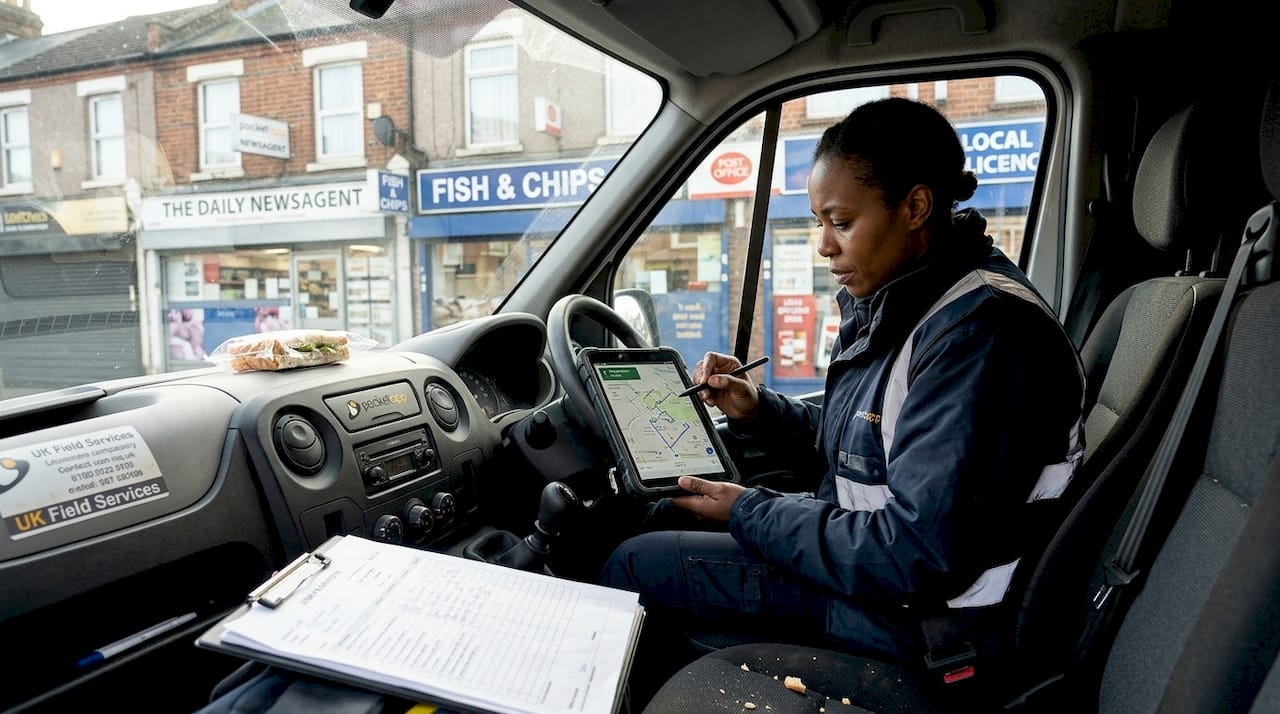
The features that matter most in field service apps include:
- Real-time data access: Engineers and field workers need live job information, not yesterday's spreadsheet.
- Offline operation: Signal is not always guaranteed on-site. Apps must function without connectivity and sync when back online.
- GPS routing: Intelligent routing reduces travel time and helps managers allocate jobs more efficiently.
- Job progress workflows: Step-by-step digital checklists replace paper forms and reduce errors.
- Photo uploads and digital sign-off: Proof of work is captured instantly, reducing disputes and admin time.
Field service app efficiencies show that real-time data, offline access, and GPS routing improve job satisfaction and decrease errors measurably across teams. The evidence from public sector deployments is equally compelling. Vodafone case studies show that UK councils using Vodafone TWM reported 20% more jobs completed per day, one hour saved per engineer each day, and 50% less paper consumed.
| Feature | Business benefit | Measurable outcome |
|---|---|---|
| Real-time data access | Faster, informed decisions | Fewer return visits |
| Offline operation | Continuous productivity | No downtime on-site |
| GPS routing | Optimised scheduling | 20% more jobs per day |
| Digital forms | Reduced paperwork | 50% less paper used |
For businesses with mobile or field-based staff, these features are not nice-to-haves. They are operational necessities. Our work in enterprise mobile enablement consistently shows that the right internal business apps transform team performance. When you add using big data in apps to the mix, you gain the ability to spot patterns and improve operations continuously.
Pro Tip: If your field teams still rely on paper forms or phone calls to log job updates, a simple digital workflow app could deliver ROI within the first quarter of deployment.
Retail app innovations: Engaging features that increase sales
Beyond operations, consumer-facing apps are where the most exciting feature innovation is happening right now. And the lessons from retail translate directly to other sectors.
Leading retail apps are pulling ahead by combining several powerful features:
- AR space visualisation: Customers see how products look in their own homes before buying, dramatically reducing returns.
- GDPR-compliant personalisation: Tailored recommendations based on browsing and purchase history, built on explicit consent.
- Health and sustainability scoring: Products rated on nutritional or environmental impact, helping users make informed choices.
- Flexible fulfilment filters: Users can filter by delivery speed, click-and-collect availability, or in-store stock in real time.
Forrester retail digital experience review found that AR visualisation, personalisation, and flexible fulfilment boost engagement in retail apps used by 37% of US adults. The friction removed from the buying process directly lifts conversion rates.
"The best retail apps do not just replicate the in-store experience. They improve on it by giving users information and control they could never have in a physical shop."
UK retailers like Tesco and Waitrose have built omnichannel experiences that blend app, web, and in-store seamlessly. The takeaway for non-retail brands is clear: loyalty programmes, personalised content, and intuitive navigation are features that work across sectors. A healthcare app can use personalised health content. A B2B platform can use smart product catalogues. The principle of reducing friction applies everywhere.
For a deeper look at how these principles apply to your sector, our guide on retail app user experience is a strong starting point.
Real-time task tracking and operational features for efficiency
With user engagement covered, the other half of the equation is operational efficiency. And this is where real-time features earn their keep.
Here is how a well-designed task tracking system works in practice:
- A task is assigned through the app, with all relevant details attached.
- The field worker receives an instant notification and accepts or flags the job.
- Progress is updated in real time, with GPS location and photo uploads confirming work is underway.
- Managers receive live dashboards showing job status across the entire team.
- Completion triggers automatic workflows, such as invoicing, stock updates, or customer notifications.
ERP mobile task tracking impact data shows that real-time task tracking cut closure times by 46% and reduced inventory discrepancies by 63%. Those are not marginal improvements. They represent a fundamental shift in how teams operate.
Instant notifications are particularly powerful. When a task is completed or a problem is flagged, the right person knows immediately. No waiting for end-of-day reports. No chasing updates by phone. Decisions happen faster and errors are caught before they escalate.
Trackable workflows also reduce stock issues. When every action is logged, discrepancies become visible quickly. Businesses using app data insights from these workflows gain a real-time picture of operational health that was previously impossible without expensive enterprise software.
A smarter way to choose app features
Here is something we have observed across hundreds of app projects: the businesses that end up with the most effective apps are rarely the ones that asked for the most features. They are the ones that asked the hardest questions about which features to cut.
The instinct to pack an app with functionality is understandable. You want value for money. You want to cover every use case. But a bloated app confuses users, slows development, and dilutes the experience of your core features. The apps that users return to daily are almost always built around a small number of things done exceptionally well.
This is not a theoretical position. It is something we see repeatedly in our project work. Apps that went through rigorous prototyping and user testing, with features cut rather than added at each round, consistently outperform those built from long wish lists. The process of leveraging user feedback is not just about improvement. It is about subtraction.
For UK businesses, the pressure to compete on features can feel intense. But the smarter move is to compete on execution. One feature that works flawlessly and saves your users genuine time is worth ten features that are merely adequate. Prioritise value over volume, and your app will earn the daily habit you are looking for.
Advance your app vision with expert guidance
Knowing which features to build is only half the challenge. Bringing them to life with the right technical architecture, UX design, and integration requires experience that most in-house teams simply do not have.

At Pocket App, we have delivered over 300 mobile projects for brands across retail, healthcare, charity, and enterprise. Our mobile app development process starts with strategic discovery to ensure every feature earns its place, and our app design services ensure the experience is one users actually want to return to. If you are ready to move from ideas to a focused, high-impact app, speak to our team and let us help you build something that genuinely works.
Frequently asked questions
What are the must-have features for a business mobile app in 2026?
Essential features include real-time and offline features, GDPR-compliant personalisation, user-friendly workflows, and integration with your existing business systems. The right combination depends on your sector and user needs.
How do I prioritise which features to include in my app?
Start with user workshops and prototypes to surface genuine priorities, then focus on features that solve real problems. User involvement reduces early app drop-off significantly and helps you cut features that look good on paper but add little real value.
Can small UK businesses benefit from advanced app features?
Absolutely. Even smaller teams can achieve strong productivity gains from digital forms, GPS routing, and integrated notifications. Smaller public sector teams have demonstrated measurable efficiency improvements using exactly these tools.
Are app features like AR or health scoring only relevant for retail?
Not at all. AR and health scoring in retail apps offer clear inspiration for other sectors, from immersive training experiences to product visualisation tools in B2B environments.
What does GDPR-compliant personalisation involve?
GDPR-compliant retail app personalisation requires explicit user consent, transparent data usage policies, and secure storage of all personal data in line with UK regulations. It is not a barrier to personalisation; it is the foundation for building user trust.