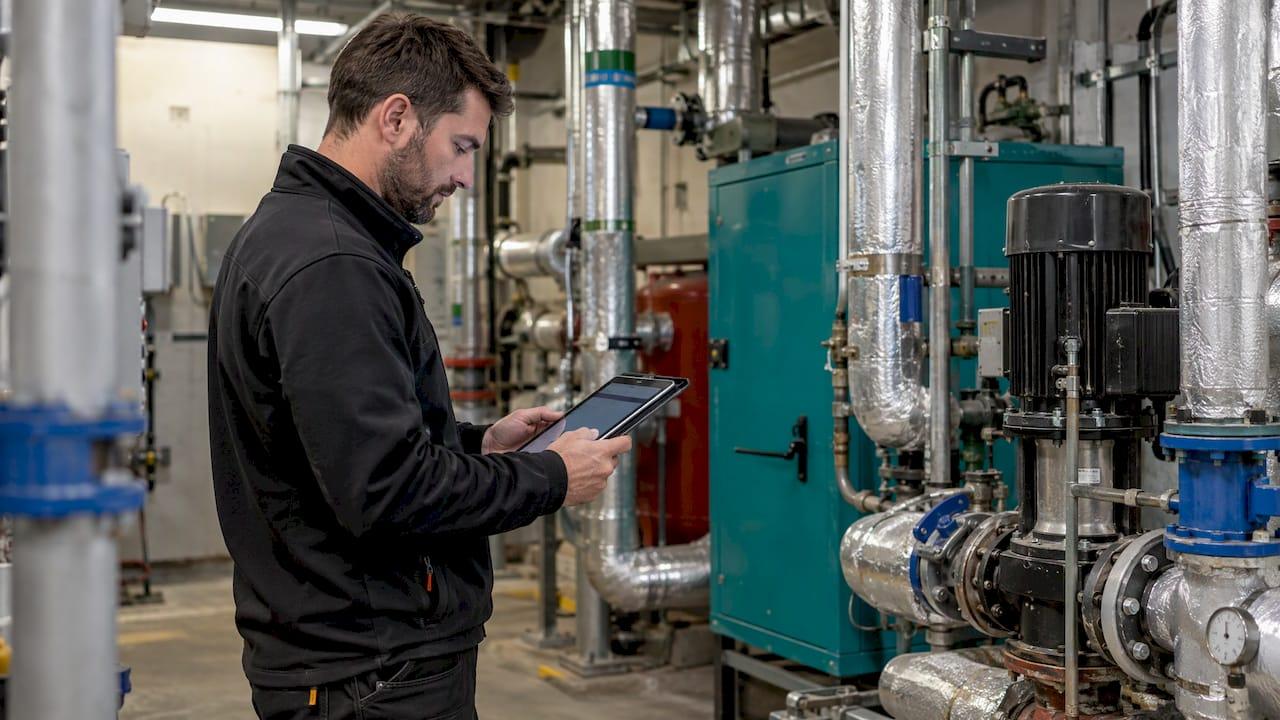
A good field service app gives every engineer the job, the customer and the asset history before arrival, lets them capture the work on site even without signal, and sends the result to the office automatically. Everything else is a refinement of those three things. The features below are the ones that decide whether an app is used on the van floor or abandoned within a month, and the last sections show how to specify them around your own process rather than around a generic feature list.
This guide is written for businesses that run mobile teams: retailers with installation or merchandising crews, charities with community or inspection staff, healthcare suppliers, contractors and brands with field-based employees. If your teams do work that does not fit a standard template, the way you specify the app matters as much as the features themselves.
TL;DR
- The core features are scheduling and dispatch, a full job view, digital forms with photos and signatures, parts and asset records, and reporting.
- Offline working is the baseline in the UK, because basements, plant rooms and rural postcodes lose signal mid-job.
- Integrations with accounting and CRM only help if you know exactly what syncs and what stays manual.
- Adoption fails on friction: install, login and unfamiliar screens. Design for the engineer's first minute at 7am.
- Start from a map of your real workflow, then choose which features to build, and in what order.
Table of Contents
- What a field service app actually is
- Scheduling and dispatch features
- What engineers should see and do on site
- Capturing job data: forms, checklists and service reports
- Parts, stock and asset records
- Offline access: the feature to get right first
- Integrations and reporting
- Customer-facing features
- Why field apps fail: adoption
- How to decide which features your team needs
- When a custom field service app makes sense
- Our perspective
- How we can help
- FAQ
- Sources
What a field service app actually is
A field service app is the front end that technicians carry: the phone or tablet application that connects them to the back-office system. One UK software publisher describes it as the front-end of a field service management system, bringing together task and work-order management, communications, inventory tracking, field data capture and real-time updates.
There are two audiences inside one product. Engineers need a fast, forgiving tool that gets them through a job. Managers and schedulers need visibility: who is where, which jobs are late, what has been done and what has been billed. A feature list that serves only one of these tends to fail. The back office gets data nobody on site wants to enter, or the engineers get a pleasant app that tells the office nothing.
The typical workflow runs from customer request and booking through scheduling, dispatch, travel, the work itself, evidence, completion, invoicing and reporting. Each feature below belongs to one of those stages.

Scheduling and dispatch features
Scheduling is where the office gains most. The features to look for:
- A visual schedule board showing team availability, with drag-and-drop assignment and rescheduling.
- Assignment by skills and proximity, so the job goes to the closest available person who is qualified for it. NetSuite's scheduling documentation describes exactly this, along with priority, status and job-type views and filters by region.
- Recurring jobs for contract work such as annual servicing or monthly store visits.
- Instant updates to the engineer's phone when the schedule changes, so nobody drives to a cancelled job.
- Live location and status, so a scheduler can see delays as they happen and reassign work.
For a small team, a shared calendar and job sheets may be enough. Once you reach six to twenty engineers, dispatch, job costing and stock start to matter, and beyond that, contracts, service-level agreements and integrations come to the front. The point is to match the feature set to your size and growth, not to build everything at once.
What engineers should see and do on site
The job screen is the heart of the app. Before arrival the engineer should see the schedule, the job brief, customer and site details, access notes and codes, asset history and any relevant documents. On site they should be able to:
- Update job status with one tap (travelling, on site, complete).
- Work through tasks and forms.
- Record notes, time and parts used.
- Take photos before and after the work.
- Collect a customer signature.
- Flag follow-up work so it reaches the office as a lead, not a note in someone's pocket.
Each of these should take seconds. If a status update takes four screens, engineers will batch it at the end of the day, and the office loses its live picture.
Capturing job data: forms, checklists and service reports
Digital forms replace paper job sheets, and they are where compliance work lives. NetSuite's UK mobile app documentation lists custom digital checklists for safety and compliance, photos with digital signatures, and expense capture that flows to the back office.
What separates a useful form from a frustrating one:
- Required fields and logic. Questions that appear only when relevant, and a job that cannot be closed until mandatory checks are done.
- Evidence at the point of work. Photos and readings recorded while the engineer is still on site, not reconstructed from memory.
- Instant service reports. A completed job should generate a report the customer can receive straight away.
- Trade-specific layouts. Gas engineers, electricians, installers and merchandisers do not fill in the same things. Generic forms often feel wrong to the people using them.
Genuinely paperless working matters most where records carry regulatory weight. A lost or illegible paper record is a liability for anyone who must keep inspection records, so the form design should follow the record-keeping rules of your sector.
Parts, stock and asset records
Many repeat visits come from the engineer not having the part. Features that prevent this:
- Customer details, contact information and service history on every job.
- Parts and equipment tracking, ideally with a barcode scanner using the phone camera.
- Asset records with service history, compliance records and inspection forms across sites.
- The ability to log stock used and flag follow-on work from the job itself.
Recording materials and parts accurately in the field also feeds your finances. If you want a wider view of how stock discipline saves money, these inventory management tips for cost savings cover the principles, and a field app is where those records start.
A UK example shows the scale this can reach. A case study on a large home-services provider describes around 300 gas engineers working on tablet-based software, with parts orders passing automatically to the parts team and offline working valued in remote areas such as Dartmoor.
Offline access: the feature to get right first
UK working days include basements, plant rooms, steel-framed buildings and rural postcodes. An app that needs a live connection to open a job fails exactly where it is needed. A mobile website that merely resizes to a phone is not the same thing: a true offline app stores captures on the device and syncs automatically when signal returns.
UK guidance on offline operation sets a clear standard: an engineer should be able to open a job, take photos, collect a signature and complete paperwork, then sync when connectivity returns. Specify which data is available offline (jobs, customer history, forms, asset records) and how conflicts are handled if the office edits a job while the engineer is out of signal.
It also helps to test honestly: switch to flight mode mid-job on a real route, not in the office car park.
Integrations and reporting
Integration decides whether the app saves time or creates double entry. Common connections are accounting software (Xero, QuickBooks and Sage are typical in the UK), CRM, ERP, payment systems, customer portals and internal databases. For each connection, write down exactly what moves automatically (customers, invoices, stock values, payments) and what someone still has to key in.
Reporting turns job data into decisions. The measure most often linked to financial health is first-time fix rate, the share of jobs completed on the first visit. Benchmarks vary by industry, but tracking it by engineer, job type, asset and postcode shows where the problem is: a particular job type, a postcode with access issues, or missing parts. Beyond that, useful reports cover job progress, delays, time on site, revenue and profitability.
Customer-facing features
The customer experience is often a few small features:
- Appointment confirmations and reminders by SMS or email.
- A live tracking link showing the engineer's arrival time.
- Easy rebooking and a feedback request after the job.
- Digital signatures and a report sent on completion.
A browser link that the customer opens without installing anything removes the friction of app-store accounts. Your engineers' app and the customer's view are two different design problems and should be treated that way.
Why field apps fail: adoption
The usual failure pattern is that two or three engineers use the new tool consistently while the rest return to paper within a month. The causes are practical: install friction (downloading to a personal phone), login friction (a forgotten password at 7am on the first job) and screens that feel unfamiliar for the trade's actual tasks.
Features that protect adoption:
- Single sign-on or a fast biometric login.
- Distribution to company-managed devices or a simple install route.
- Screens that use the engineer's own vocabulary and task order.
- A working app on both iPhone and Android, including older handsets.
- Short, forgiving flows that do not punish a missed field.
These are design decisions, not software settings, and they are the reason many businesses treat the app as a product in its own right.
How to decide which features your team needs
Start from your workflow, not a feature checklist. A sound process:
- Map the current process from request to invoice, noting where paper, phone calls and re-keying happen.
- Split must-haves from nice-to-haves. Must-haves usually include offline job access, forms with photos and signatures, and status updates.
- Pick the most common job. Run the job type that makes up the biggest share of your week end to end, rather than testing an exotic case.
- List the systems that must exchange data and what each integration transfers.
- Test on real devices with real engineers, including older phones and poor-signal locations.
- Decide the order of release. A first version covering the core job loop beats a big launch that engineers resist.
Size shapes the answer. A sole trader needs quotes, invoices and certificates on a phone. A team of two to five needs a shared calendar and job sheets. Six to twenty need dispatch, job costing and stock. Larger teams need contracts, service-level agreements and integrations.
A worked example: a retailer with twelve installers visiting customers' homes. The must-haves are a daily schedule with access notes, an offline installation checklist with photos, a customer signature and a parts list. Nice-to-haves are route optimisation and a customer tracking link. Integration with the order system is the item that needs most scoping, because it determines whether the office re-enters anything. Phase one covers the first three, phase two adds tracking, and phase three adds analytics once there are weeks of job data.
When a custom field service app makes sense
If your work follows a standard pattern, a standard product may cover it. If your process is specific, a custom app lets you build the engineer's journey around how your teams actually work: your forms, your compliance steps, your brand, your existing systems and your reporting. It also lets you add field features to an app that staff or customers already use, rather than asking people to adopt another tool.
The features list is the same either way. What changes is who decides the details: the screen order, the offline rules, what syncs and when. That is where discovery work earns its keep, and where businesses with unusual workflows get the most from a bespoke build.
For related thinking, see our notes on the three key components of an enterprise workforce app and the lessons from building apps for operational teams.
Our perspective
In our experience building mobile apps for more than 300 projects, the feature list is rarely what decides success. What decides it is whether the app fits the way the people using it already work.
That is why we begin with strategic discovery. We map the workflow with you, agree the must-haves, and put an interactive prototype in front of the people who will use it before a line of code is written. For a field team, that means testing the job screen with engineers, not just managers.
We are technology-agnostic, so we recommend the platform that suits each project, and we deploy across iOS and Android. After launch we support the app with server monitoring, analytics, maintenance and feature updates, so the first release can grow into the second and third as your data shows what teams need.
Paul
How we can help
If you are planning a field service app, our process runs from discovery and design through development to deployment. We start with a discovery workshop to map your jobs, your systems and your engineers' day, then prototype the key screens before building in agile cycles. If you already have an app and want a second opinion on its features and flow, our Mobile App Clinics are the place to start.
See how the stages fit together on our process page, or talk to us about enterprise mobile app development for your field teams.
FAQ
What are the most important field service app features?
The essentials are scheduling and dispatch, a complete job view with customer and asset history, digital forms with photos and signatures, offline working and status updates. Add parts tracking, integrations and reporting as your team and job volume grow.
Does a field service app need to work offline?
Yes, for most UK teams. Signal drops in basements, plant rooms and rural areas, so the app should store job data and captures on the device and sync automatically when connectivity returns.
Which systems should a field service app connect to?
Usually accounting software, a CRM or ERP, payment tools and a customer notification channel. Before building, list what each connection transfers automatically and what staff still enter by hand.
How do I get engineers to actually use the app?
Remove friction at the start of the day: quick login, simple install, familiar screens and short flows. Involve a few engineers in testing the prototype so the app reflects how they really work.
Sources
- What is a Field Service App?
- Scheduling and dispatch for field service management
- Field service management mobile app (UK)
- Field service management software UK: what trade businesses need
- Case study: tablet-based field service software for gas engineers
- Inventory management tips for cost savings and efficiency