
Run your first beta as a small internal test, not an open one. Upload your build, switch on Crashlytics or your platform's native crash reporting, then invite your internal team before you open the doors to anyone else. From there, expand outward through closed and open testing using TestFlight, Google Play testing tracks or Firebase App Distribution, in that order, once the build is stable.
TL;DR:
- Conduct internal testing first to identify critical issues before expanding to external testers on TestFlight, Google Play tracks, or Firebase App Distribution.
- Set clear success metrics such as crash-free rates, usability, and retention targets before recruiting testers and selecting device cohorts based on your user base.
- Automate testing processes across emulators, cloud farms, and real devices, integrating with CI/CD pipelines to streamline build distribution and bug detection.
- Prioritize structured feedback and crash reports by severity and reproducibility, gating releases on achieving crash-free thresholds and resolving critical issues.
- Avoid common pitfalls like vague goals, testing only on emulators, and neglecting update paths, ensuring a focused, metric-driven approach throughout each beta stage.
Table of Contents
- What app beta testing is for and what it should achieve
- Platform distribution: TestFlight, Play Console tracks and Firebase App Distribution
- Plan your beta: goals, metrics and recruiting the right testers
- Running tests: device matrix, automation and CI/CD integration
- Collecting, triaging and acting on feedback and crash reports
- Common pitfalls and a compact beta checklist
- Pocket App view: what our projects show works best
- Get help planning and running your beta programme
- Sources
- FAQ
What app beta testing is for and what it should achieve
App beta testing sits between internal QA and a full public launch. Unlike alpha testing, which stays entirely in-house, or user acceptance testing, which confirms a client's specific requirements, beta testing puts a near-final build in front of real testers on real devices before the world sees it.
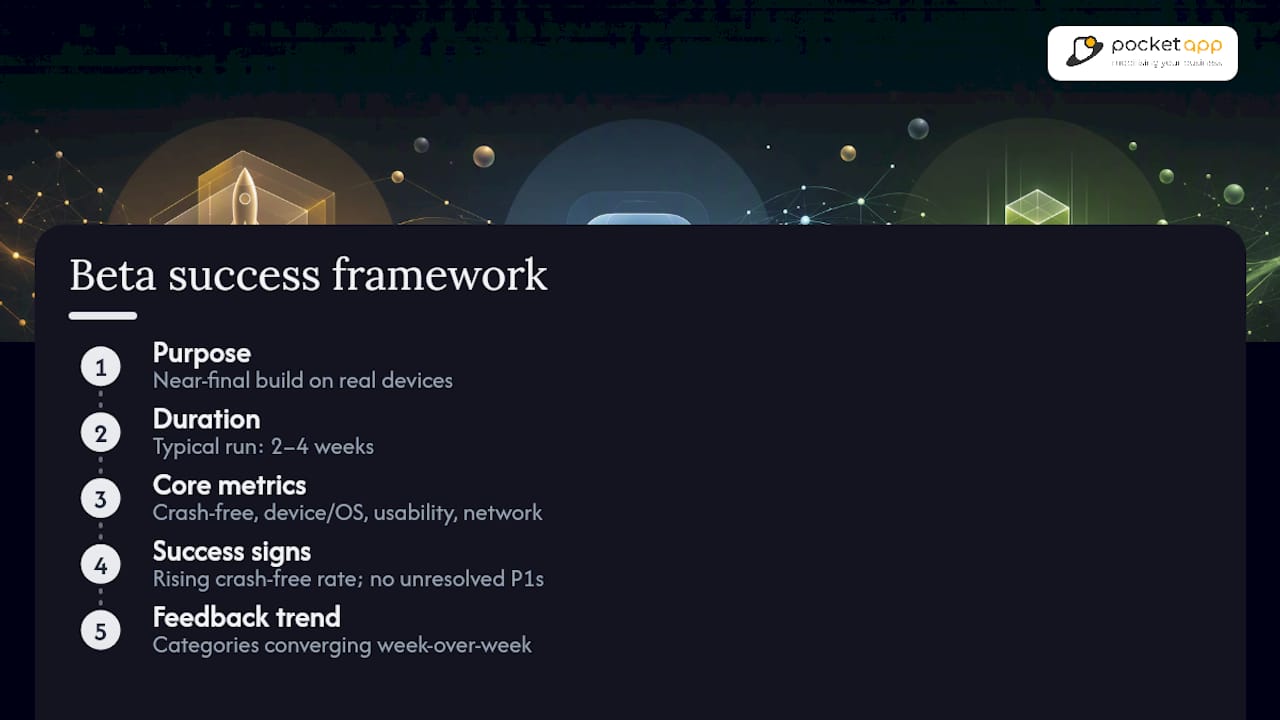
The goals worth tracking are specific: crash-free session rate, device and OS compatibility coverage, usability friction on core flows, and performance under everyday network conditions. A healthy beta typically runs two to four weeks. Success looks like a crash-free rate climbing toward your release threshold, no unresolved P1 bugs, and feedback converging rather than surfacing new categories of problems each week.
Platform distribution: TestFlight, Play Console tracks and Firebase App Distribution
Each distribution method has different mechanics, and picking the wrong one for the wrong stage wastes weeks.
- TestFlight allows up to 10,000 external testers per app, and every build stays valid for 90 days before it expires. External testing requires a TestFlight review first, which typically adds a short delay compared with internal testing, where builds go live immediately once distributed.
- Google Play testing tracks offer three tiers: internal testing capped at 100 testers for fast sanity checks, closed testing managed by email lists or Google Groups for targeted cohorts, and open testing surfaced via opt-in links, which can run unlimited or start at a 1,000-tester minimum. Developers with personal Play Console accounts created recently face additional testing requirements before publishing live, so check the current rules before you plan your timeline.
- Firebase App Distribution works across iOS and Android, distributes builds quickly to trusted testers, and integrates directly with Crashlytics for stability data.
Sequence them: internal first to catch blockers, closed next to validate with a representative slice of real users, open last once metrics look solid.
Plan your beta: goals, metrics and recruiting the right testers
A beta without defined metrics just generates noise. Before recruiting anyone, lock down what "ready to ship" actually means.
- Set two to four primary metrics tied directly to your release decision: crash-free session percentage, task completion rate on core flows, and day-1 retention are the usual candidates.
- Define your tester cohorts. Internal staff catch obvious blockers fast; power users stress-test edge cases; demographic-targeted testers validate real-world usability; edge-device owners (older Android handsets, budget devices) surface compatibility gaps nobody else will find.
- Choose recruitment channels per cohort. Email invitations work well for known user bases, public opt-in links suit open Play testing, and crowdsourced testing services fill device and geography gaps that a small in-house team simply can't reach, according to Wikipedia's overview of mobile application testing.
- Set device and OS quotas so your tester pool actually reflects your user base's fragmentation, rather than skewing toward whatever phones your team happens to own.
Pro Tip: Start closed testing with roughly 20 to 50 users who match your actual target demographic. It's small enough to triage feedback manually, but large enough to catch patterns an internal team of five will never see.
Running tests: device matrix, automation and CI/CD integration
Build your device matrix from your own analytics first, not guesswork. A practical rule of thumb: cover the majority of devices your existing users run, then add a small set of low-spec or older models to catch peripheral hardware issues the mainstream devices won't reveal.
- Balance three testing environments: emulators for quick iteration, cloud device farms for scale, and physical devices for anything touching camera, GPS or biometrics.
- Firebase Test Lab runs automated tests across a matrix of real devices hosted in Google's data centres, which is far more reliable for compatibility checks than emulators alone catch, since real devices surface issues emulators routinely miss.
- Automate build distribution through CI/CD and fastlane, which Firebase App Distribution integrates with directly alongside Gradle and the command line, cutting the manual overhead of pushing new builds to testers.
- Automate sanity, smoke and regression checks. Reserve manual testing for the flows that actually decide whether users stay: onboarding, checkout, and anything involving payment or personal data.
Collecting, triaging and acting on feedback and crash reports
Structured input beats scattered messages every time. Combine in-app feedback prompts, the native TestFlight and Play Console reporting tools, short surveys, and annotated screenshots where testers can mark exactly what broke.
Triage every report against four criteria: severity, reproducibility, the share of devices affected, and impact on your core metrics. Crashlytics integrated with Firebase App Distribution lets you see crash trends as builds roll in, and it's worth gating your next release on a crash-free target, commonly 99% or higher, before promoting a build to the next testing tier.
- Log every report as a ticket with clear reproduction steps.
- Tag by severity and affected device share.
- Set acceptance criteria for the next build before you close the ticket.
Pocket App's guide to leveraging user feedback for iterative app design covers how to turn this raw feedback into concrete backlog priorities rather than an unmanageable pile of notes.
Common pitfalls and a compact beta checklist
The same mistakes show up again and again: testing only on emulators and missing real-world hardware quirks, launching a beta with no defined success metric, dumping every feature onto testers at once instead of focused tasks, and ignoring the install and update path, which is often where the first real users drop off. Always tell testers plainly what data you're collecting and get their consent before the beta starts, particularly for crash and usage analytics.
Pro Tip: Test the update path, not just the fresh install. A build that installs cleanly but fails to migrate existing user data is one of the most common reasons betas quietly fail in week two.
A short checklist to run before each stage:
- Pre-release: build uploaded, crash reporting enabled, tester cohorts defined, quotas set.
- Mid-test: feedback triaged weekly, crash-free rate tracked against threshold, tickets logged with reproduction steps.
- Pre-launch: install and update paths verified, final device matrix passed, acceptance criteria met on all P1 issues.
Pocket App view: what our projects show works best
Across Pocket App's beta programmes, the recurring failure isn't a bug. It's vague goals. Teams open testing without agreeing what "done" means, then drown in unprioritised feedback. The fix is boring but effective: pick your metrics before you recruit a single tester, gate every build promotion on crash-free thresholds, and treat usability hotspots as release blockers, not backlog wishlist items. Smoke-test gating before wider rollout has saved more launch dates than any last-minute feature ever did.
— Paul
Get help planning and running your beta programme
Running a proper beta test alongside your day-to-day product roadmap stretches most in-house teams thin, especially once you're juggling three distribution platforms and a growing feedback backlog. You can choose to work with a specialist team experienced in running beta programmes across retail, healthcare and charity apps to support your test plan, tester recruitment and CI/CD setup.

Our services cover discovery workshops to define your beta metrics, tester recruitment support, CI/CD automation with fastlane, and analytics integration so crash and usability data actually gets acted on. If your build is already stable and you just need testers, keep it in-house. If you're still deciding what to test or you're short on engineering time to wire up automation, that's where bringing in a partner earns back the weeks you'd otherwise lose. Get in touch through Pocket App's mobile app development page to talk through your beta plan.
Sources
For implementation detail beyond this guide, check Apple's distribution documentation, the Play Console testing tracks help centre, and Firebase Test Lab's setup docs. For structured feedback design, Statohub's guide to A/B test design is worth a read too.
- TestFlight - Apple Developer
- Set up an open, closed, or internal test - Play Console Help
- Firebase App Distribution
FAQ
Do Apple beta testers get paid?
No. TestFlight testers volunteer access to early builds in exchange for feedback, not payment; any paid testing arrangement would come from a separate crowdsourced testing service, not Apple itself.
Is Apple beta testing safe?
Yes, within normal limits: external TestFlight builds go through Apple's review process before distribution, and testers install through Apple's own app, not a third-party source.
How do I beta test an iOS app?
Upload your build to App Store Connect, distribute it via TestFlight to internal testers first, then expand to external testers once the build is stable, keeping in mind the 90 day build expiry and 10,000 external tester cap.
What does it mean if an app is in beta?
It means the app is functionally complete but still being validated for stability, compatibility and usability with real testers before general release, typically through internal, closed or open testing tracks.